See a guest's Leat loyalty in the Host app
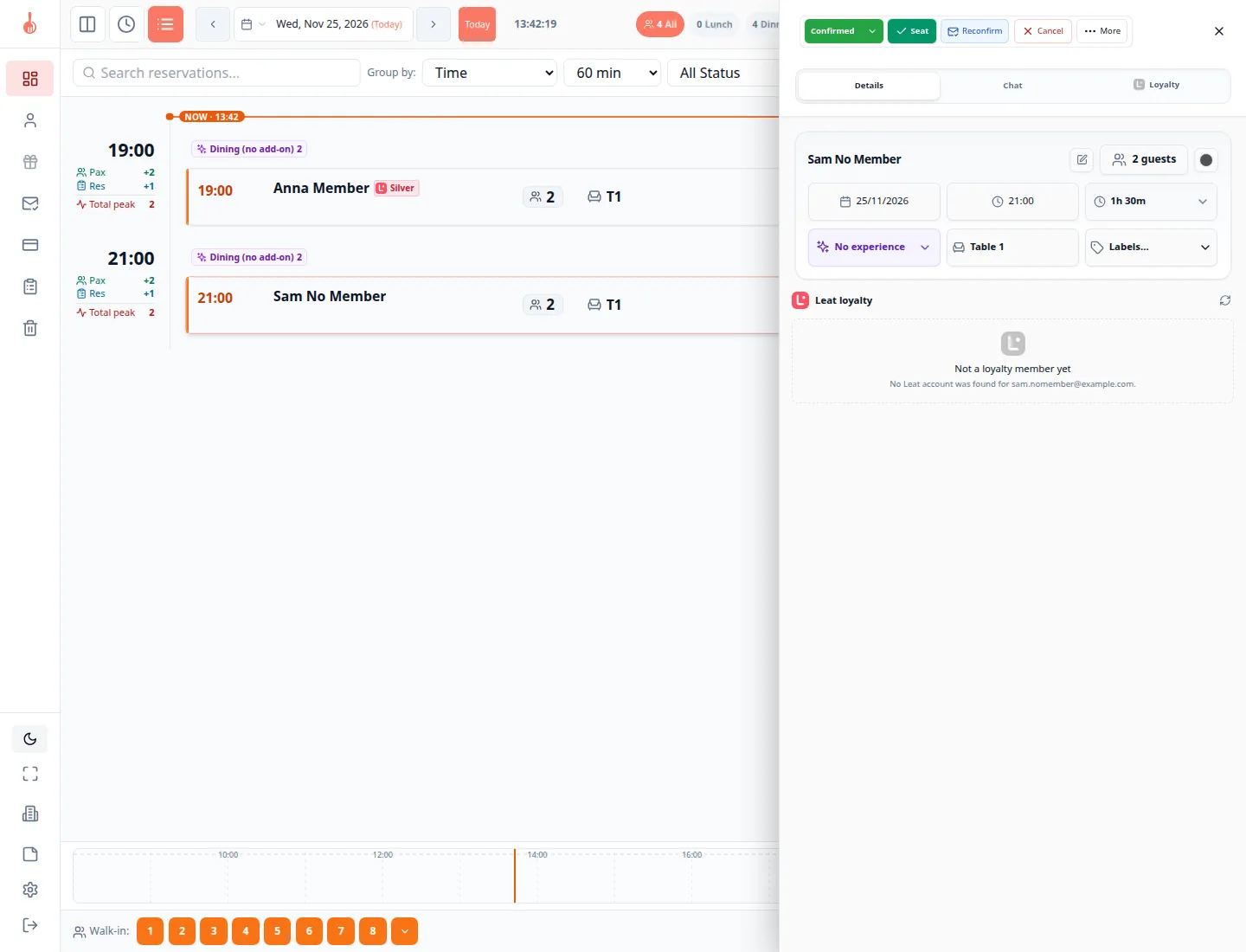
During service, a Leat member is marked on the reservation. Open the reservation to see the tier and points, and open the Loyalty tab for rewards, vouchers and the live balance. You can tell the guest what they can claim. You cannot redeem it from this screen. Nothing here spends points.
Where to find it
Host app › the service view (list, timeline or cards) › the reservation › Loyalty.
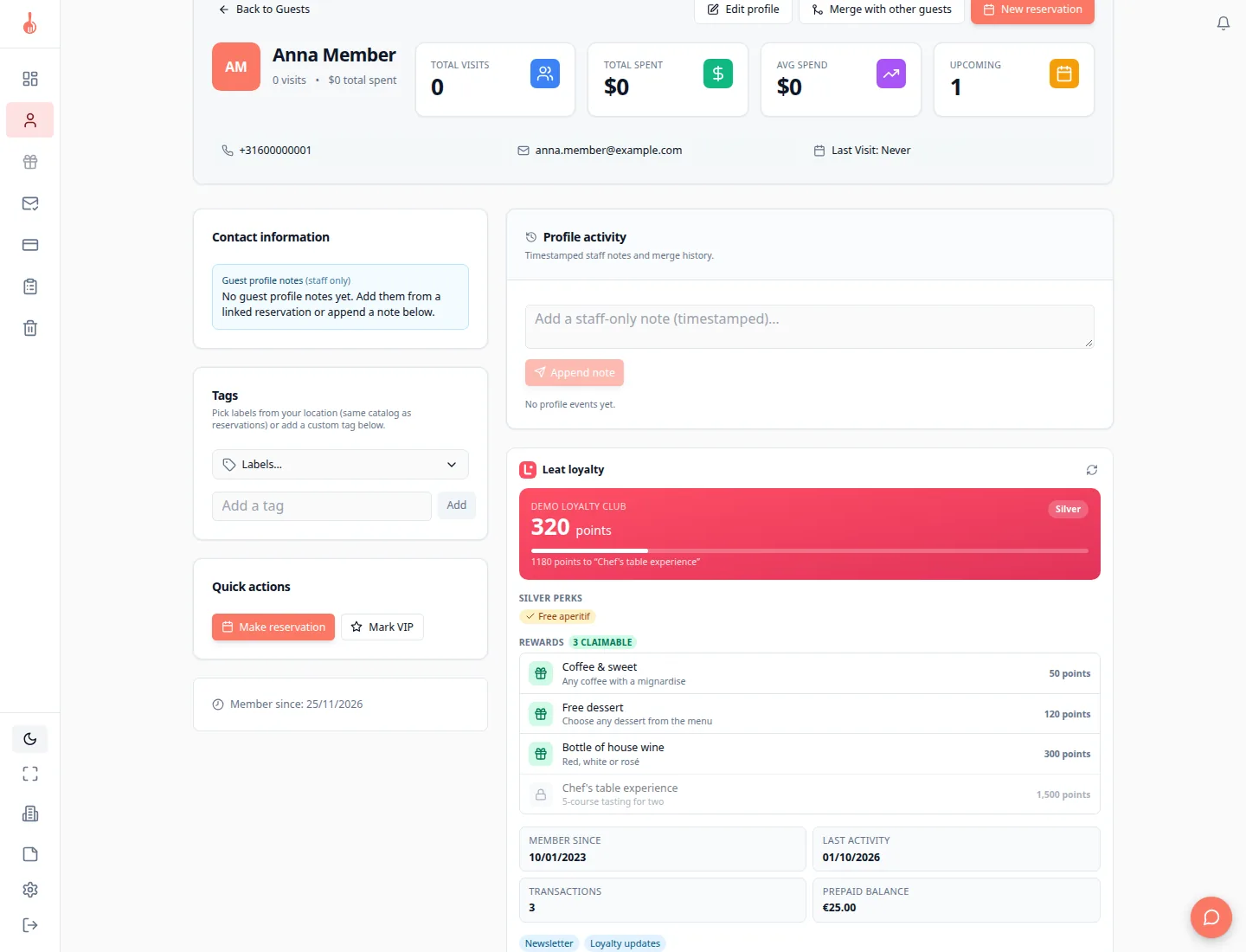
The same card is on the guest profile. From the reservation, Guest (the button's accessible name is "Open guest profile"). On the full reservation page the button is View Full Guest Profile.
What it does
The mark is only shown when 10Seat has confirmed that the email belongs to a Leat member. Hover, or a screen reader, gets "Leat loyalty member", then the tier and the balance when they are known, separated by middle dots.
- List (including the unassigned list): the Leat mark and the tier name. If Leat sent no tier, the word Leat is shown instead. The points are in the accessible name, not printed on the row.
- Timeline, and the blocks in the split view: the Leat mark only. The tier and points are in the accessible name.
- Reservation card: the Leat mark, the tier, and the balance.
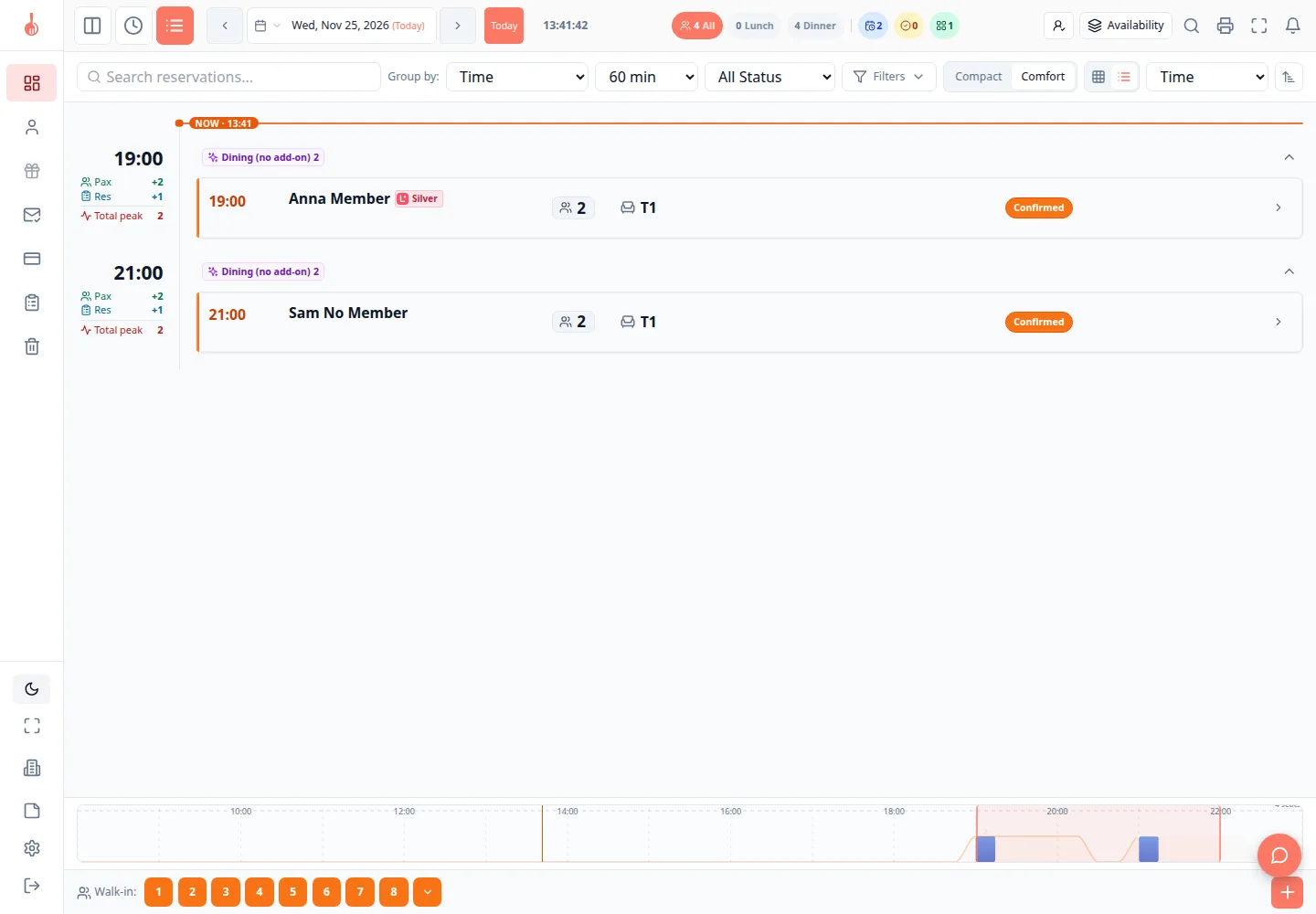
Open a member's reservation. Under the contact details there is a row Leat loyalty member, with the tier and the balance on the next line (for example "Silver · 320 points"). The row opens the Loyalty tab.
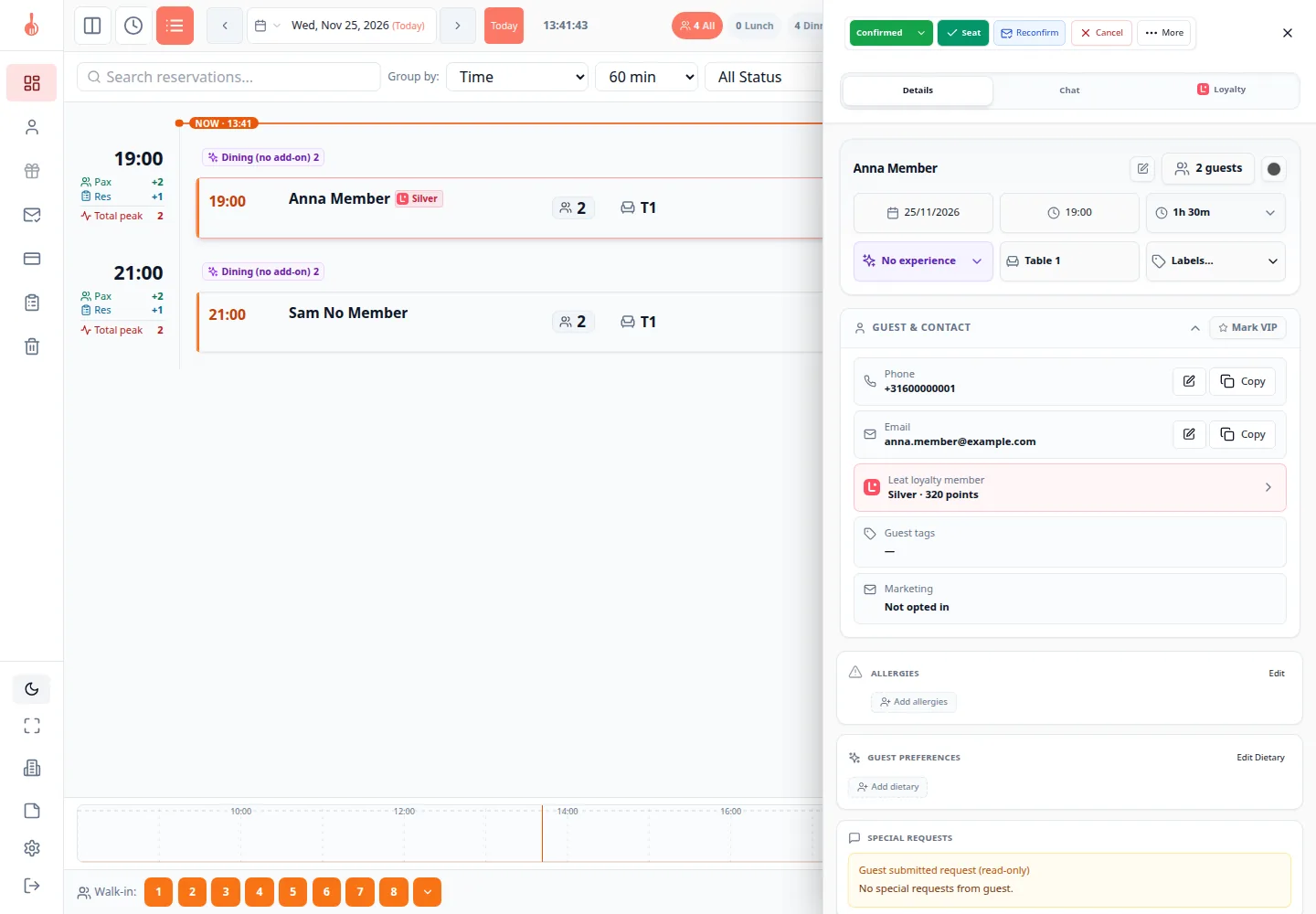
The Loyalty tab is added next to the reservation details and the chat once 10Seat has looked the guest up, including when they are not a member. For a non-member the mark on the tab is grey.
The tab shows a card called Leat loyalty, with Refresh at the right (a round arrow; the accessible name is "Refresh").
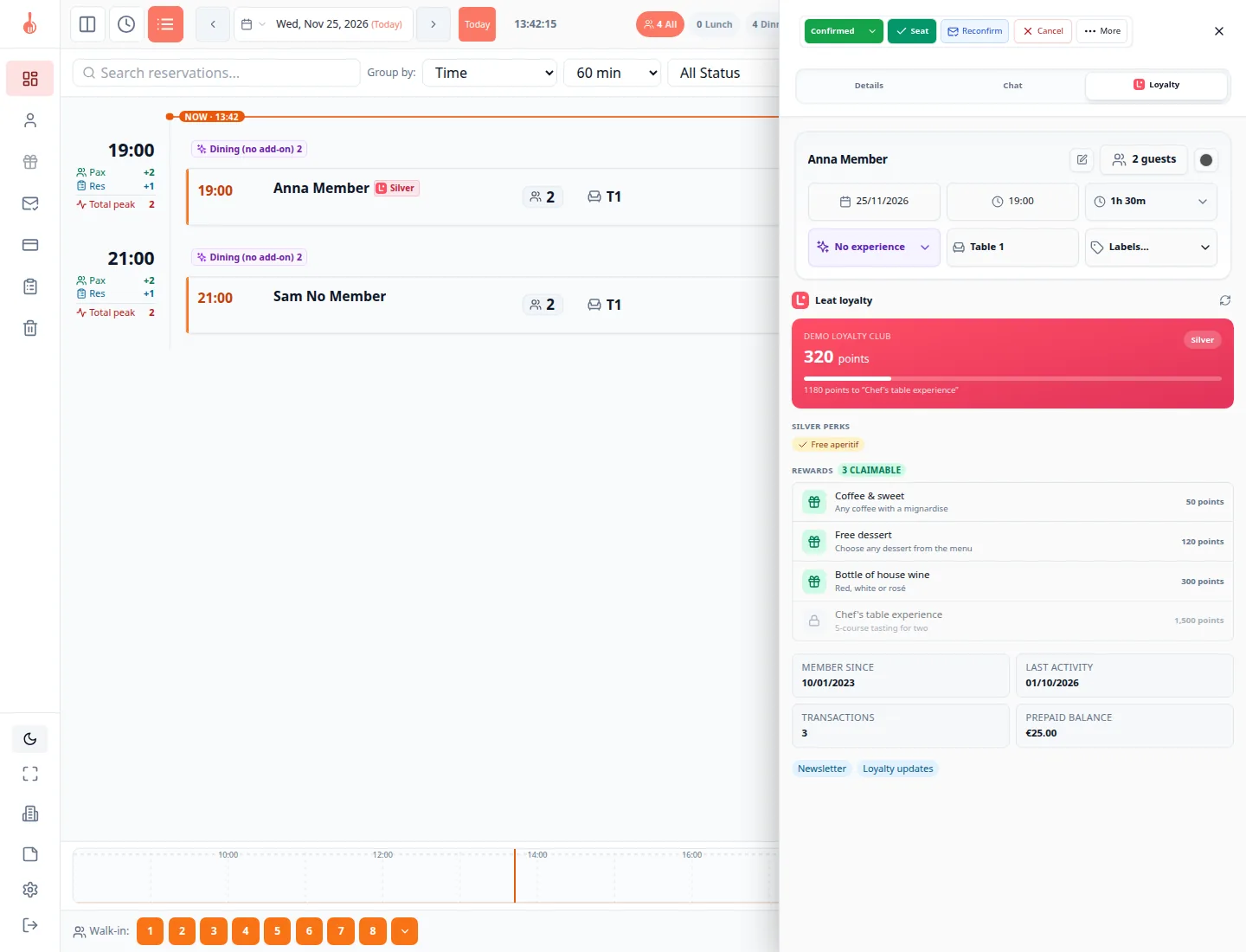
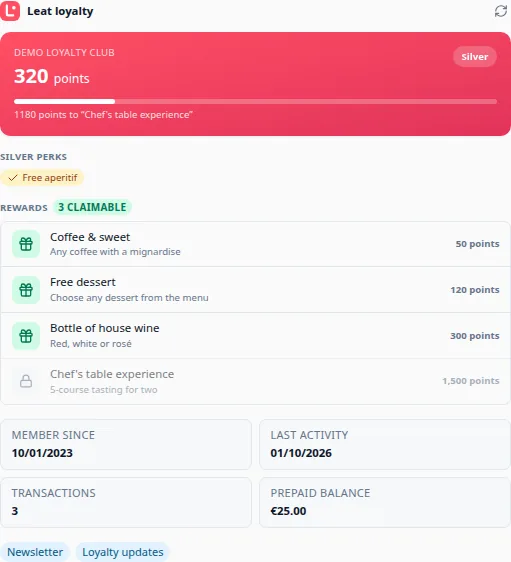
For a member the card shows:
- The programme name, or Loyalty programme if Leat did not send one. The balance is the large number, followed by the programme's name for its credits (often "points"). The tier is a chip on the right.
- A progress line when a reward still costs more than the balance: {number} {credit name} to “{reward}”.
- {tier} perks, the perks of that tier, when Leat sent any.
- Active vouchers, each voucher's name, its code, and "until {date}" when it expires. Dates are DD/MM/YYYY.
- Rewards, every reward, cheapest first. A green count reads "{number} claimable" when at least one can be claimed. Claimable rewards show a gift icon. Locked rewards are dimmed, with a lock, and the points they cost. If Leat has no rewards, the line is "No rewards set up in Leat".
- Four figures: Member since, Last activity, Transactions, and Prepaid balance. An unknown date is a dash. Prepaid balance is shown with a euro sign.
- Subscription names from Leat under those figures. One the guest is not subscribed to is struck through. There is no heading on that row.
For anyone else:
- No email on the reservation: "Add an email address to look this guest up in Leat."
- While loading: "Loading loyalty data…"
- Leat not connected for this location: "Leat is not connected for this location yet (Backoffice → Settings → Integrations)."
- Leat could not be reached: "Could not reach Leat: {reason}".
- The email is not a member: "Not a loyalty member yet" and "No Leat account was found for {email}."
The guest profile uses the same card, and only when Leat is switched on for the location and the guest has an email. Venues without Leat do not show an empty loyalty card.
Good to know
- The badge and the summary row use the last saved snapshot. Refresh on the Loyalty tab reads Leat at that moment. After a guest earns or redeems points at the till, the tab can be ahead of the list until the snapshot catches up. See "How Leat loyalty matches guests and awards points".
- Nothing on this card spends points. Tell the guest, then redeem in Leat or at the till.
- A guest who booked without an email can be looked up after you add the email and save the reservation.
- The booking widget does not show this card to the guest. Member recognition there is coming soon.
Troubleshooting
I see the tab but no badge on the list The lookup ran and the guest is not a member, or the lookup failed. Open Loyalty. "Not a loyalty member yet" means that email is not in Leat. "Could not reach Leat" means the connection failed. Try Refresh, then check the token in the backoffice.
The badge has a tier but the points look wrong Use Refresh on the Loyalty tab for the live balance. The list and the summary row keep the snapshot until it is refreshed. See "How Leat loyalty matches guests and awards points".
Rewards I know from Leat are missing Rewards are tied to the Leat location chosen for this 10Seat location. A reward that belongs to another Leat location is not listed. "No rewards set up in Leat" means Leat returned none for this location.