Revenue Per Available Seat Hour: How to Calculate It
Learn the revenue per available seat hour formula, benchmark ranges by venue type, and proven ways to raise it through pacing, seating and menu changes.
RevPASH = Revenue / (Available Seats × Hours Open). A shift with $6,000 in dine-in revenue, 100 available seats, and eight hours open produces $7.50 per seat-hour.
That number gives a dining-room team a way to compare shifts with different seat counts or service lengths. It also has limits: RevPASH can rise while profit or guest experience falls. The useful question isn't just whether the number went up, but what changed, and what it cost the room.
Table of Contents
- How to Calculate RevPASH for Any Shift
- Benchmark Ranges by Venue Type
- Pacing and Seating Moves That Lift RevPASH
- Menu Engineering to Raise Average Check
- Worked Example of a 60-Seat Dinner Shift
- Recording Sales for RevPASH Under GKS Rules
- Set Your RevPASH Baseline This Week
How to Calculate RevPASH for Any Shift
A shift's RevPASH depends on which seats were available, when they were available, and the revenue those seats produced. The formula is RevPASH = Revenue / (Available Seats × Hours Open). For example, $6,000 in dine-in revenue from 100 seats over eight hours equals 800 available seat-hours and a RevPASH of $7.50. The HSMAI glossary definition of RevPASH describes the metric as adjusted for capacity and time.
Use the actual intervals you want to compare. Keep delivery and takeout revenue out of a dine-in calculation because those sales do not use dining-room seats.
Seven steps to a dependable number
-
Export dine-in revenue by interval. Pull point-of-sale revenue by hour or service interval. Keep takeout and delivery separate.
-
Count seats available for sale. Exclude closed sections, blocked tables, and seats guests could not use during that interval.
-
Use the full occupied interval. Pull check-open and check-close times. A Cornell study of restaurant point-of-sale records found that using both times better captures how long guests occupy capacity. The check-open approach becomes less accurate as the measurement window gets shorter.
-
Calculate available seat-hours. Multiply seats available in each interval by the hours in that interval. If a section opens partway through service, count it only from the time it becomes available.
-
Divide revenue by seat-hours. Record RevPASH beside covers and average check. Those figures help separate changes in guest volume, spending, and seat use.
-
Separate occupancy from average check. RevPASH can be viewed as seat occupancy multiplied by average check. A restaurant revenue-management guide explains this two-driver view. Low occupancy may point to demand or pacing. A low average check may point to menu mix or selling opportunities. Long occupied intervals may indicate table-turning or service-flow issues.
-
Compare like with like. Compare the same weekday and daypart across the previous four weeks. A short lunch and a long dinner are not direct comparisons.
Worked RevPASH results for common shifts
Seat-hours equal available seats multiplied by hours open. Divide revenue by seat-hours to get RevPASH. These rows show the formula applied to the example figures.
| Scenario | Available seat-hours | Revenue | RevPASH |
|---|---|---|---|
| Dinner shift, 100 seats, 8 hours | 800 | $6,000 | $7.50 |
| Bistro dinner, 40 seats, 10 hours | 400 | $4,000 | $10.00 |
| Brunch terrace, 30 seats, 5 hours | 150 | $1,200 | $8.00 |
Use the result to guide decisions at the right level of detail. A room-wide figure can hide a weak table size or time window, so break the calculation down when deciding where to seat guests or which menu choices to promote. A higher RevPASH can also come with longer hours, higher prices, or a poorer guest experience.
Benchmark Ranges by Venue Type
There's no single correct RevPASH for every restaurant. Seat count, service length, menu pricing, and guest dwell time all affect the result. The table below shows typical operating patterns, not audited results or industry benchmarks. Use the last column to record worked figures from your own shifts, then replace those references with a consistent comparison from your records.
| Venue type | Typical seats | Service hours | Benchmark |
|---|---|---|---|
| Fine dining | 40–80 | 5–6 hours, dinner only | Use own trailing 8-week average |
| Bistro or brasserie | Set by floor plan | 6–8 hours, lunch and dinner | Use own trailing 8-week average |
| Casual dining | 80–150 | 8–10 hours, lunch and dinner | Use own trailing 8-week average |
| Brunch venue | 30–60 | 4–5 hours, weekend mornings | Use own trailing 8-week average |
| Bar or lounge with seated service | Set by floor plan | 6–8 hours, evenings | Use own trailing 8-week average |
A fine-dining room may have a high average check but long meals. A casual room with more seats may generate more revenue in total even when its RevPASH is lower. Neither result tells the whole story without context. Bar and lounge seats usually have shorter occupied intervals, so track them separately rather than blending them with dining tables.
Set a benchmark using the trailing eight-week average for the same weekday and daypart. Compare future shifts with that figure, not with a competitor's number you can't verify. Keep the service window consistent, and adjust the comparison when the number of available seats changes.
Practical rule: Set one benchmark per daypart and one per seating zone. When a result falls, that split helps point to the room or service period that needs attention. Replace the worked references with your own averages as soon as you have enough comparable shifts.
Pacing and Seating Moves That Lift RevPASH
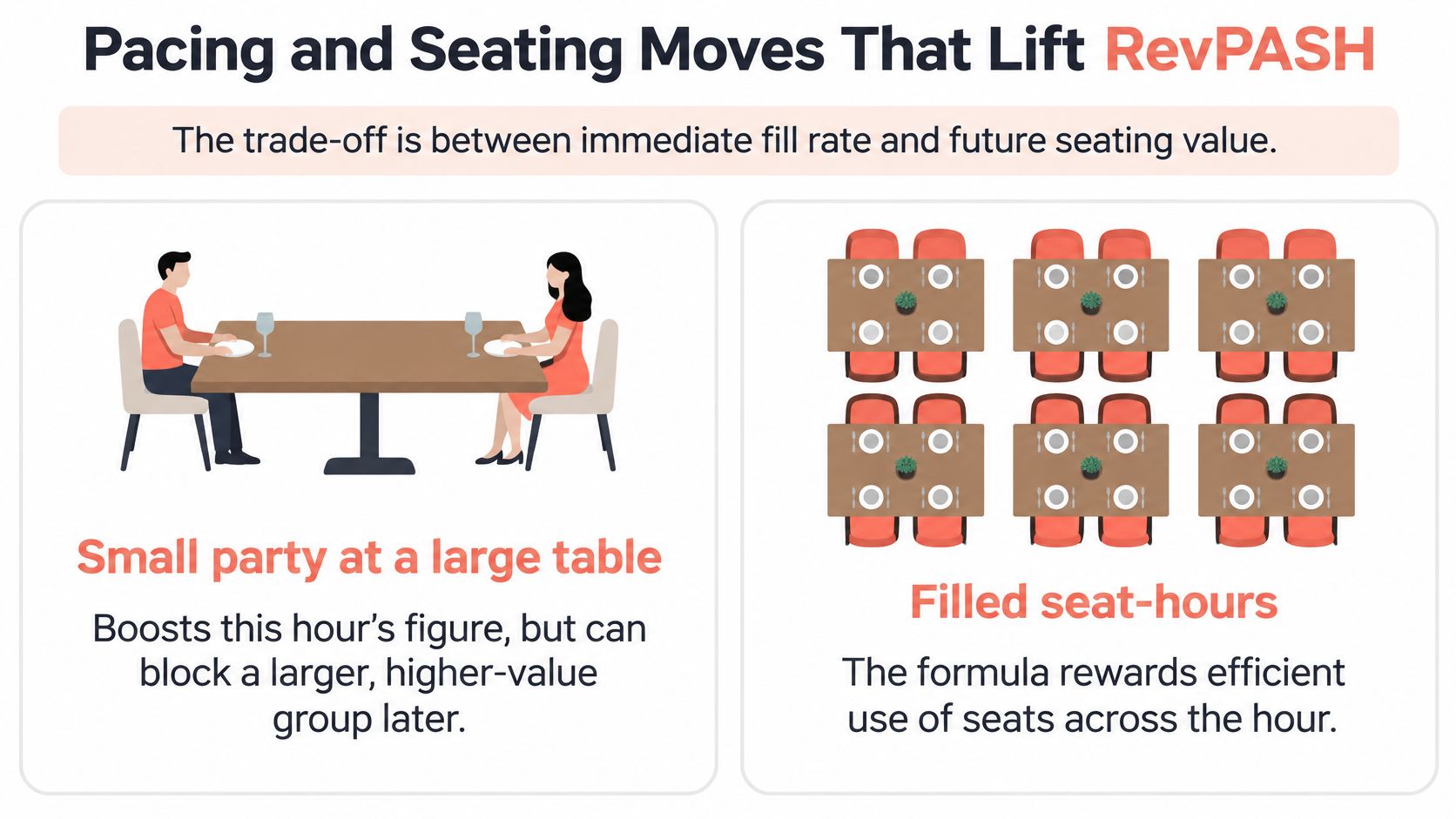
The formula rewards filled seat-hours. But seating two guests at a large table can improve the current hour's figure while blocking a larger, higher-value party later. The right move depends on the whole service, not just the number in the current interval.
A table-management simulation found that layouts with 50% combinable tables outperformed dedicated-table layouts in 60% of tested configurations for a 50-seat restaurant and 54% for a 200-seat restaurant. Those figures come from a simulation of table layouts, not field trials. The finding supports testing flexible layouts when party sizes vary, but it doesn't guarantee that changing a particular floor plan will improve a restaurant's results.
Match the move to the service
| Situation | Move | Effect on RevPASH | Watch for |
|---|---|---|---|
| Two guests arrive while a six-top is open | Use a two-top and keep the larger table available | Protects capacity for a larger party | Lower immediate use if the room stays empty |
| Quiet hour with combinable tables | Join tables for a party of five or six | Fills seats without adding physical seats | Setup time and staff attention |
| Gap before a large booking | Offer a short-slot walk-in with a firm end time | Uses time you might otherwise refuse | Late clearing that delays the next party |
| High-check table with a slow turn | Pace courses and reset on time | Reduces the occupied interval | Rushed guests and lower satisfaction |
| No-shows are rising | Confirm bookings and use a small overbooking buffer | Can reduce empty seat-hours | Too many arrivals on a full night |
Before seating a walk-in, check bookings for the next 60 to 90 minutes. Hold a table for a larger party only when that party is confirmed, and reset tables on time so the next guests aren't left waiting. For more ideas on matching parties to the room, use this guide to restaurant seating management.
A missed phone booking can leave a real gap in the plan. Restaurants reviewing their call-handling process can also compare restaurant telephone reception options when deciding how to capture reservation requests consistently.
The practical rule is simple: make a seating move only when the trade-off benefits the room across the whole service, not just the current hour.
Menu Engineering to Raise Average Check
Average check is the other direct driver of RevPASH. If more revenue comes from each cover while seat-hours stay the same, revenue per available seat hour rises without adding a table. The catch is that extra spend won't help if it keeps the table occupied so long that the room loses more revenue than it gains.
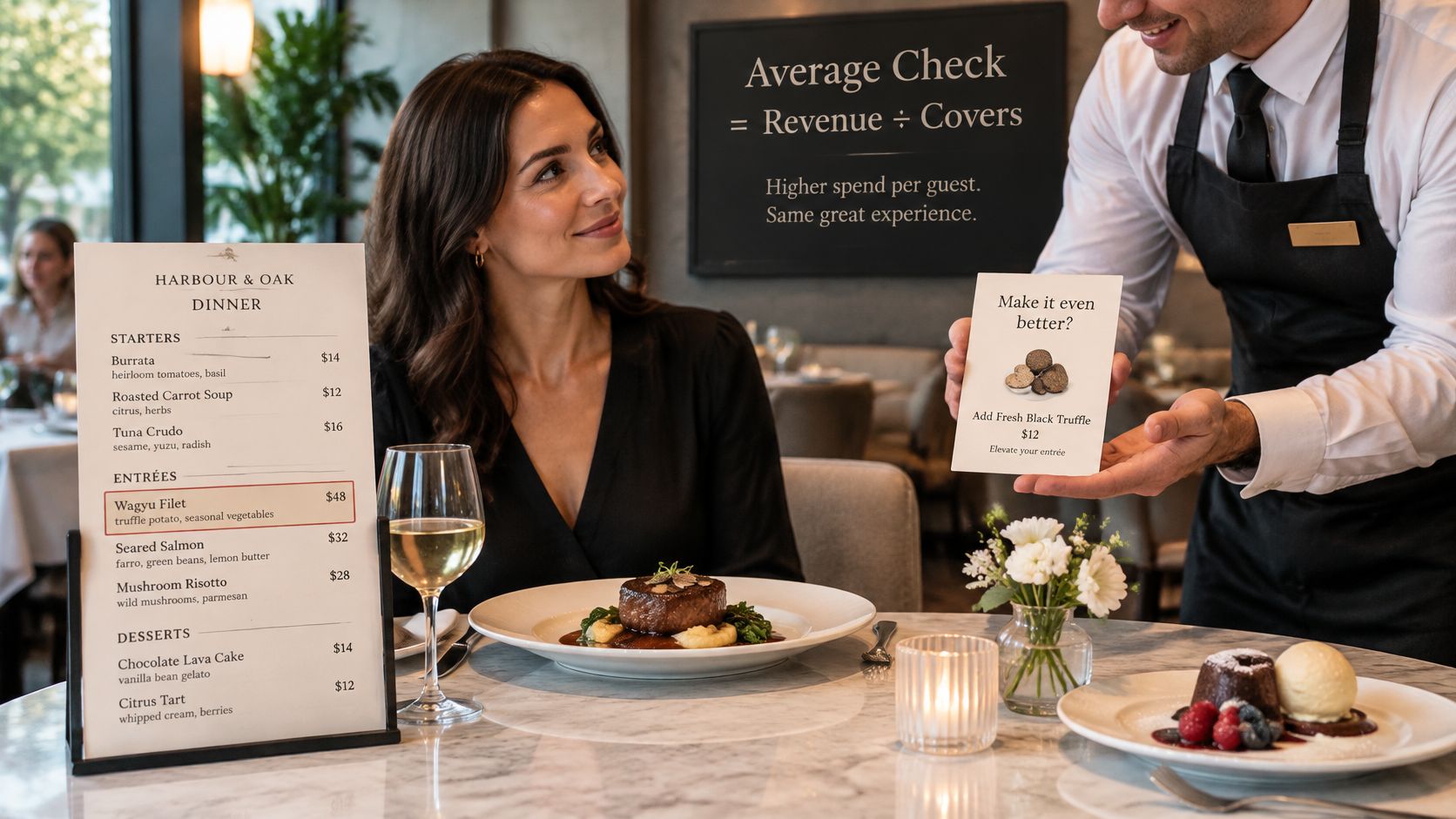
Try changes that suit the kitchen and service pace:
- Put one or two high-margin starters near the top of a short list. Clear placement makes the options easy to notice. Too many choices can slow ordering.
- Offer a two- or three-course menu during prime service. A set format can increase spend and make kitchen flow easier to plan. It backfires if courses arrive late or guests feel rushed.
- Print a beverage pairing or bottle option beside the food. Guests can see a relevant suggestion at the point of choice. Staff should still offer it naturally, not treat every table as a sales target.
- Focus the dessert list on a signature item. A distinctive dessert is easier to recommend than a long list. Keep an alternative for guests who want a different finish.
- Take pre-orders or deposits for larger parties. They help the kitchen plan ahead. Make the process clear, or the extra steps can create friction before the visit.
Menu price increases need a separate check. In 2025, restaurant spending was reported as 23% above pre-pandemic levels but only 0.8% higher after inflation, according to the Louisiana Restaurant Association's industry update. A higher check driven only by prices isn't the same as guests buying more or returning more often. Track covers and compare average check with the same window last year, not just the previous week.
Test one menu change at a time for two weeks. Keep it only if the average check improves without harming covers, table flow, or the guest experience.
Worked Example of a 60-Seat Dinner Shift
This is an illustrative model, not a measured venue. The room has 60 seats and operates for six hours, giving it 360 available seat-hours per shift. At baseline, 180 covers at an average check of $12.40 produce $2,232 in revenue and $6.20 RevPASH.
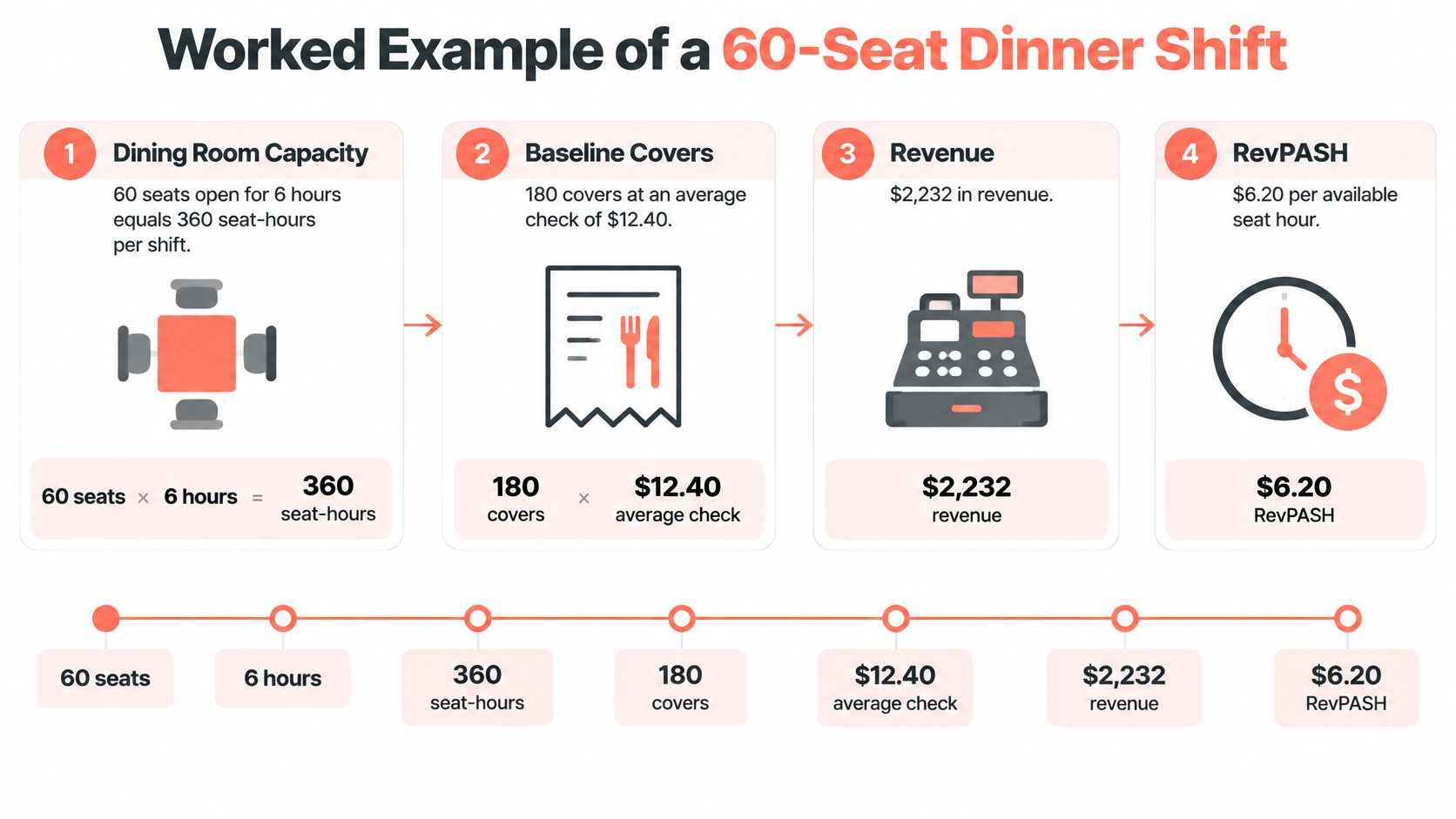
The model then changes two things. Staggered arrivals and a better table match add 36 covers, bringing the shift to 216. A clearer starter and wine suggestion raises average check to $13.50. Together, the changes produce $2,916 in revenue and $8.10 RevPASH.
| Metric | Baseline | After changes |
|---|---|---|
| Seat-hours per shift | 360 | 360 |
| Covers | 180 | 216 |
| Average check | $12.40 | $13.50 |
| Revenue | $2,232 | $2,916 |
| RevPASH | $6.20 | $8.10 |
The model's revenue rises by $684 per shift, or about $3,420 across a five-shift week. Covers rise by 20%, while average check rises by about 9%. The two effects multiply: each additional cover spends more on average, so the revenue change is larger than either change alone.
Manual table reshuffling that takes around 15 minutes per service may fall to a few minutes when table assignments are easier to manage. As an illustrative estimate, saving about 12 minutes across five services adds up to roughly one hour per week. That's a scenario, not a measured result; actual time saved depends on how the restaurant currently assigns tables.
For comparison, the MenuTiger 2025 example calculates $10 per seat-hour from $4,000 in revenue, 40 seats, and 10 operating hours. It's a different room and service window, so it isn't a target for the 60-seat model.
To test a real shift, use dine-in revenue, available seats, and actual occupied intervals. Keep the weekday and daypart consistent, then record covers and average check beside RevPASH so the cause of a change is clear.
Recording Sales for RevPASH Under GKS Rules
In Belgium, the Geregistreerd Kassasysteem (GKS) applies to restaurant and catering businesses whose annual turnover from applicable on-premise food-service sales exceeds €25,000. It combines a certified cash register with a Fiscal Data Module. Businesses above the threshold must issue VAT receipts and register the required system with the tax authorities, as outlined in this Belgian fiscal requirements guide.
For RevPASH, use revenue that reconciles with the restaurant's documented fiscal sales records. A reservation platform or spreadsheet can help with capacity planning and analysis, but it doesn't replace the certified POS, fiscal module, receipts, or GKS obligations. Sources distinguish food consumed on the premises from excluded categories such as drinks when determining whether the threshold applies, so confirm with an accountant which sales count for your business. This overview of VAT on food can help frame the accounting question.
Restaurants in the Netherlands and Luxembourg use the same RevPASH formula, but should check their local cash-register rules. GKS is a Belgian requirement.
Before reviewing a shift, record:
- Revenue: the POS or fiscal-record figure used.
- Seats: the number available for sale.
- Hours: the service period measured.
- Source: where each figure came from.
Set Your RevPASH Baseline This Week
A four-week baseline can show whether a seating change raises revenue per seat-hour or just packs more guests into a shorter window. Start with one daypart and compare similar shifts.
- Pull four weeks of dine-in POS revenue by hour. Keep off-premises sales separate.
- Measure available seats, occupied intervals, and seat-hours using the same definitions for every shift.
- Calculate RevPASH and average check for each shift or interval.
- Compare like with like: use similar weekdays and dayparts, then check each result against your venue's trailing average.
- Test one lever: pacing, seating, or menu. Changing several at once makes the result harder to interpret.
- Re-measure after two weeks. Keep the change only if RevPASH and covers improve without harming service.
Split the results by table size and time window where your records allow. A higher shift-wide RevPASH can hide weak early bookings or a drop in check size at larger tables. Use the breakdown to decide whether to adjust seating, pacing, or menu choices. A restaurant data analytics guide can help frame what to track.
Include the cost of reservation tools in the review. Compare the pricing model, such as a flat monthly plan or per-cover fees, with your latest invoice. 10Seat charges zero commissions on reservations, and its plans are listed at 10Seat pricing. To compare costs line by line, send 10Seat your last invoice.
Choose one lever to test this week. Put the two-week re-measurement in the shift calendar.