How to Run Restaurant Operations That Turn a Profit
Learn how to run restaurant operations step by step, from daily service and staffing to reservations, GKS compliance and weekly profit checks.
Friday is fully booked. A cook has called in sick, tickets are backing up, and a walk-in wants a table. Several seats are still empty, but seating every available guest at once could overwhelm the kitchen and delay the whole room.
Running a restaurant means managing capacity as well as costs. Seats, tables, kitchen stations, and service hours set the limits. An empty seat during peak service is lost revenue; too many guests arriving together can slow ticket times, delay table turns, and strain the team.
Labor adds pressure. Median labor costs at full-service restaurants reached 36.5% of sales in 2024, while the median pre-tax margin was 2.8%. The National Restaurant Association's analysis of restaurant labor costs provides context for those figures. Better use of the dining room, matched to staffing and kitchen throughput, can protect a shift without adding tables.
The operating sequence ties those decisions together: assess usable capacity, set a daily rhythm, schedule for expected demand, manage reservations and seating, compare tool pricing, then review prime cost each week. Belgian operators also need to account for GKS requirements.
Table of Contents
- Why Running a Restaurant Comes Down to Capacity
- Building a Daily Operating Rhythm
- Staffing Around Real Demand
- Reservations and Table Layout for Every Service
- Comparing Reservation Tools by Pricing Model
- Meeting GKS Cash Register Rules in Belgium
- Tracking Prime Cost and Taking Your Next Step
Why Running a Restaurant Comes Down to Capacity
At 7:30 on a Friday, three parties arrive together. The dining room is nearly full, but the kitchen is already behind and two tables are waiting to be cleared. A full reservation book can still leave capacity poorly used.
The room has limits: seats, table configurations, kitchen stations, and staff hours. Holding a four-top for a larger party that never arrives wastes seats. Seating too many guests at once can stretch ticket times and delay the next seating. Capacity means matching arrivals to the pace the team can serve.
Floor use, staffing, and food costs belong in one operating sequence. Set booking and seating rules around the room's actual throughput. Schedule staff to cover the expected peaks. Then review prime cost weekly to see whether labor and food spending fit the sales those shifts produced. A floor plan that fills every seat can still lose money if service slows or labor is scheduled for demand that never comes.
The margin for error is narrow. The National Restaurant Association reports a median 2024 pre-tax margin of 2.8% for full-service restaurants, compared with 4% for limited-service restaurants in its analysis of restaurant business conditions. A packed room alone does not show whether the service used its capacity well.
For practical methods to match bookings and table use, see this guide to restaurant capacity management. The same operating discipline applies to guest connectivity: hospitality operators can explore hotel WiFi content filtering as part of managing their service environment.
Building a Daily Operating Rhythm
A repeatable daily rhythm gives the team a chance to catch problems before service begins. It also keeps the owner-chef from making every decision in the middle of a rush.
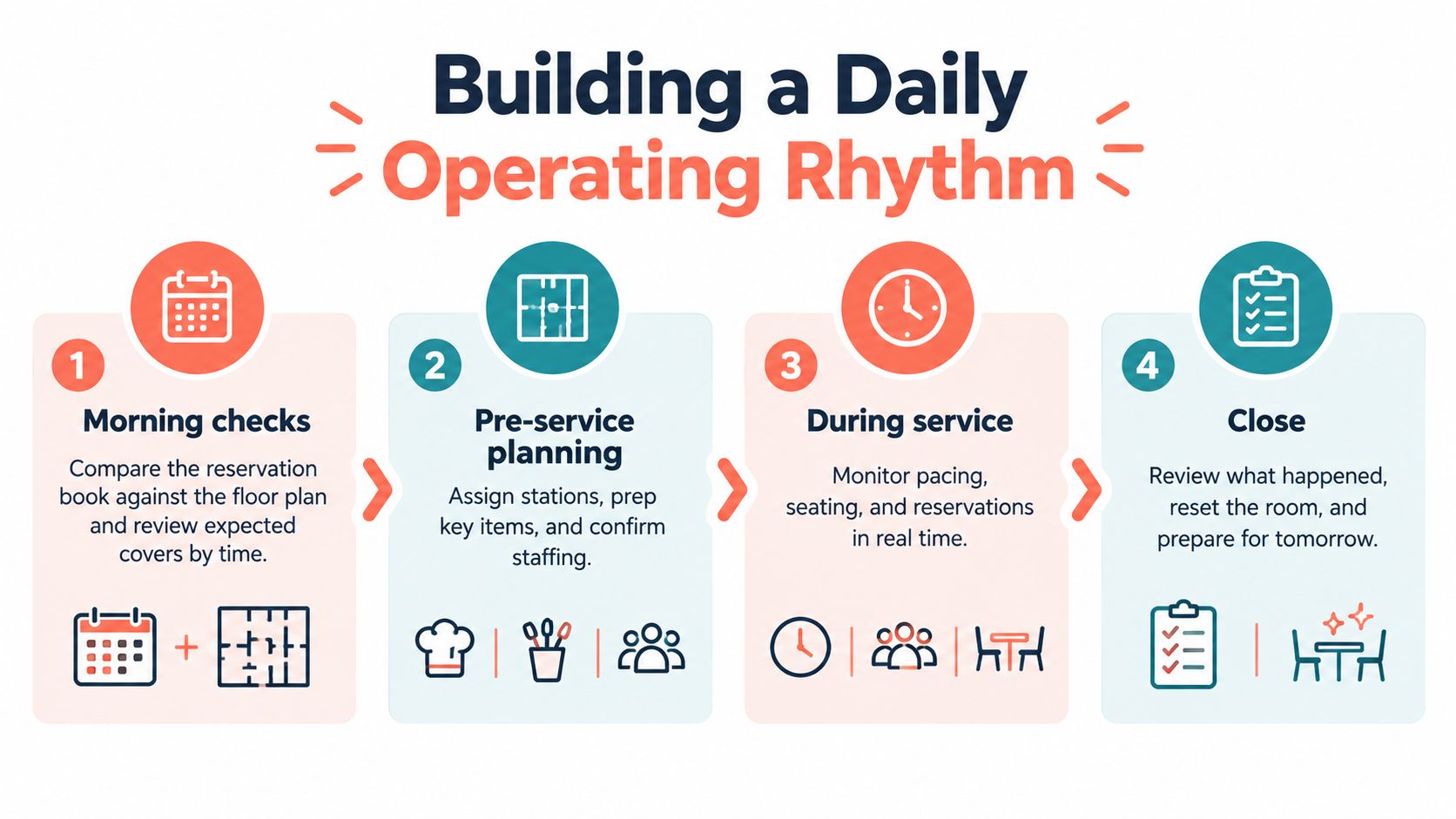
Before the doors open
Start with the reservation book and the floor plan together. Review expected covers by time block, then flag large parties, dietary needs, and special occasions before the kitchen commits to prep. This lets the host and chef spot pressure points early, such as several large parties arriving close together or a table configuration that blocks a later booking.
Next, assign stations, confirm who's working, and identify prep priorities. A Saturday lunch delivery arriving late may force a change: the chef can shift staff toward dishes that are ready to serve and delay prep that depends on the missing ingredients. The manager should update the floor team so servers don't promise unavailable menu items.
During service and at close
During service, check the room and ticket flow rather than waiting for a guest complaint. If one table is stalled between courses, a manager can ask the server to investigate and tell the host whether the next seating needs to move. A short, calm update usually works better than leaving the next party to discover the delay at the door.
At close, reconcile cash, record waste, reset the room, and leave handover notes for the next shift. Notes should say what happened, not just that service was “busy.” Record a delayed delivery, a station that fell behind, or a reservation pattern that caused a seating conflict.
A practical close includes:
- Cash and sales: Reconcile the shift's takings with the point-of-sale records.
- Waste and stock: Log discarded food and note ingredients that need attention.
- Handover: Leave clear information about bookings, equipment, staffing, and prep priorities.
This rhythm makes the next day easier to plan because the team can act on what happened, not memory alone.
Staffing Around Real Demand
At 7 p.m. on Friday, the dining room fills in a rush while the kitchen is already working through a wall of tickets. A schedule based on total covers alone can leave the floor short at the exact moment it needs support. Set staffing by the expected flow of guests, table mix, and kitchen workload.
Labor is one of a restaurant's largest controllable costs. The National Restaurant Association's 2025 Restaurant Operations Data Abstract reported that salaries, wages, and benefits took a median 36.5% of sales at full-service restaurants in 2024. That figure makes labor worth reviewing closely, but cutting hours without checking service capacity can create longer waits, missed orders, and staff turnover.
Schedule for the shape of service
Build the rota around demand by time block. A service with steady arrivals and small parties puts different pressure on the team than a wave of large bookings. Match staffing to the stations that will be busy, and check when the kitchen can absorb another wave of tickets.
Track sales per labor hour alongside covers and hours worked. Compare similar services, then adjust one shift at a time. This makes it easier to see whether a change reduced idle time or left the team scrambling.
A lean schedule can cost more if servers fall behind, ticket times climb, or errors and refunds increase. Watch for delayed greetings, missed checks, and managers pulled from oversight to cover basic stations. Those are signs that the rota may be below the capacity the service requires.
Once a week, compare planned hours with actual hours, covers, and sales. Identify when demand came in lighter than forecast, when the team fell behind, and whether the cause was staffing, arrival patterns, or kitchen capacity. Use the guide to reducing restaurant labor costs to assess possible savings without treating every labor cut as a win.
Reservations and Table Layout for Every Service
The floor plan determines how much of the room can be used at once. The booking rules determine whether that capacity arrives in a workable pattern.
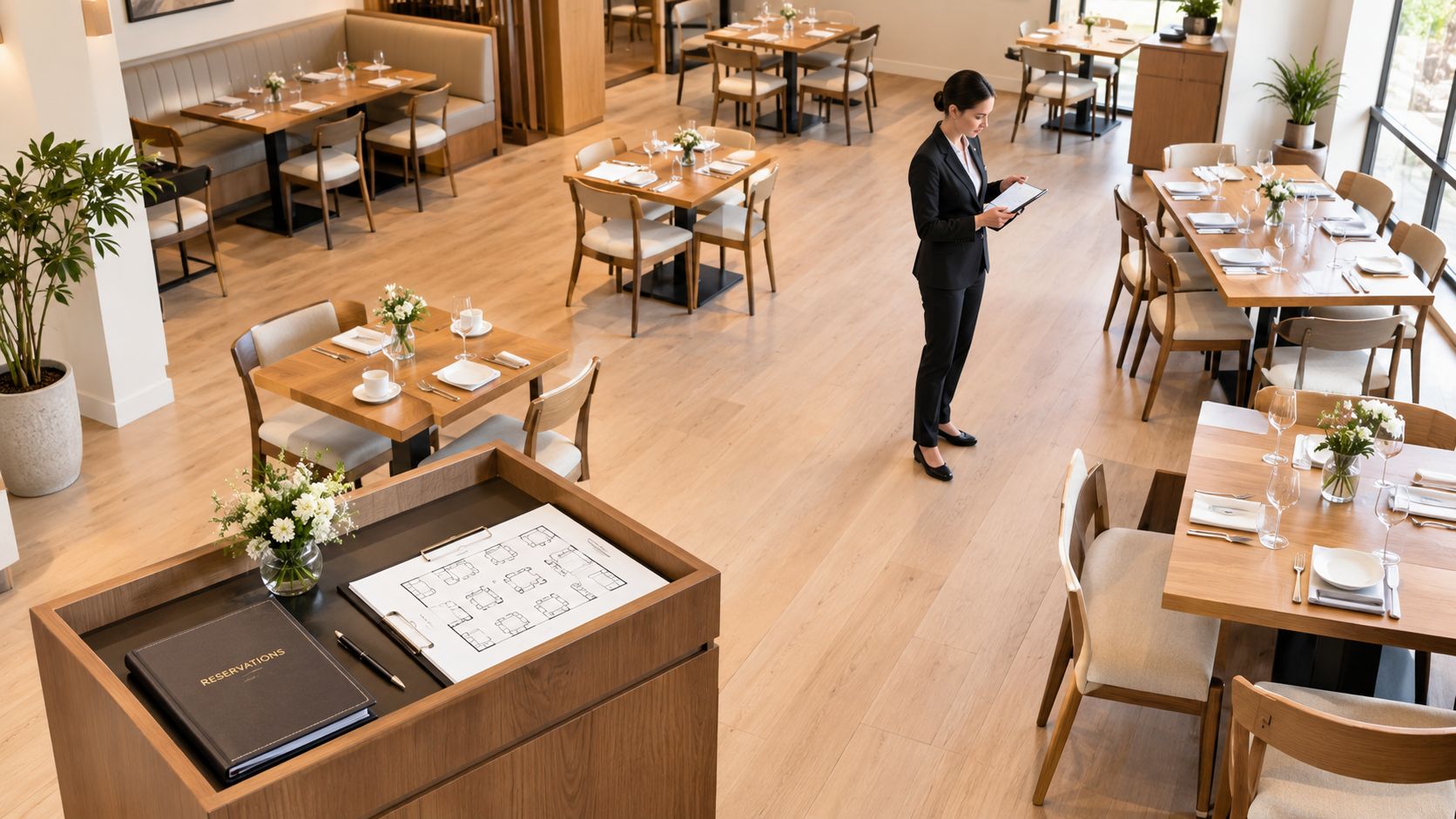
Start by tracking party sizes over several weeks. If two-tops regularly sell out while four-tops sit half empty at brunch, the room may be losing capacity because tables can't be rearranged quickly. A flexible layout lets the host separate tables for smaller parties and combine them when a larger booking needs space.
Research on table management found that, in a simulation of a 50-seat restaurant, 50% table combinability produced higher revenue per available seat hour than dedicated tables across 60% of possible configurations. The result supports a practical principle: preserve the option to combine or separate tables when party sizes vary. The study on restaurant table combinability provides the research context.
Set rules before the rush
Decide in advance which tables can be combined, who can approve a reassignment, and when the change should happen. Set a maximum number of concurrent covers based on what the kitchen can handle, and build a buffer between seatings where the service requires time to reset. If the kitchen is short-staffed, a lower booking limit may protect the guest experience better than accepting every request.
Walk-ins need a clear rule too. Check the reservation book and current table status before offering a seat. A walk-in placed into a table needed for an imminent booking can create an awkward wait for both parties and put the host in a position of making promises the kitchen can't support.
A brunch example makes the trade-off visible. Two-tops sell out, but four-tops remain partly occupied by pairs. If the team can split those larger tables without blocking service routes, the host can seat waiting couples while keeping a combination available for a group booking. A rigid plan, unclear reassignment authority, or walk-ins seated without checking upcoming reservations can undo that flexibility.
The floor should serve both the room and the kitchen. A seating plan that fills every chair at once may look efficient, but if it overloads the pass, guests wait longer and later tables turn more slowly.
The video below offers another view of how reservation and table decisions affect service flow.
Comparing Reservation Tools by Pricing Model
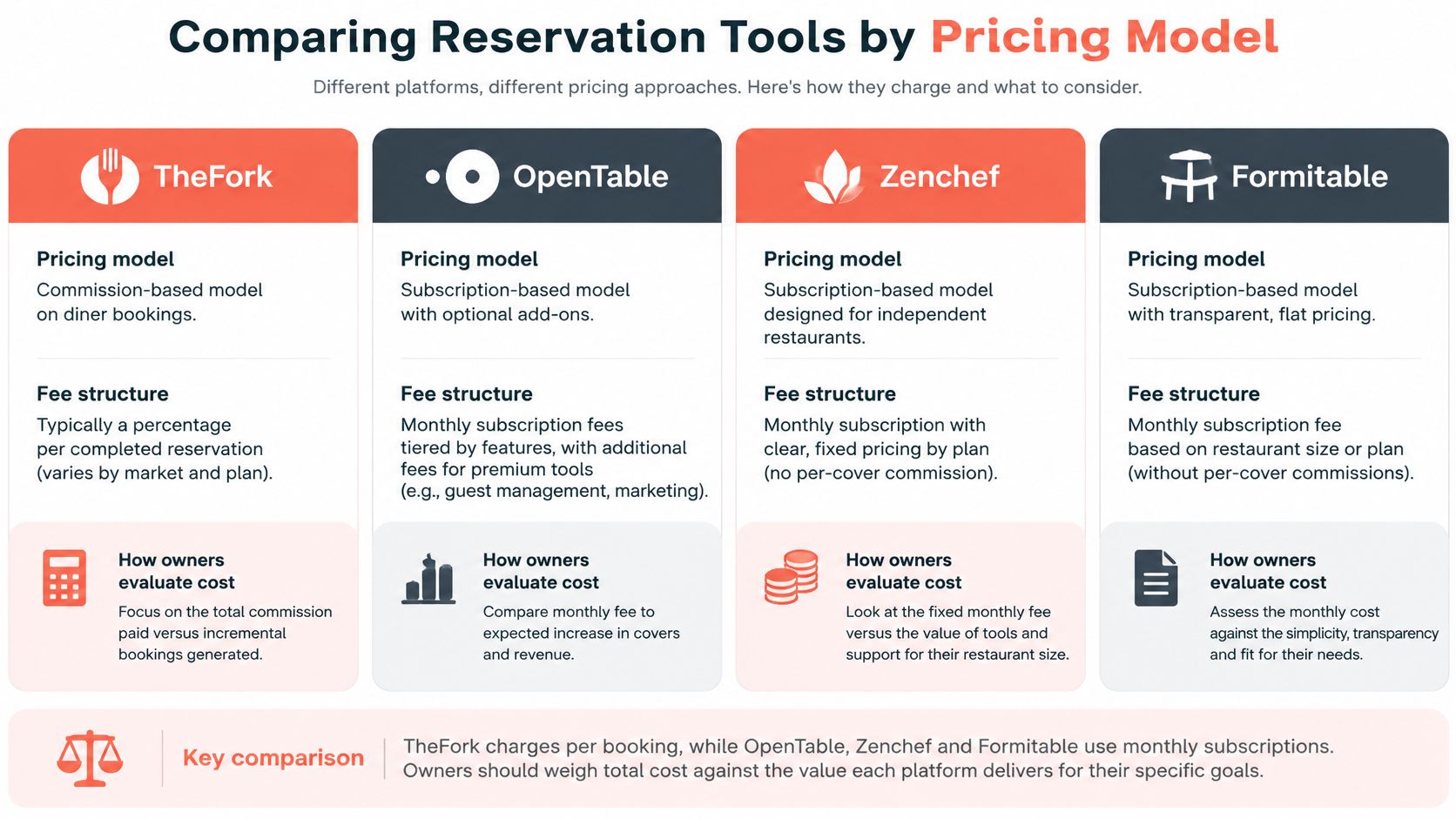
Reservation software should be compared by how it charges as well as what it does. TheFork, OpenTable, Zenchef, and Formitable are all names restaurant owners may evaluate, but pricing terms can vary by plan and market. Before choosing, check whether the current offer uses a fee per booking, a commission, a flat subscription, or a combination.
Compare total cost against your booking pattern
A low fixed fee may suit a restaurant with steady online bookings. A per-booking or commission model can make costs move with booking volume, so an owner should estimate the annual cost using the venue's own covers and channel mix. Don't compare a headline price with another platform's total bill until the billing basis, included features, and current terms are clear.
A reservation tool is also an operating tool. The host needs to see availability, party sizes, table combinations, and the next seating wave without searching through screens while guests are waiting. Ask whether the software supports pacing and live changes, and whether the team can use it during a busy service without losing attention on the room.
10seat is designed for independent restaurants in the Benelux. Its Capacity Engine and Smart Auto Seating map online reservations to table configurations; Auto Seating Puzzle and Walk-in Squeeze support live changes. The host screen is designed for quick decisions, while guest profiles can record preferences, allergies, and special occasions. Its instant booking page can be used on a restaurant website, social channels, or QR codes.
The stated product goal is 10–15% more covers per busy shift without adding tables. That's a target to assess against a venue's own floor, staffing, and kitchen capacity, not a substitute for checking whether the service can handle the bookings. 10seat offers signup without a credit card, setup in five minutes, and a free On the House plan up to 50 covers. Owners can review 10seat's reservation and table-management features and compare the current terms with other options before deciding.
Meeting GKS Cash Register Rules in Belgium
A reservation system doesn't replace a compliant cash register. In Belgium, restaurants that cross the applicable turnover threshold must use a Geregistreerd Kassasysteem (GKS) and issue the required VAT receipt through it.
The GKS requirement applies when annual turnover from restaurant and catering services exceeds €25,000 excluding VAT. Drinks and takeaway meals are excluded from that calculation. Keep qualifying meal turnover separate from beverage and takeaway sales, so the threshold can be monitored on the right basis. The Flemish government's GKS guidance explains the threshold and receipt requirement.
Keep booking and fiscal records distinct
Track qualifying meal sales through regular bookkeeping and reconcile them with the cash system. Review the totals monthly, so the owner can see when qualifying turnover is approaching the threshold instead of discovering the issue after the fact. If the restaurant reaches the threshold, make sure the VAT receipt is issued through the registered system.
The timing of receipts matters for variable bills, events, deposits, and post-service adjustments. Belgian rules generally require a cash-register receipt when the meal service or delivery is completed. If that's impractical, the transaction can be recorded earlier using the value of the offer, order, or estimate, with corrections entered into the cash system within seven calendar days. The Belgian GKS receipt rules set out this control.
Treat the reservation tool, payment workflow, and GKS as distinct parts of the operation. A deposit or booking record doesn't replace recording the sale through the certified cash system. Belgian technical requirements describe how the register and Fiscal Data Module operate and communicate, so confirm that sales still flow through the compliant system when changing software. The government's technical information on registered cash systems is relevant when reviewing that setup.
Rules can change, and details may depend on the restaurant's circumstances. Before altering the point-of-sale or booking workflow, check current requirements with the relevant Flemish or federal authority and confirm the procedure with the restaurant's accountant.
Tracking Prime Cost and Taking Your Next Step
A weekly prime-cost check connects purchasing, inventory, payroll, and sales. Reconcile those records first. Then calculate food cost as food consumed divided by food sales, labor cost as fully loaded labor divided by sales, and prime cost as food cost plus labor cost.
| Metric | Typical benchmark | How to calculate |
|---|---|---|
| Food cost | Roughly 28–35% of sales | Food consumed ÷ food sales |
| Labor cost | 25–36% of sales | Fully loaded labor ÷ sales |
| Prime cost | Near or below 60–65% | Food cost + labor cost |
Full-service restaurants generally operate toward the upper end of these ranges. Treat benchmarks as a prompt to investigate, not as a target that overrides the restaurant's menu, service style, or local operating conditions.
Check actual cost, not just the plan
Use recipe-level standard costs, weighed portions, and daily waste logs. Invoice totals alone don't show how much food was consumed, and theoretical food cost can differ from actual cost when portions vary, staff meals aren't recorded, or stock spoils. Rank menu items by contribution margin and sales mix, then check yields through test batches and review prices or portions when ingredient costs move.
Don't cut labor just to improve the ratio if the schedule no longer matches demand. Understaffing can slow tickets, increase mistakes and refunds, and contribute to turnover. The weekly review should help identify what changed, not reward a lower number at any cost.
For owners who want cleaner records behind the calculation, specialist bookkeeping for restaurant profitability is a useful reference. The restaurant industry ratios guide can also help frame which figures deserve a closer look.
Start with one service period this week. Track covers and labor for two weeks, compare the results with the benchmarks above, and note where the floor or kitchen constrained service. The On the House plan is listed on 10seat's pricing page, where restaurants can review the free option without a credit card.
10seat helps independent restaurants manage online reservations, table combinations, pacing, and walk-ins around the capacity they already have. Visit 10Seat to see whether its reservation and floor-management workflow fits your service.