Restaurant Waitlist Software: A Practical Buyer's Guide
Compare restaurant waitlist software options by feature, pricing, and fit, with practical picks for fine dining, brasseries, and multi-location groups.
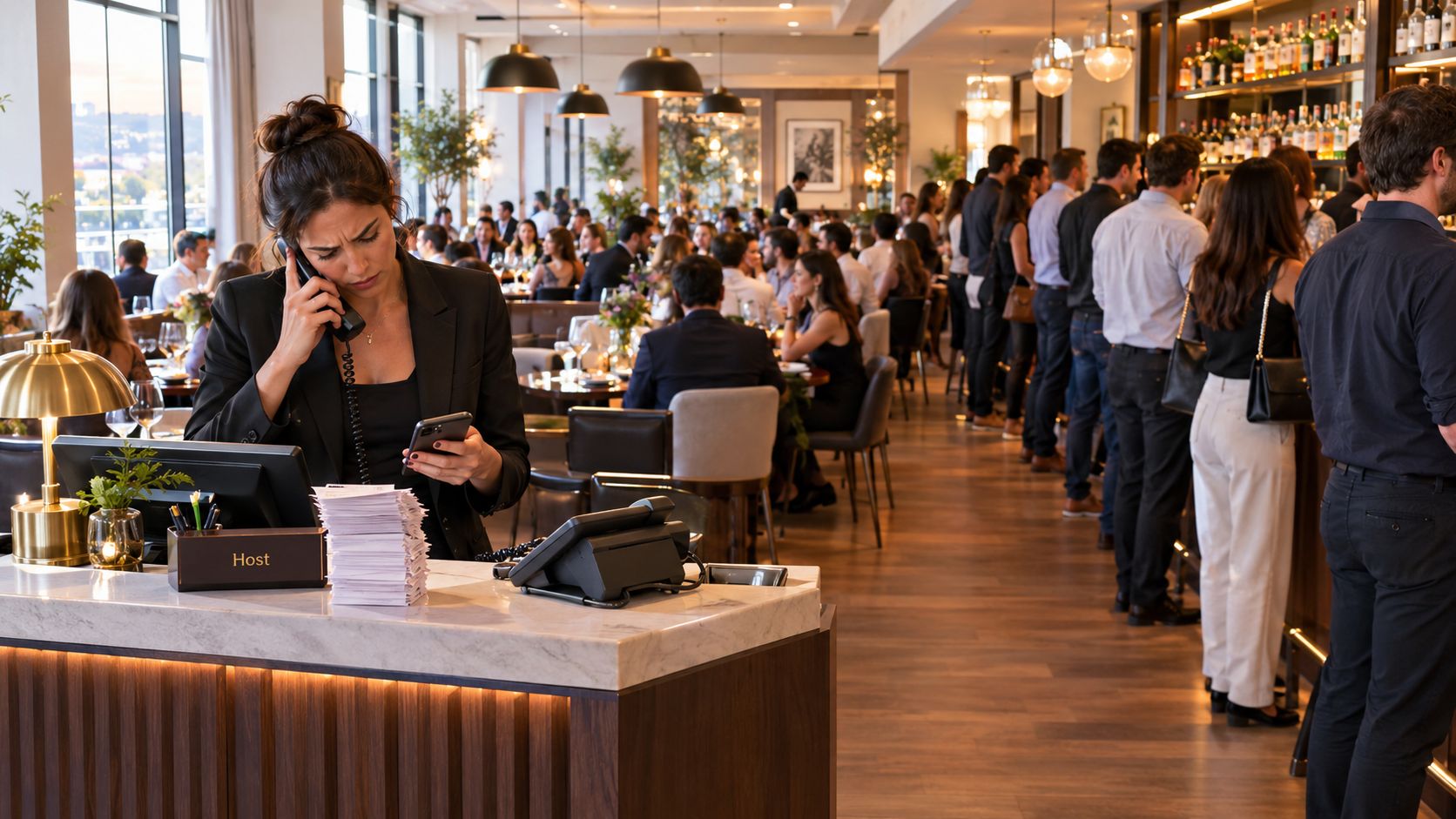
Friday service is already underway. A 60-cover restaurant has 38 reservations on the books, a bar filling with 14 walk-ins, and three tables that should turn soon, but not at the same time. The host is writing names on paper, the floor manager is estimating waits from memory, and guests are receiving text messages from a personal phone.
That setup fails in predictable ways. Quoted waits drift, tables get assigned to the wrong party size, and walk-ins leave before the right table opens. Restaurant waitlist software should solve more than notification. It should help the floor manager allocate capacity, protect the kitchen's pace, and recover covers that would otherwise disappear.
Table of Contents
- The Friday Night Problem Waitlist Software Is Supposed to Solve
- Standalone Waitlist Apps Versus Integrated Seating and Capacity Engines
- Feature and Fit Comparison Across the Main Software Categories
- Pricing Models and What They Really Cost Per Cover
- Matching the Right Software to Your Venue Type and Service Style
- GKS and GKS 2.0 Compliance for Belgian Restaurants
- The Operational Metric That Should Drive Your Final Decision
The Friday Night Problem Waitlist Software Is Supposed to Solve
The first failure is usually a promise failure. A party is told 35 minutes, but a four-top remains occupied because the guests have ordered another round. Ten minutes later, the host has no reliable way to revise the estimate for everyone behind them. The team either keeps repeating an inaccurate quote or admits that the list has slipped.
The second failure is table allocation. A two-top opens, but the next party is a group of four. A large table is technically free, yet combining smaller parties would overload a section or put too much pressure on the kitchen. A paper list records arrival order, but it doesn't understand the floor.
The third failure is lost demand. A couple who would have waited for a specific table gets told that the restaurant is full. A group leaves for another venue because nobody can give them a realistic estimate or a way to wait away from the entrance. The visible problem is a queue of guests. The commercial problem is unused or badly allocated capacity.
The question operators should ask
The wrong buying question is, “Which app sends SMS?” Most serious systems can notify guests. The better question is, “Which tool gives the floor manager real-time control over tables, party sizes, reservations, walk-ins, and pacing?”
Independent guidance consistently highlights real-time notifications, wait-time estimates, self check-in, queue tracking, POS integration, and reporting as operationally important features. In one software comparison framework, features carry about 40% of the composite score, while ease of use and value account for about 30% each, which supports a practical conclusion: functional depth matters more than choosing the cheapest tool. World Metrics' restaurant waitlist software comparison provides that weighting context.
A useful system should let the host:
- Capture the party accurately: Record size, contact details, seating preferences, and arrival status without rewriting information.
- Quote from live conditions: Adjust estimates when tables run late, sections are paused, or the kitchen reaches its limit.
- Match party to table: Consider table size, combinations, accessibility, and the restaurant's service plan.
- Seat from one view: Keep reservations and walk-ins visible together instead of forcing the host to reconcile two lists.
Practical rule: If the software only tells guests that their table is ready, it manages communication. If it helps decide which table should be used next, it manages the service.
The rest of the purchase decision should follow that distinction. A small counter-service venue may need only queue capture and alerts. A full-service restaurant needs a capacity tool that can turn a messy Friday into a sequence of defensible seating decisions.
Standalone Waitlist Apps Versus Integrated Seating and Capacity Engines
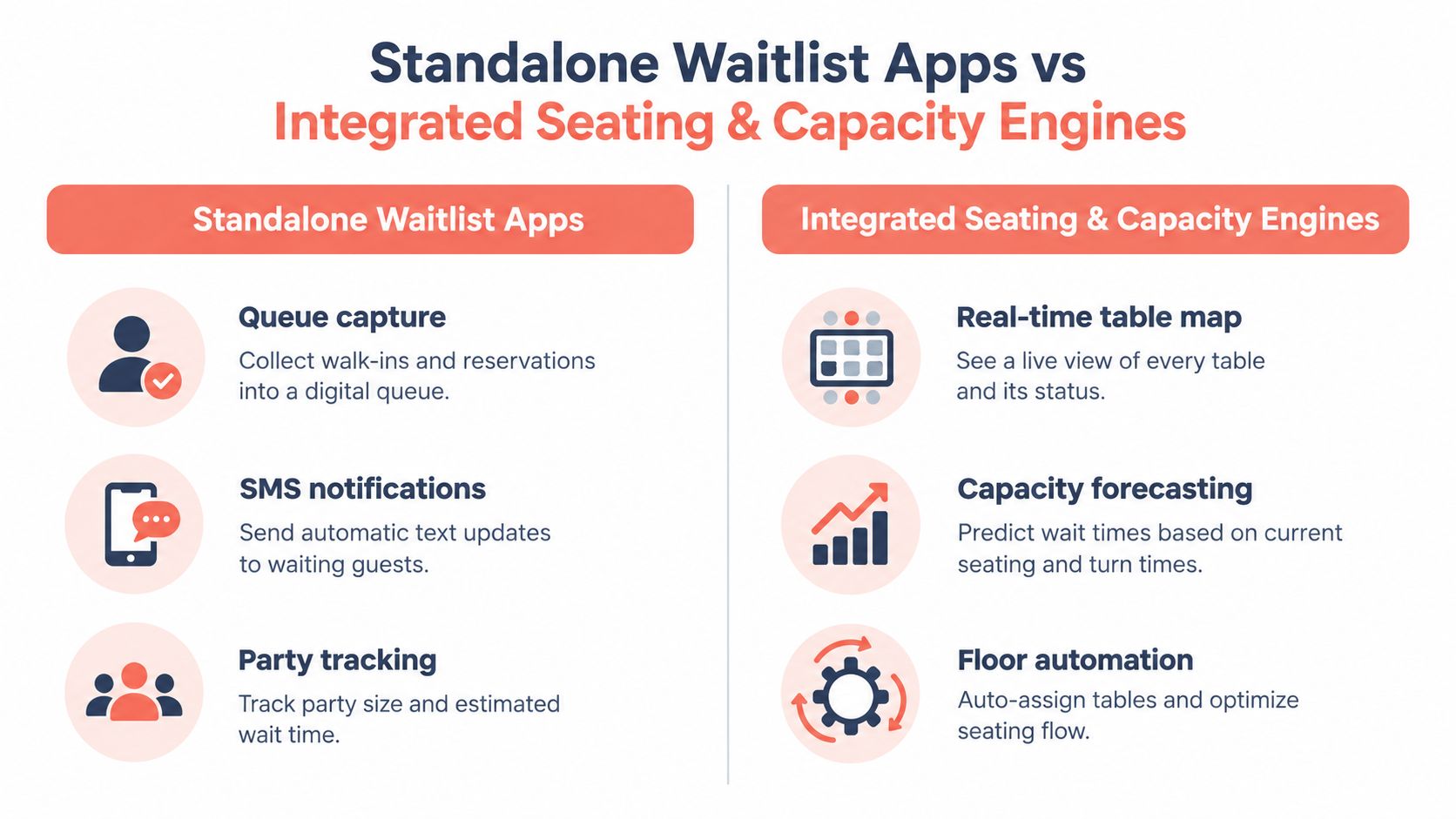
Standalone waitlist apps solve the front-door problem. Products such as Waitlist Me, Qminder, and Table's Order typically focus on queue capture, SMS notifications, party tracking, and estimated waits. They can replace the clipboard quickly, which makes them useful for casual bars, counter-service restaurants, and venues where table assignment is simple.
Their limitation is structural. The app knows that a party of four is waiting, but the host may still need to inspect a wall-mounted floor plan, remember which four-top is nearly clear, and decide whether seating that party will create a service bottleneck. The queue becomes digital while the difficult decision remains manual.
Integrated seating and capacity engines take a different approach. OpenTable, Resy, TheFork, Zenchef, and Formitable combine reservations, waitlists, floor plans, table-level status, guest information, and operational reporting. The exact depth varies by product and configuration, but the core model is the same: seating is treated as a capacity problem rather than a list-management problem.
Where the operational gap appears
A standalone app can reduce interruptions at the host stand. Guests can join a virtual queue, receive an alert, and wait elsewhere. That matters, particularly when staff are busy greeting arrivals and clearing tables.
An integrated engine can also connect the waitlist to the floor plan. It can show whether the next viable table is a two-top, a four-top, or a combination that should remain protected for later reservations. It can help the manager decide whether to seat a waiting party now or preserve a table for a booking that is approaching.
That distinction affects revenue, but the mechanism is operational first. Misallocated tables create idle gaps. Late turns extend waits. Poor party-size matching can leave a table underused while a larger party stands at the door. A queue tool records the symptoms. A capacity engine addresses the sequence of decisions causing them.
For a broader explanation of how reservation systems fit into restaurant operations, the restaurant reservation system guide by OrderOut is a useful reference point. It helps operators compare reservation functions before adding waitlist requirements.
A simple buying test
Ask each vendor to demonstrate a live scenario:
- A reservation is running late.
- A two-top opens.
- A party of four is waiting.
- A larger reservation is due soon.
- The manager pauses one section because the kitchen is under pressure.
If the demonstrator can show the best seating choice on one floor plan, the system may support real service. If the demonstrator switches between a queue screen, a reservation calendar, and a separate table map, the host will still be doing the hard work manually.
Feature and Fit Comparison Across the Main Software Categories
A feature list is useful only when it reflects the restaurant's actual bottleneck. A busy bar may value quick queue entry above guest profiles. A brasserie needs table combinations and turn visibility. A fine-dining room may care more about deposits, dietary notes, and controlled pacing than about a public queue.
The following comparison separates the main categories by operational fit rather than by the length of a vendor's feature page.
| Feature / Criteria | Standalone Waitlist Apps | Integrated Seating Engines (OpenTable, Resy, TheFork) | Commission-Free Engines (Formitable, Zenchef) |
|---|---|---|---|
| Queue and SMS handling | Strong for walk-in capture, alerts, and party tracking | Strong, usually connected to reservation demand | Strong, with waitlist and booking workflows in one system |
| Floor-plan and table-level control | Often limited or separate from the queue | Stronger, with table maps and reservation allocation | Stronger, particularly for independent full-service operations |
| Reservation and CRM depth | Basic or dependent on another system | Deep reservation channels and guest records | Deep direct-booking and guest-management functions |
| Reporting | Wait times, queue volume, walkaways | Reservations, covers, turns, demand, and guest activity | Direct-booking, guest, and operational reporting |
| Pricing model | Usually subscription or feature-tier based | Often includes commission or channel costs, depending on arrangement | Generally subscription-led or commission-free structures |
| Best fit | Counter service, casual bars, simple walk-in flow | High-volume restaurants that need a demand channel | Independent operators seeking direct control |
Four criteria matter at the host stand
Queue handling should include real-time status, self check-in, and clear guest messaging. SMS is useful, but it shouldn't be the only proof of quality. The host needs to know who has arrived, who has been notified, and who has become unresponsive.
Table control separates a digital clipboard from genuine restaurant waitlist software. The system should show table status, party-size suitability, open combinations, and upcoming reservations. Without that view, the software cannot help the manager reduce idle gaps.
Reservation and CRM depth matters when the restaurant depends on repeat guests, special occasions, deposits, or direct bookings. Third-party demand can fill a room, but first-party guest history gives the operator more control over communication and hospitality.
Reporting should support decisions, not just produce charts. Quote accuracy, walkaway rate, and fill rate are practical measures. Operations guidance defines quote accuracy as parties seated within the promised range, walkaway rate as parties leaving before seating, and fill rate as usable capacity converted into seated waitlist parties. Stove Ops' waitlist KPI guide cites practical targets including under 20% walkaway rate, 0.8 to 1.0 quote accuracy, and 80% or higher conversion, with stronger venues aiming for 90% to 100% quote accuracy.
The decisive features are live table-level turnover data and one shared view for reservations and walk-ins. Operators evaluating the practical differences can also review this table management software overview.
Pricing Models and What They Really Cost Per Cover
Restaurant software pricing becomes misleading when owners compare a monthly subscription with a commission without calculating the covered seats affected. A commission may look small on each booking, while a subscription may look expensive on the invoice. The only useful comparison is the annual cost divided by the covers influenced by the system.
The main models are straightforward:
- Per-cover commission: TheFork and OpenTable may charge according to the commercial arrangement and booking channel. The cost rises with demand, which can make the model attractive at low volume and expensive when the platform supplies many covers.
- Flat subscription: Zenchef and Formitable use subscription-led structures in many arrangements. The bill is more predictable, but the operator pays during quiet periods too.
- Hybrid SaaS: A base fee may sit alongside optional messaging, payment, marketing, or multi-location add-ons.
- Commission-free access: Independent platforms may avoid per-cover fees while charging for software access, features, or service tiers.
The arithmetic that changes the conversation
A pricing model should be tested against the restaurant's own service. Consider a venue handling 180 covers on a Saturday and an average check of $45. A 2% commission on those covers equals $162 per night, or $32,850 annually if applied every night across the year. That calculation is based on the scenario itself, not a general market benchmark, and it shows why a commission can exceed a $300 monthly subscription once booking volume is high.
The comparison should also account for the costs that sit outside the headline rate:
- Payment processing: Prepaid bookings may create a separate transaction cost.
- Messaging limits: SMS charges can rise above included plan limits.
- Location fees: Groups may pay separately for each venue.
- Channel economics: A platform that supplies demand may justify a fee that a direct-booking tool doesn't.
| Platform | Pricing Model | Effective Cost Per Cover | Best Fit |
|---|---|---|---|
| TheFork | Per-cover or channel-based commission structure | Variable, rises with platform-sourced covers | Restaurants seeking marketplace demand |
| OpenTable | Subscription, channel, or commission elements depending on arrangement | Variable, calculate against sourced covers | High-volume venues using a large booking channel |
| Zenchef | Subscription-led model | Predictable when divided across direct covers | Independent restaurants prioritizing direct bookings |
| Formitable | Subscription-led or commission-free structure, depending on plan | Predictable when divided across direct covers | Operators seeking control over booking economics |
| Commission-free alternatives | Flat or tiered SaaS | Usually stable, subject to add-ons | Restaurants with established direct demand |
The right test is price per seat, not price per booking. An owner should build a one-year model using actual covers, direct bookings, marketplace bookings, messaging usage, payment costs, and location count before signing. The 10seat pricing page can be included in that comparison as one commission-free option.
Matching the Right Software to Your Venue Type and Service Style
The software should follow the bottleneck. A restaurant that buys a queue app for a pacing problem will still struggle. A restaurant that buys a complex reservation engine for a simple walk-in line will pay for functions the team never uses.
Start with service style
A fine-dining restaurant built around tasting menus, deposits, and long turns needs reservation-first software. The priority is guest information, payment capture, controlled arrival pacing, and reliable table protection. A walk-in queue can remain available, but it shouldn't define the system.
A brasserie or bistro with a strong walk-in trade needs a hybrid arrangement. Reservations and walk-ins should appear on the same floor plan, with the host able to protect upcoming bookings while filling gaps around them. The software should support realistic quotes based on table status, not a generic average.
Brunch creates a different pressure. Party sizes arrive in bursts, table duration varies, and the kitchen can become the constraint before the dining room is full. A slot-based capacity engine can throttle availability by party size and time window, rather than allowing bookings to accumulate without regard to production.
Multi-location groups need central visibility, but each venue still needs operating freedom. A group dashboard should show demand and performance across locations, while local managers retain overrides for floor plans, party sizes, closures, and service pacing.
Use the four-step decision
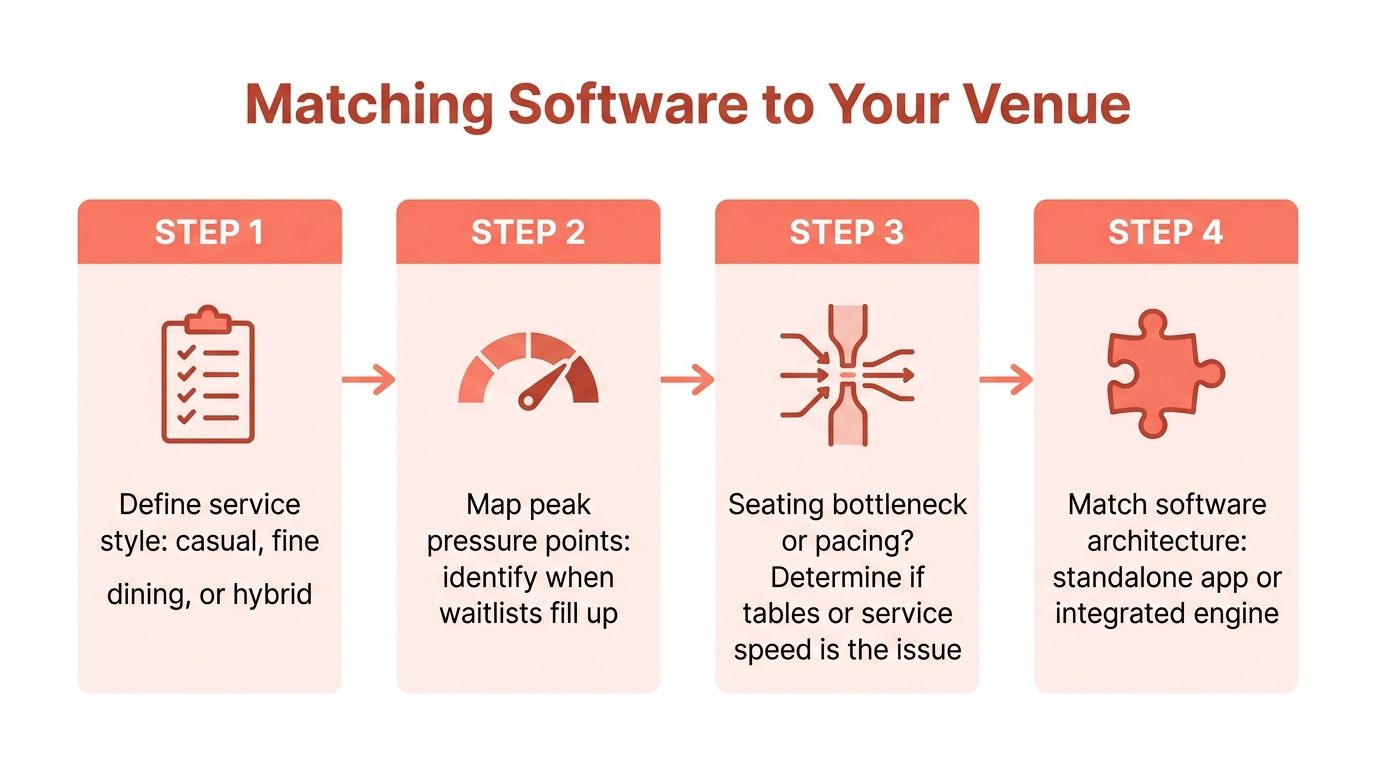
- Define the service pattern. Identify whether the restaurant is reservation-led, walk-in-led, or hybrid.
- Map peak pressure. Record when the queue grows, when tables sit uncleared, and when the kitchen slows seating.
- Find the bottleneck. If guests wait because no table is available, improve allocation. If tables are available but service can't absorb more parties, improve pacing.
- Choose the architecture. Use a standalone app for a simple queue. Use an integrated engine when reservations, walk-ins, table combinations, and capacity must be managed together.
Feature discipline protects the budget. A fine-dining room may disable public queue displays. A casual bar may not need deep CRM fields. A single-site bistro shouldn't pay for multi-location controls it won't use.
For independent operators, 10Seat combines reservation management with a capacity engine, Smart Auto Seating, an Auto Seating Puzzle, and Walk-in Squeeze. Its product information also describes guest profiles and direct booking pages. That makes it relevant where the operator wants reservations and walk-ins managed through a capacity-focused floor workflow, rather than through a queue screen alone.
GKS and GKS 2.0 Compliance for Belgian Restaurants
Belgian operators need to separate two issues that are often confused. The official GKS guidance says a registered cash system is required when annual turnover from restaurant and catering services, excluding drinks and VAT, exceeds €25,000, and businesses below that threshold still need to issue a VAT receipt for meals and drinks consumed on site. Horeca Vlaanderen's GKS guidance sets out those obligations.
GKS 2.0 also changes the timing and scope of implementation. The official GKS 2.0 information says the framework that originally applied to restaurants reaching the table-service threshold is being systematically extended from July 2025 to businesses selling products or services on site and accepting cash payments.
What this means for software selection
Waitlist and reservation software doesn't automatically make a restaurant compliant. The operator needs to verify how the booking system connects with the POS, payment process, receipt issuance, and any required data exchange. A guest arriving from a waitlist still enters a service and payment workflow that must be handled correctly at the cash register.
New venues started since 1 July 2026 that fall under the rule must use a GKS 2.0 system immediately, and repeat violations can result in an administrative fine of up to €5,000, according to Belgian hospitality guidance on the GKS 2.0 white cash register. Operators should confirm the vendor's compliance roadmap before renewing a contract.
For a practical deadline-focused reference, restaurant owners can consult 10Seat's GKS 2.0 deadline guidance. The key operational question remains simple: can the chosen tools preserve consistent guest, seating, payment, and receipt records without forcing the team into duplicate entry?
The Operational Metric That Should Drive Your Final Decision
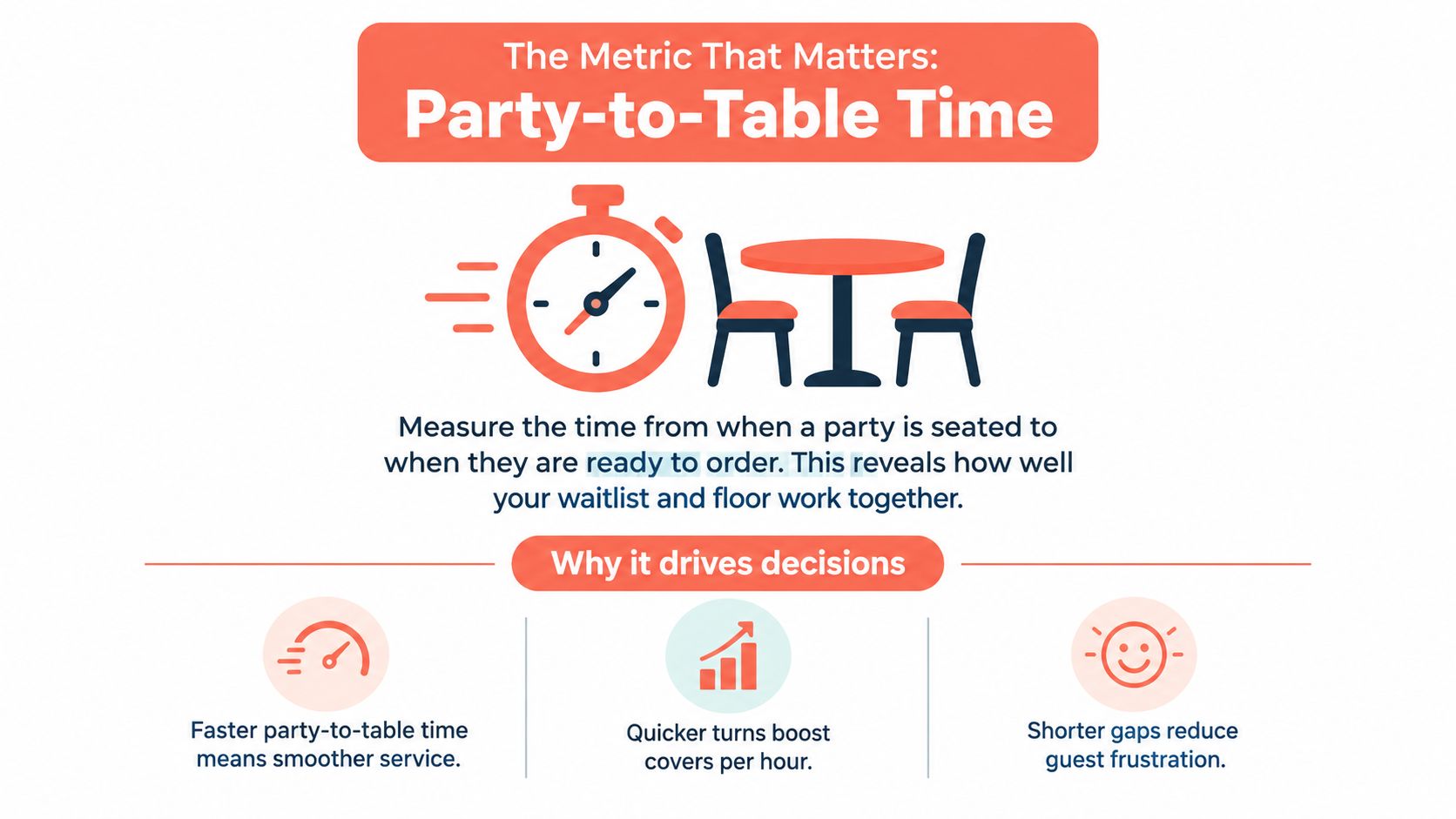
The most useful final metric is party-to-table time, measured from the moment a party is seated to the moment it is ready to order. It shows whether the waitlist, host, floor, and service team are working together after the queue decision has been made.
A short wait doesn't create value if the party sits unnoticed. A full dining room doesn't perform well if tables remain idle between parties. Measuring this interval across service styles gives the manager a practical view of whether the software is improving the handoff from reception to dining room.
A tool that trims two minutes from every wait can add 15 covers per Friday in the operating scenario described by the plan, but that estimate must be validated against the restaurant's own table turns, kitchen capacity, and service length. The point isn't to chase a headline gain. The point is to measure the time between a seating decision and productive service, then remove avoidable gaps.
Decision summary
- Choose a standalone app when the queue is the main problem.
- Choose an integrated engine when table allocation is the constraint.
- Compare annual cost per seat, not monthly price alone.
- Test reservations and walk-ins on one live floor plan.
- Verify POS, receipt, and GKS 2.0 workflows in Belgium.
- Track party-to-table time after every major service change.
For a fine-dining venue, reservation depth and controlled pacing should lead the decision. For a brasserie, the winning setup is usually a shared view of reservations, walk-ins, tables, and upcoming turns. The software has earned its place only when the host can make faster seating decisions without losing control of hospitality or compliance.
10Seat gives independent restaurants a commission-free way to manage reservations, walk-ins, waitlist entries, and table capacity from a single operational workflow. Visit 10Seat to compare the approach with the restaurant's current floor plan, booking costs, and Friday service process.