Restaurant Scheduling Software Compared
Compare restaurant scheduling software by features, pricing, and POS integrations. Find the right fit for your venue and boost labor cost control.
Most advice treats restaurant scheduling software as an employee roster with a labor-cost report attached. That framing is too narrow. A schedule built without reservation pacing, table availability, and point-of-sale context can still leave a dining room short during the rush, overstaffed during a lull, or trapped in overtime after a late booking surge.
The practical decision is architectural: should scheduling remain a separate labor tool, connect tightly to the POS, sit inside an operations suite, or follow the reservation and table signal? The answer depends on venue type, demand volatility, and, for Belgian operators, the fiscal requirements around the Geregistreerd Kassasysteem, or GKS.
A useful starting point is the scale of the category. A 2025 market report estimates restaurant scheduling software at USD 1.46 billion globally, with a projection of USD 3.12 billion by 2035 at a 7.9% CAGR from 2026 to 2035. The report includes historical data from 2020 to 2024, showing that scheduling has become a tracked software category rather than a small administrative niche. (Global Growth Insights restaurant scheduling software market report)
| Approach | Best For | Main Strength | Main Trade-Off |
|---|---|---|---|
| Standalone | Independent venues needing labor control | Scheduling depth and flexibility | Manual connection to reservations and POS |
| POS-bundled | Operators already committed to a POS ecosystem | Sales and labor data in one environment | Less freedom outside the parent system |
| All-in-one | Multi-unit groups with complex back offices | Scheduling, finance, inventory, and operations together | Higher setup and switching complexity |
| Reservation-led | Venues where covers and table pacing drive staffing | Demand signal starts with bookings and floor state | Less suitable when labor administration is the primary problem |
Table of Contents
- Why Scheduling Decisions Are Really Demand Decisions
- The Four Building Blocks of Restaurant Scheduling Software
- Standalone, POS-Bundled, All-in-One, Reservation-Led
- How Each Approach Performs in Real Service Scenarios
- Pricing Models That Fit Different P&Ls
- POS, Reservation, and Belgian GKS Integration Checklist
- The Right Pick for Your Venue Type
- ROI, Rollout, and When to Switch
Why Scheduling Decisions Are Really Demand Decisions
The popular assumption is that scheduling software starts with employees. In a restaurant, it should start with demand.
A manager can build a clean schedule from last week's sales and still be wrong for the coming service. The reservation book may fill late, a private event may change the floor plan, weather may alter walk-in traffic, or a run of no-shows may leave the dining room unevenly loaded. A labor tool that sees only historical sales or employee availability misses the operational trigger that matters most, the number of guests arriving, when they'll arrive, and which tables they'll occupy.
That's why capacity management belongs in the scheduling conversation. A restaurant's available labor should follow the usable capacity of the room, not the number of employees who are available. The relationship between covers, table turns, kitchen pace, and staffing is explained in this guide to restaurant capacity management.
The signal must travel upstream
Reservations are an early demand signal. Table status adds another layer. POS activity confirms what happened. A useful scheduling system connects these signals so the manager can decide whether to add a host, keep a second section open, call in a runner, or release a closing cook.
A spreadsheet usually captures the schedule after those decisions have already been made. It doesn't tell the manager that the booking curve changed, that a floor section is filling faster than another, or that a reservation-heavy service needs more front-of-house coverage before tickets start landing.
Practical rule: A scheduler that forecasts labor without current cover and table data is a planning tool, not a demand-management system.
The distinction affects the weekly P&L. Historical industry statistics found that managers in restaurants, hotels, and offices spent an average of 2.64 hours per week creating schedules, equal to 6.61% of the work week. Managers using spreadsheets spent 3.14 hours, or 7.86% of the work week, while pen-and-paper users spent 2.21 hours, or 5.52%. (TimeForge restaurant scheduling statistics)
Those figures are historical, but the underlying problem remains familiar. Every hour spent rebuilding a roster is an hour unavailable for training, purchasing, floor planning, or guest recovery. The strongest restaurant scheduling software doesn't merely publish shifts faster. It lets the demand signal reach labor decisions before service exposes the mistake.
The Four Building Blocks of Restaurant Scheduling Software
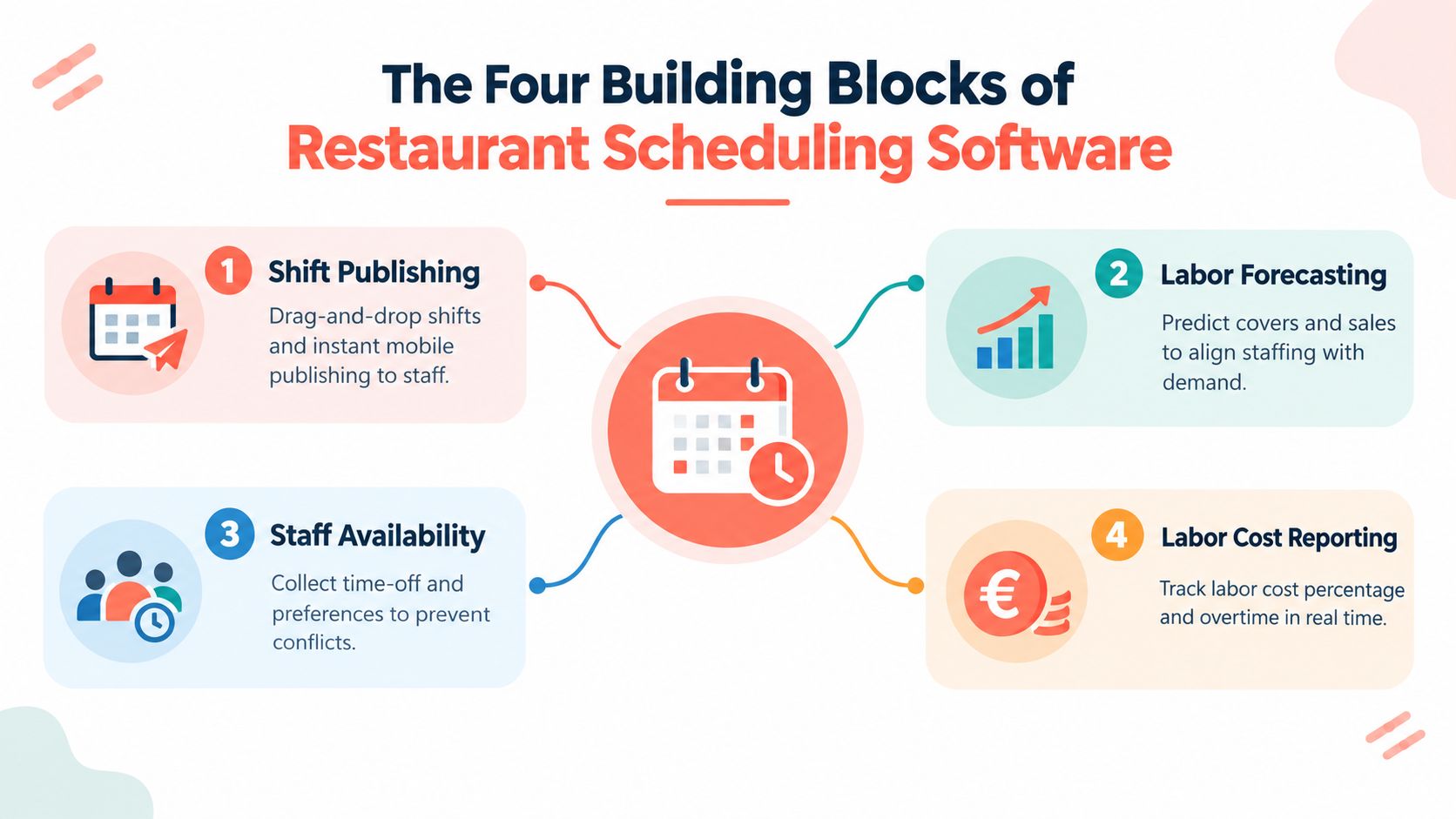
A modern scheduler usually presents four feature groups, but they should be judged as one operating system rather than four separate checklists. Shift publishing, labor forecasting, staff availability, and labor cost reporting only create value when each one feeds the next.
Publishing is the visible layer
Shift publishing is what employees see. A manager needs to create shifts, assign roles, publish changes on mobile, approve swaps, and record acknowledgements without relying on group messages. If staff can't tell which version is current, the software hasn't solved the communication problem.
This layer should also support role coverage. A dining room can have enough people on the premises and still lack a host, section lead, dishwasher, or experienced line cook. A schedule that counts heads without checking skills is only cosmetically complete.
Forecasting needs real operating inputs
Labor forecasting turns expected covers and sales into staffing targets. Historical sales can help, but reservations, event bookings, table pacing, daypart patterns, and service style make the forecast more useful. A tasting-menu room and a busy brunch venue shouldn't be staffed from the same assumptions.
A POS connection can strengthen the sales picture, but it won't automatically provide reservation pacing. That distinction matters for venues where guests arrive in waves rather than as a steady stream.
Availability is a constraint, not the strategy
Availability tools collect time-off requests, secondary-job restrictions, student timetables, and preferred shifts. They prevent avoidable conflicts, but they shouldn't dictate the whole roster. Managers still need to protect the skill mix and service standard.
Reporting closes the loop
Labor cost reporting should show projected wage spend before publication and actual results afterward. It should expose overtime, unfilled roles, early clock-ins, and the relationship between labor and sales. A report that only displays total hours arrives too late to guide the next schedule.
A scheduler earns its subscription when availability, demand, publishing, and cost reporting update the same operational picture.
Standalone, POS-Bundled, All-in-One, Reservation-Led
Four architectures dominate the buying decision. None is automatically correct, because each solves a different failure point.
| Approach | Demand-Signal Fidelity | Scheduling Flexibility | Reporting Depth | Typical Switching Cost |
|---|---|---|---|---|
| Standalone | Low to moderate, depending on integrations | High | Moderate to high for labor data | Low to moderate |
| POS-bundled | High for sales activity | Moderate | High inside the POS ecosystem | Moderate to high |
| All-in-one | High across labor, finance, and operations | Moderate | Very high | High |
| Reservation-led | High for bookings, table state, and pacing | Moderate | Strong for demand and floor decisions | Moderate to high |
Standalone tools
Products such as Deputy and 7shifts suit operators who want detailed availability rules, shift swaps, labor controls, and employee communication without replacing the rest of the technology stack. The benefit is freedom. A restaurant can change its reservation provider or POS without rebuilding the entire operating system.
The cost is manual bridging. If cover data doesn't flow into the scheduler, a manager may still re-key expected demand every week. Standalone software is strongest when labor administration is the main issue and demand is relatively predictable.
POS-bundled scheduling
Toast and Lightspeed keep scheduling close to sales data. That makes labor-to-sales reporting and basic forecasting more direct for operators already committed to the POS. The compromise is ecosystem dependence. A feature that works well inside one platform may be less flexible when the venue needs a different reservation workflow or a specialized floor tool.
All-in-one operations suites
Platforms such as Crunchtime and Restaurant365 connect scheduling with finance, inventory, payroll, and operational reporting. They make sense for groups that need consolidated oversight across locations and departments. They also demand more configuration, training, and governance than a small independent venue usually needs.
Reservation-led platforms
SevenRooms, ResyOS, and 10seat place the booking and table signal closer to the center of the staffing decision. This architecture fits restaurants where floor pacing, party size, booking density, and private dining shape labor more than a simple hourly roster does.
The structural trade-off is clear. Tighter coupling improves signal fidelity, while separation preserves flexibility. A buyer should choose based on which compromise is least painful during a busy service.
How Each Approach Performs in Real Service Scenarios
A software demo rarely shows the moment a service changes shape. Real performance becomes clearer through recurring scenarios.
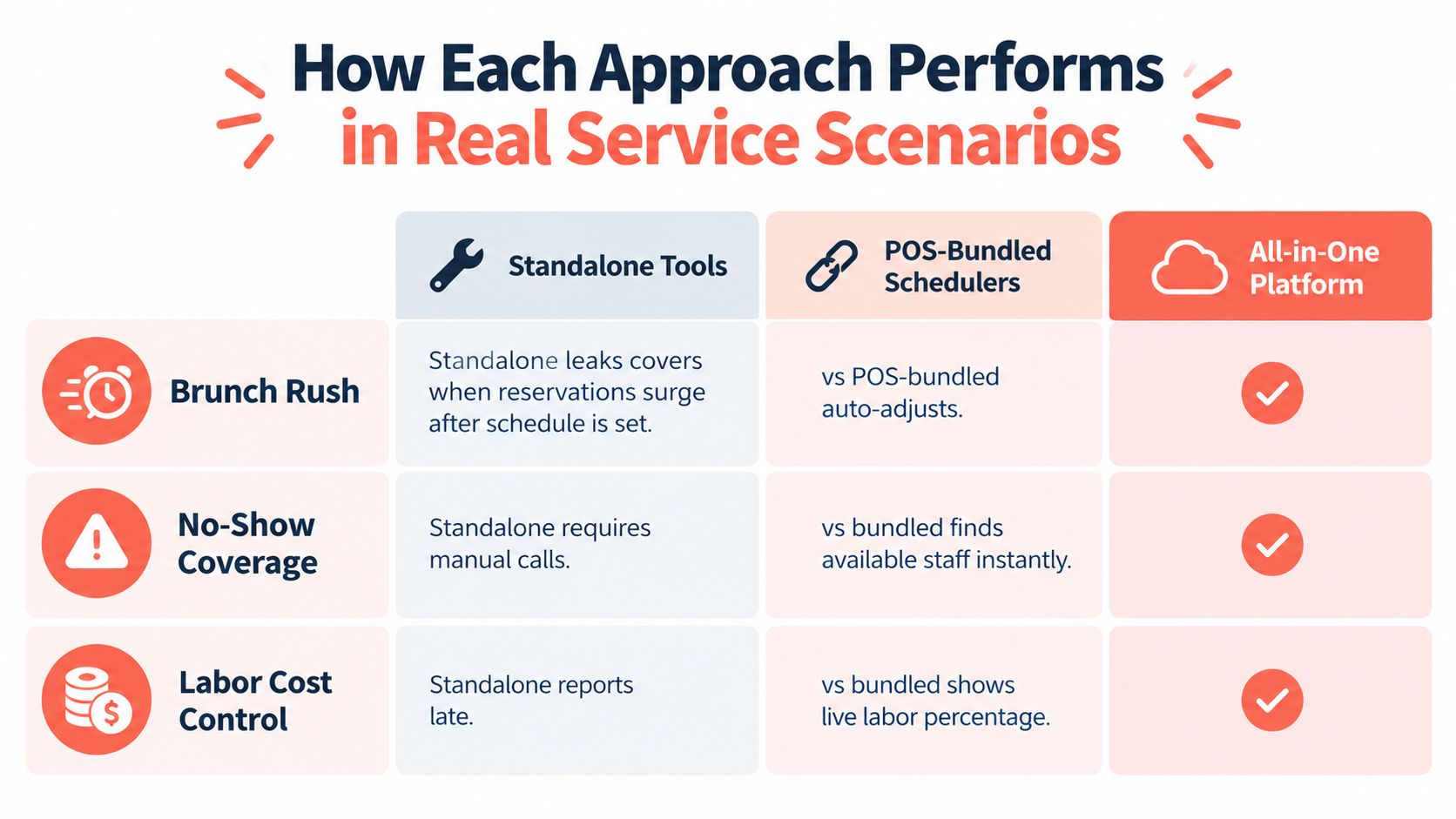
Consider a brunch rush. A standalone schedule may have been completed before the reservation book filled, leaving the manager to call staff, adjust sections, and absorb the pressure at the pass. A POS-bundled scheduler can react to ticket volume, but it may still miss reservation pacing when bookings live in a separate system. An all-in-one platform has a richer shared dataset, although a complicated interface can slow a floor manager who needs to make a decision immediately.
The buyout test
A private-dining buyout exposes the value of reservation-led planning. If the booking includes a defined party, menu pre-orders, and a known seating window, staffing can be shaped around the event. The schedule follows the floor plan and service sequence instead of forcing the event into a generic roster.
This isn't an argument that every restaurant needs a reservation-led platform. It is an argument for matching the data model to the service model. A venue that sells planned experiences needs different inputs from a café that mainly handles walk-ins.
The same principle applies to no-show coverage. Industry reporting cites an average no-show rate of 2.33% of eligible reservations in one 2026 statistic, while other summaries place average rates in the 8% to 20% range, depending on market and booking conditions. (Restaurant Booking System no-show statistics) Even without changing the labor schedule, better confirmations, pacing, and table decisions can protect floor utilization.
The quiet Tuesday test
A quiet Tuesday is where a standalone tool feels adequate. Nothing changes quickly, staff coverage is familiar, and the manager can build the roster with little friction. That low-complexity service can hide the weaknesses that appear on brunch weekends, event nights, and sudden cover surges.
A booking analysis found that no-show rates differed by reservation lead time, with 2.34% for bookings made 14 to 29 days ahead and 1.96% for bookings made 30 or more days ahead. (Restaurant Booking System reservation timing analysis) The operational point is not to treat those figures as universal. It is to recognize that booking timing can affect how a manager uses confirmations, deposits, pacing, and staffing confidence.
The right platform is the one that handles the scenario repeated most often in the week. A smooth demo on a quiet day is weak evidence if Saturday service regularly depends on late reservations and tight table turns.
Pricing Models That Fit Different P&Ls
Pricing should be tested against the venue's labor structure, booking volume, and willingness to stay inside one ecosystem. The cheapest monthly line item can become expensive if managers keep re-entering data or if the platform charges more as the hourly workforce grows.
| Pricing Model | Best For | Cost Driver | Watch Out For |
|---|---|---|---|
| Flat monthly fee | Single-location independents | Location subscription | Paying for unused modules |
| Per-location tiers | Small restaurant groups | Number of venues | Tier jumps during expansion |
| Per-employee pricing | Small, specialized teams | Active staff count | Cost inflation with hourly labor |
| Commission or revenue share | High-volume reservation-led operations | Booking activity or revenue | Variable cost during busy periods |
| Hybrid bundle | Operators already committed to a parent suite | Included modules and ecosystem | Difficult migration later |
Flat fees favor predictability
A flat monthly subscription suits an independent restaurant that wants stable operating expenditure and doesn't want the software bill to rise with every hourly employee. It also makes budgeting easier when staffing levels change seasonally.
The weakness is overbuying. If the platform includes payroll, inventory, or enterprise reporting that the venue won't use, the apparent simplicity may conceal unnecessary spend.
Per-employee pricing follows headcount
Per-employee pricing can work for fine dining teams with a small, stable workforce. It becomes less comfortable for casual concepts with many hourly workers, because the software cost expands alongside the roster even when the operational need remains basic.
Per-location pricing is often cleaner for groups with several similar venues. Each new site becomes a known cost, and managers can compare performance using a consistent structure.
Variable pricing needs a booking case
Commission or revenue-share models are uncommon in pure scheduling products, but they appear in reservation-led platforms. They can make sense when incremental booking volume clearly justifies the variable charge. They are less attractive when the venue already fills its dining room and primarily needs workforce control.
The comparison between reservation providers should focus on pricing model rather than brand reputation. TheFork, OpenTable, Zenchef, and Formitable may suit different booking strategies, but their commercial structures should be compared against flat-fee scheduling costs and the value of the demand signal.
Before signing, an operator should map subscription charges, implementation, payroll exports, integrations, and cancellation terms. The 10seat pricing page provides one reference point for evaluating a reservation-led model alongside labor software.
POS, Reservation, and Belgian GKS Integration Checklist
Belgian operators need a stricter integration review than a simple “does it connect?” question. The GKS framework links hospitality sales activity to a certified cash register, a Fiscal Data Module, and a Virtual Smart Card associated with the VAT number. From 1 July 2026, GKS 2.0 became mandatory for new hospitality businesses that fall under the rule, with existing businesses transitioning according to the purchase date of their current register. (Fiskaly guide to GKS 2.0 and FDM requirements)
A restaurant scheduling tool doesn't replace the certified fiscal system. It must fit around it without creating an opaque data gap between reservations, payments, labor reporting, and receipts.
Four checks before contract signature
-
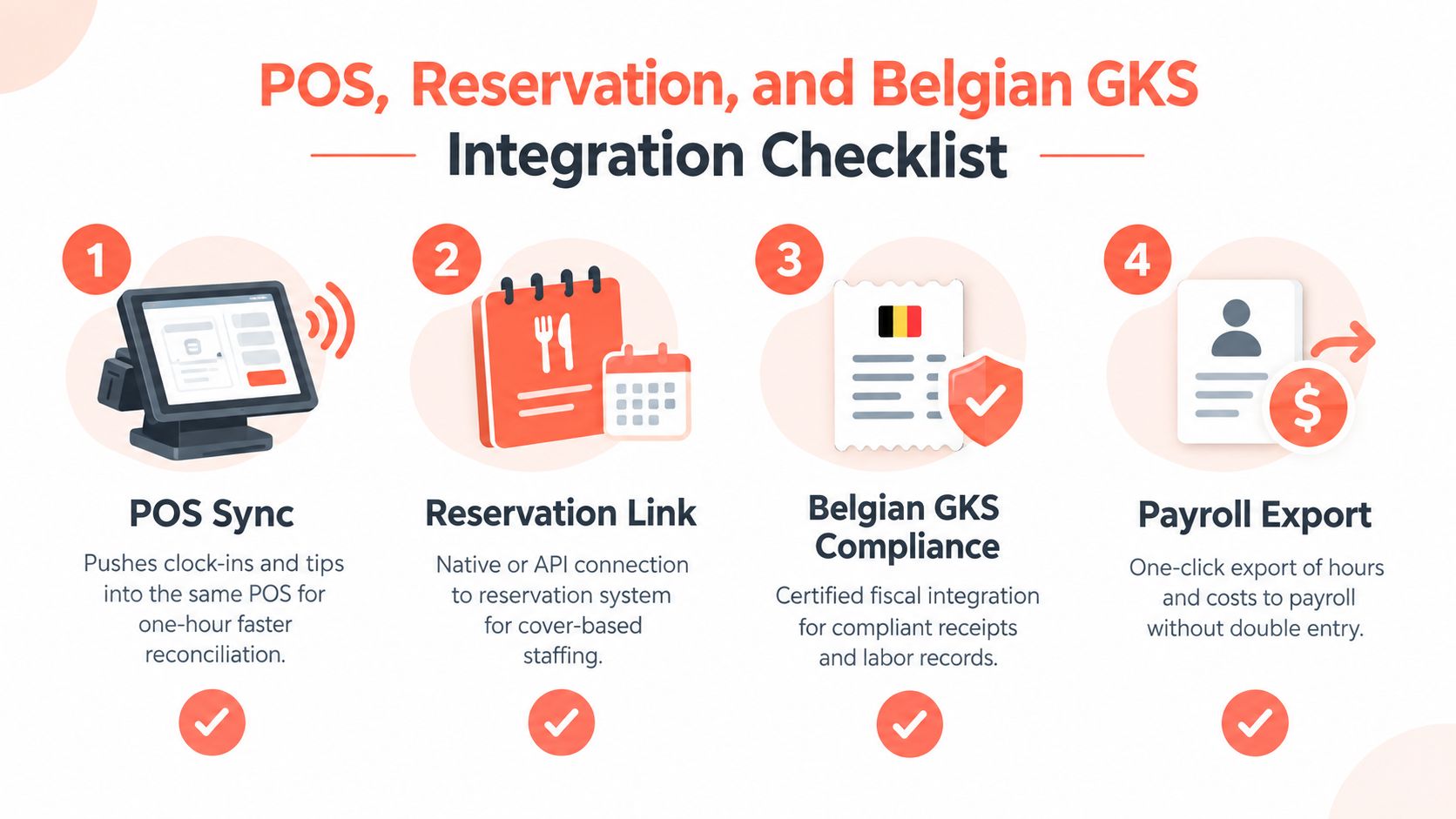
POS synchronization: Confirm that clock-ins, tips, sales totals, and role data can reach the POS that issues receipts. If the manager must reconcile separate systems at close, the promised efficiency disappears.
-
Reservation connection: Require a native connector or documented API connection to the reservation platform. CSV exports invite stale data, especially when bookings change between schedule publication and service.
-
GKS compatibility: Ask the POS provider and fiscal-system provider to explain the data path. The scheduling platform should not interrupt the certified chain or obscure how sales information reaches the GKS records.
-
Payroll and labor exports: Test split shifts, tip pooling, role changes, and student work rules in a real workflow. The export should preserve the details payroll and compliance teams need, not just a total number of hours.
Belgian industry guidance states that operators below the €25,000 annual turnover threshold for restaurant and catering services aren't required to use a GKS, but they still must issue VAT receipts for meals and drinks consumed on site. Once a business must use GKS, all hospitality activity must be settled through that cash register, so reservations, seating, and payment can't operate as isolated silos. (Horeca Vlaanderen guidance on the registered cash register)
Test the failure mode: Disconnect the integration during a busy service and confirm that the floor manager can continue operating, preserve records, and resynchronize without duplicate entry.
The operator should document who owns support when the connection fails. A platform that works in a demo but leaves the venue guessing between the reservation vendor, POS provider, payroll provider, and fiscal-system supplier is a financial risk.
The 10seat integrations overview can be used as one checkpoint when reviewing how reservation and table data should connect to the broader restaurant stack.
The Right Pick for Your Venue Type
The right architecture changes with the venue's operating rhythm. A small bistro with stable demand doesn't need the same system as a hotel restaurant handling fluctuating covers, banquets, and multiple departments.
| Venue Type | Best Fit | Operational Reason | Cost Reason | 10Seat Fit |
|---|---|---|---|---|
| Neighborhood bistro | Standalone with POS sync | Simple labor control and availability management | Avoids paying for enterprise modules | Limited |
| High-volume brasserie | All-in-one or tightly integrated stack | Covers, kitchen pace, and labor need a shared signal | Higher cost can be justified by complexity | Possible reservation layer |
| Hotel restaurant | All-in-one operations suite | Multiple outlets and back-office workflows | Consolidates reporting and administration | Possible reservation layer |
| Quick-service group | POS-bundled scheduling | Sales and labor already sit together | Existing bundle can reduce added software spend | Limited |
| Tasting-menu venue | Reservation-led platform | Booked covers and pacing shape staffing | Protects planned service economics | Strong fit |
| Private-dining venue | Reservation-led platform | Events define labor requirements | Avoids staffing from generic averages | Strong fit |
| Brunch restaurant | Reservation-led or integrated stack | Demand changes quickly across service windows | Better demand visibility can reduce reactive labor | Strong fit |
Independent bistros
A single-location neighborhood bistro should usually start with a standalone scheduler that has dependable POS synchronization. The operational problem is often clock-in discipline, availability conflicts, and clear communication, not forecasting. A predictable flat subscription is easier to justify than a broad operations suite.
Brasseries and hotel restaurants
High-volume brasseries and hotel restaurants need shared data across reservations, sales, kitchen activity, and labor. An all-in-one platform earns consideration because the cost of disconnected reporting rises with every outlet, service period, and manager handoff.
Quick-service and multi-unit groups
Quick-service operators often benefit from POS-bundled scheduling. The labor module sits close to sales, staff work across repeatable roles, and a group can roll out a familiar system across locations. The cost case improves when scheduling is already included in a broader POS agreement, although ecosystem dependence should be priced into any future change.
Tasting menus, private dining, and brunch
Reservation-led platforms fit venues where covers drive the labor conversation. 10seat provides reservation management, live availability, automated confirmations, and smart table allocation, so its role sits upstream of the roster rather than replacing a full payroll or workforce-management system. It fits best when the manager needs the schedule to respond to booking density, table configuration, and planned service pacing.
ROI, Rollout, and When to Switch
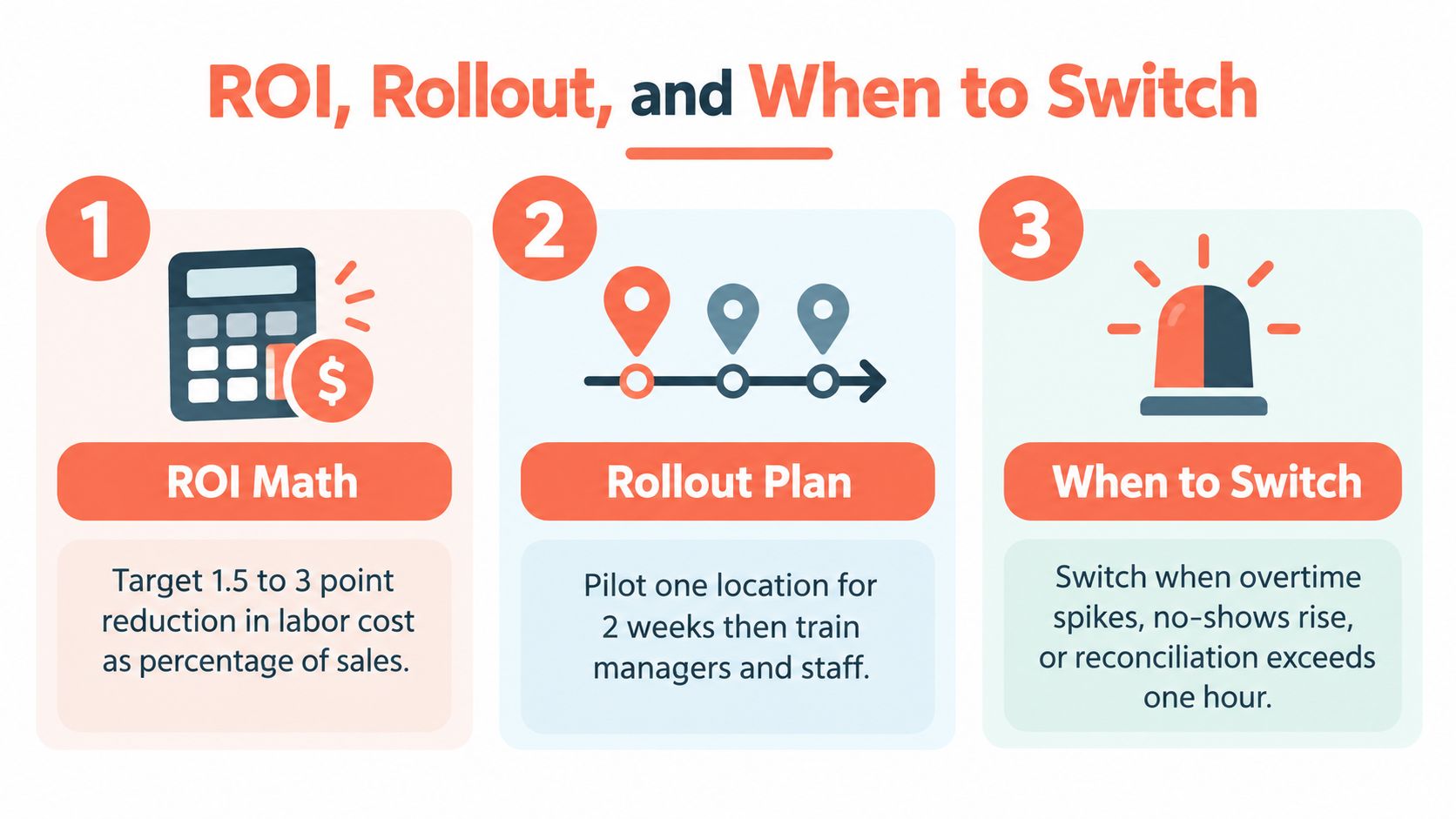
Owners usually need answers to three questions: what return should be measured, how fast should the rollout happen, and when is the incumbent costing more than it saves?
A practical ROI target is a 1.5 to 3 point reduction in labor cost as a percentage of sales within two full quarter cycles. That target comes from the planning benchmark for this comparison and should be treated as an internal management target, not a guaranteed software result. The baseline should include overtime, uncovered shifts, last-minute agency fills, and manager time spent rebuilding schedules.
Independent scheduling benchmarks report weekly schedule creation falling from 3 to 6 hours with spreadsheets, to 1 to 2 hours with standalone software, and to 30 to 45 minutes when software is paired with workflow automation. The same benchmark reports open-shift fill times moving from 4 to 6 hours manually, to 2 to 3 hours with software, and to under 1 hour with automation. (US Tech Automations restaurant scheduling comparison)
A disciplined rollout
A 30-day pilot should focus on one shift group or one location. Managers should measure the baseline before changing policy, then train staff on availability, swaps, confirmations, and clock-ins.
A 60-day expansion can add another department or location after the first operating problems are visible. At the 90-day review, management should compare labor cost, overtime, schedule changes, open-shift response, and reconciliation time against the pre-rollout baseline.
The pilot should not be judged by whether managers like the interface. It should be judged by whether the system changes decisions before service and reduces duplicate administrative work.
Switching triggers
A replacement becomes rational when the current platform repeatedly creates operational work. Trigger signals include:
- Manual rebuilds: A reservation change still forces the manager to recreate the schedule.
- Broken POS sync: Staff or managers enter the same hours, tips, or sales information twice.
- Persistent overtime: Overtime hasn't improved across two consecutive quarters.
- Low adoption: Staff adoption falls below sixty percent, leaving the manager to maintain parallel channels.
- GKS uncertainty: The provider can't explain how the scheduling and POS data path supports Belgian fiscal records.
- Slow reconciliation: Closing requires more than an hour because systems don't agree.
The switching cost should be compared with the recurring cost of bad data, not just the cancellation fee.
Restaurant scheduling software should make the next service easier to staff, measure, and correct. If it only produces a cleaner calendar, the venue has bought administration with a nicer interface.
10Seat offers commission-free reservation management for independent restaurants in Benelux, with live availability, table management, automated confirmations, and floor-level booking control. Visit 10Seat to see whether a reservation-led demand signal can give the scheduling process better information before the next busy service.