Restaurant Reservation Widget Guide for Owners
Practical restaurant reservation widget guide covering what it is, selection criteria, embedding steps, UX best practices, and troubleshooting for owners.
At 7:10 p.m. on a Thursday, a 60-cover bistro can look full and still have money sitting idle. Eighteen guests are booked, the host is answering the phone, checking Google reservations, and negotiating walk-ins, while two empty tables remain impossible to combine cleanly. The chef has stopped taking specials because the dining room is changing faster than the kitchen can plan.
That isn't a contact-form problem. It's a capacity problem. A well-configured restaurant reservation widget helps fill available covers, protect the check average, and reduce no-shows by turning online demand into controlled floor-plan decisions.
Table of Contents
- The Thursday-Night Bottleneck That a Widget Solves
- What a Restaurant Reservation Widget Actually Does
- Commission, Flat Fee, or Commission Free
- Embedding and Customizing Your Booking Widget
- UX Details That Quietly Lift Conversion
- No-Shows, Prepayment, and Capacity Control
- Troubleshooting Common Widget Problems and a Final Checklist
The Thursday-Night Bottleneck That a Widget Solves
The bistro's problem isn't a lack of interest. Guests are searching, but the booking process is fragmented. One person calls and leaves a message. Another finds a third-party page. A couple walks in while the host is still moving a reservation manually. By the time the team has a clear picture, the best table combinations have disappeared.
A widget gives guests a direct path to available times while the restaurant keeps control of its rules. If the dining room has two deuces available but no suitable four-top, the system can show the actual options instead of allowing a request that creates a seating puzzle. If a cancellation opens a table, the availability can return to the booking flow without another phone call.
Practical rule: A widget should make the host's floor plan clearer, not simply add another inbox.
The operator should judge every setting against three levers:
- Covers filled: Does the flow expose usable availability and recover late cancellations?
- Check average protected: Does the reservation record support pacing, guest notes, and pre-arrival opportunities?
- No-shows suppressed: Does the system confirm, remind, and enforce the restaurant's policy?
The category has moved well beyond phone replacement. Internet-based restaurant reservations emerged in the late 1990s, and by the early 2020s restaurants were integrating bookings into their own websites and social pages rather than relying only on directories, as documented in this history of restaurant reservation systems. The same analysis reported 61,739 U.S. restaurants using at least one online reservation or waitlist solution in July 2024, compared with 45,029 two years earlier, a 37% increase. Yet only 19% of U.S. sit-down restaurants offered these tools at that point, leaving plenty of room for direct booking to become a competitive operating advantage.
What a Restaurant Reservation Widget Actually Does
A restaurant reservation widget is an embedded booking element on a website or landing page. Technically, it may use JavaScript or an iframe. Operationally, it connects the guest's date, time, and party size to a booking engine that checks availability and writes a confirmed reservation into the same system used by the host.
The guest sees a date and time picker, a party-size selector, available slots, guest details, and a confirmation screen. Behind that simple interface sit four working layers:
- Guest-facing form: Collects the booking details and any relevant notes.
- Availability and rules engine: Applies service windows, table combinations, lead times, and capacity limits.
- Channel manager: Keeps website, social, and other booking links aligned.
- Seating or POS integration: Makes the reservation visible to staff and connects it with the operational record.
The widget can sit in a homepage hero, behind a sticky header button, on a dedicated bookings page, or through a booking link on a Google Business Profile. A homepage button is useful when the site is mainly an introduction. An inline widget suits a venue where booking is the primary visitor intent. A dedicated page gives the restaurant more room for policies, menus, accessibility information, and private dining details.
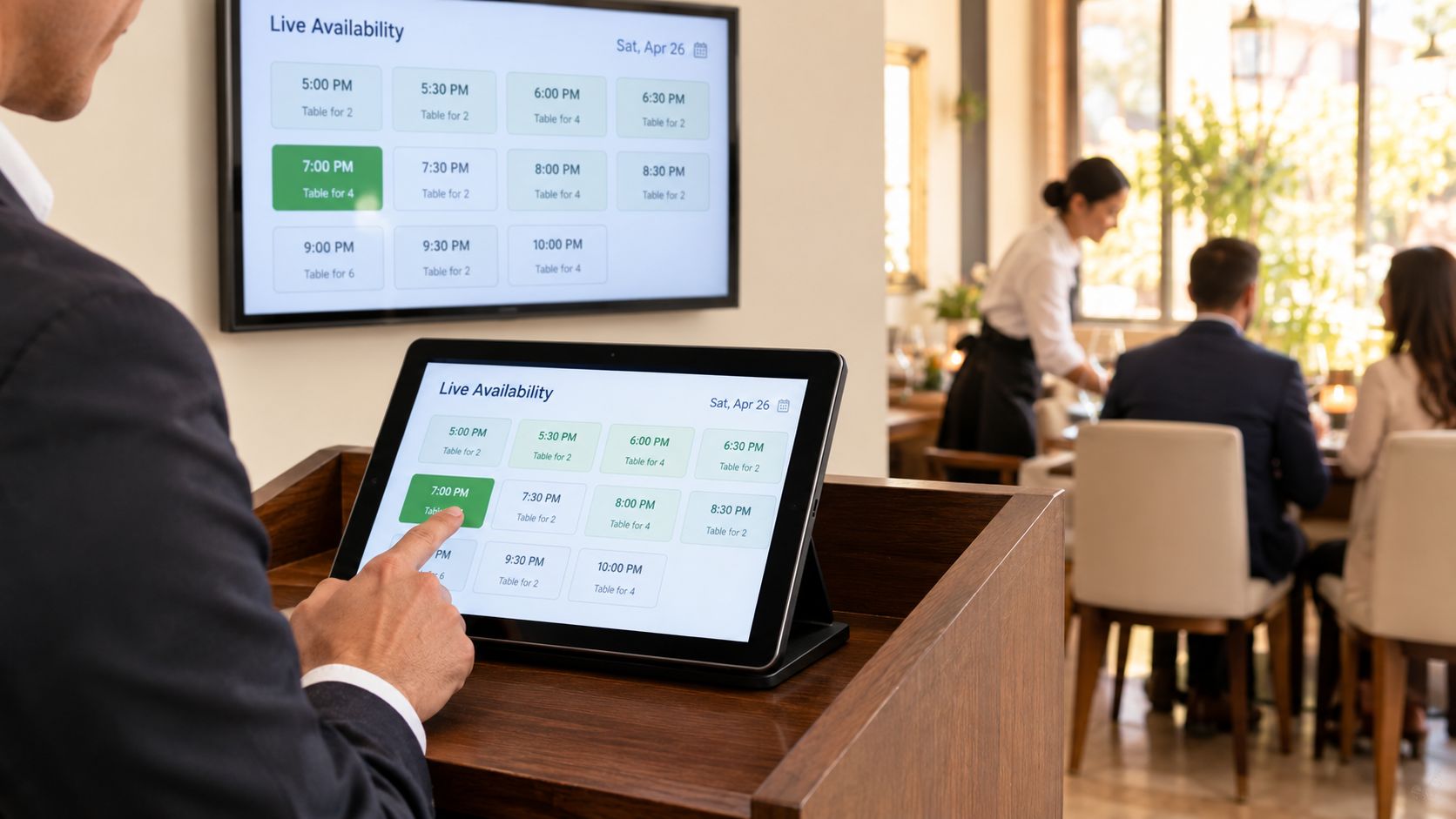
A third-party marketplace listing is different. The marketplace owns the surrounding discovery experience and may control the guest relationship, while an embedded widget keeps the booking journey on the restaurant's property. That distinction matters when comparing SyncThemCalendars vs Bookings, because the underlying question is not only whether guests can reserve, but where the reservation data and brand experience live.
For a practical overview of the broader online restaurant reservation system, operators should focus on how the booking element connects to floor management rather than judging it by appearance alone.
Commission, Flat Fee, or Commission Free
The commercial model changes the economics of every direct reservation. A commission can look small on a single cover, but it becomes a recurring acquisition cost when the guest already arrived through the restaurant's own website or social profile.
Commission-based aggregators such as TheFork and OpenTable typically charge per seated guest under the applicable commercial agreement. The exact rate depends on the contract, market, and channel, so the operator should compare the full schedule rather than assume a universal fee. Their value is often tied to marketplace discovery, not just the booking form.
Flat-fee platforms such as Zenchef generally center the relationship on a monthly subscription, although some plans can include a per-cover element. Formitable is another comparison point for a commission-free approach, where the restaurant pays a platform fee rather than treating every direct cover as a transaction charge. Current pricing and included features should always be checked before signing.
| Model | Example Providers | Typical Cost | Guest Data Ownership | Operational Control |
|---|---|---|---|---|
| Commission based | TheFork, OpenTable | Per-cover charge under the contract | May be limited by marketplace terms | Strong booking tools, marketplace rules may apply |
| Flat fee | Zenchef | Monthly subscription, sometimes with plan-specific cover fees | Usually broader direct access, subject to terms | Generally strong control over branding and rules |
| Commission free | Formitable, 10seat | Platform fee rather than a direct-cover commission | Designed around first-party guest relationships, subject to terms | Direct branding, availability, and policy control |
The correct choice depends on the restaurant's cover mix and traffic source. A venue that needs marketplace discovery may accept commission as a customer-acquisition cost. A restaurant with strong direct search, repeat guests, and a busy website should calculate whether paying on every seated guest makes sense.
The calculation should include more than the headline price. Check whether the system supports live table combinations, deposits, guest profiles, POS integration, cancellation controls, and exportable data. A low-cost widget that creates manual corrections can cost more in host time and seating mistakes than a transparent subscription.
Embedding and Customizing Your Booking Widget
A widget can increase direct covers only when it matches the restaurant's actual capacity. Before changing colors or button copy, confirm that the booking engine shares accurate availability with the POS, calendar, or seating chart. If table status differs between systems, staff will spend service correcting errors, and the widget will expose more guests to the problem.
Choose the delivery format based on where guests decide to book. An inline embed keeps the flow visible on a dedicated booking page. A popup button suits a homepage hero or sticky mobile CTA if it opens quickly and remains usable on a small screen. A hosted booking URL is useful for campaigns, QR codes, social profiles, and venues that need a booking destination outside the main website.
Configure the rules before the styling
Set the operating rules before adjusting the design:
- Party size: Set the smallest and largest online party the team can seat without manual intervention.
- Service windows: Separate lunch, dinner, brunch, tasting menus, and special events when pacing or staffing differs.
- Time slots: Match intervals to kitchen throughput, table turns, and the time required to reset each section.
- Lead time: Keep last-minute bookings within a window the floor and kitchen can handle.
- Booking horizon: Decide how far ahead guests can reserve so future capacity remains usable.
Then configure the guest-facing details. Use the restaurant's primary brand color and direct button copy such as “Book a table” or “Reserve.” Add a language toggle if the audience needs one. Collect dietary restrictions and allergies in structured fields when the system can pass those notes to the relevant service team.
Placement should reflect the guest's route. A desktop header button may be enough for some sites, while a thumb-accessible hero CTA gives phone visitors a clearer path. Keep the bookings page reachable from the menu, contact page, location page, and social profile. For venues that also accept bookings through Google, review this guide to Google dinner reservations before deciding which hosted URL to publish.
Protect speed and test the whole chain
The widget script should not delay the homepage. Defer non-critical scripts, remove unnecessary tracking tags, and check the mobile load experience. A slow booking tool can lose a cover before the guest sees an available time.
Test the complete workflow on a phone, tablet, and desktop. Staff should confirm the email, calendar attachment if offered, internal alert, floor-plan entry, table assignment, and cancellation path. Test unavailable slots as well as open ones. The system should present a workable alternative instead of accepting a reservation the dining room cannot support.
Before launch, verify the confirmation details, policy language, and staff notifications against the actual service routine. Compare at least two commission-free platforms on total cost per cover before signing.
UX Details That Quietly Lift Conversion
Guests don't approach a booking form as an administrative task. They want to know whether the restaurant can seat their party at a workable time. The interface should answer that question quickly, especially because a 2024 restaurant technology report found that 65% of respondents go directly to a restaurant's website and use whichever reservation option is available there (Toast restaurant reservation data).
The first screen should ask for the information that determines availability. Party size often deserves priority, followed by date and time. A default of two guests is sensible for many dining rooms, but it must remain easy to change. Real-time slots are more useful than an open-ended time picker because guests can see what the restaurant can provide.
Remove decisions that don't help the booking
Keep the initial form focused. Name, email or phone, party size, and the reservation selection are usually enough to confirm a standard booking. Dietary details, occasion notes, and marketing consent can appear later or remain optional.
Mobile behavior deserves its own test, not a desktop resize. The button should sit within comfortable thumb reach, fields should support browser autofill, and the form shouldn't force guests to zoom or repeat information. In the UK, 54% of consumers choose to make restaurant reservations online, while 72% of reservations are made via smartphones, according to the hospitality reservation statistics source. Those figures support a mobile-first booking flow, but they don't justify adding every possible field to the phone screen.
Conversion check: If a guest needs to hunt for the booking button, repeat a phone number, or guess which times are available, the widget is making the restaurant's demand work too hard.
The confirmation stage should do more than display “thank you.” Send an immediate email, offer an optional SMS, include a calendar file where supported, and provide a clear reschedule link. A guest who can change a booking easily is less likely to become a silent no-show. For a broader perspective on fast guest response workflows, operators can review this speed to lead chat solution, while keeping reservation confirmation inside the booking system.
Social proof should be quiet and truthful. A recent booking cue or a message such as “Trusted by guests this month” can reassure hesitant visitors, but only when the restaurant can substantiate it. Invented urgency damages trust and attracts bookings that don't match the venue's real capacity.
No-Shows, Prepayment, and Capacity Control
A basic widget holds a table. A revenue-oriented system manages the risk attached to holding it.
Restaurant no-shows are not a theoretical issue. An academic source cites a studied restaurant no-show rate between 3% and 15% (restaurant reservation study). The practical response is layered protection, not a single blanket rule.
Card capture can validate payment details through a payment vault. Deposits can apply selectively by party size, service window, or demand level. Prepayment is particularly appropriate for chef's tables, tasting menus, set menus, and ticketed events where the restaurant commits scarce capacity in advance.
Automated reminders should state the date, time, party size, address, policy, and rescheduling path. A waitlist should collect the guest's preferred time and contact method, then notify suitable parties when a cancellation creates a real opening. That converts a late change into a possible replacement cover instead of leaving the table invisible.
Research on cancellation policies also found that higher cancellation fees or more complex cancellation methods significantly reduce no-show behavior (cancellation policy research). The rule still needs to feel fair. The restaurant should explain when a charge applies, how guests can cancel, and what happens if the venue must close or alter service.
For Belgian operators, the reservation record should also support the payment and receipt workflow rather than sitting apart from it. The credit card guarantee guide offers useful context for deciding when card details protect capacity and when a deposit is more appropriate.
Troubleshooting Common Widget Problems and a Final Checklist
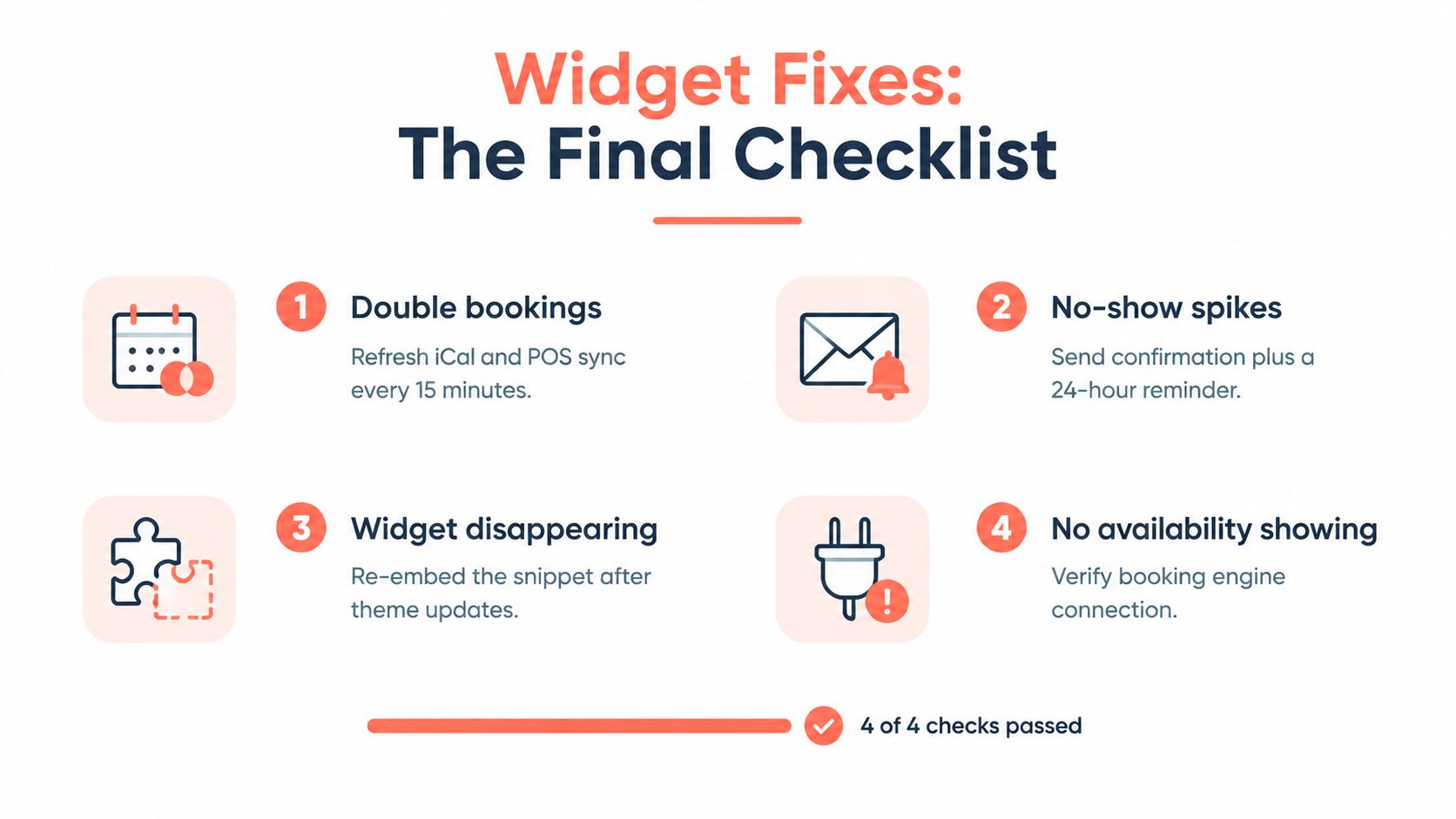
A widget that fails at the wrong moment costs more than a missed enquiry. A double booking creates a service problem, an empty calendar hides available covers, and weak reminders leave demand unconverted. Treat each failure as an operating check with a clear owner.
Use this recovery sequence:
- Double bookings: Reconcile the booking engine, iCal, and POS records on a schedule. Then check table assignments, service windows, and seating rules.
- No-show spikes: Review the policy screen, send confirmations immediately, and activate a 24-hour reminder. Compare no-shows by service and party size before changing the policy.
- Widget disappearing: Test the booking page after theme or plugin updates. Re-embed the snippet if a template change removed it.
- No availability showing: Check the booking-engine connection, opening hours, future availability rules, and any blocked tables. Test a date that should have open capacity.
Belgian compliance note
Keep cash-register obligations separate from widget troubleshooting, while checking that the two systems exchange the information the operator needs. A registered cash register system, or white cash register, is required when annual turnover from restaurant and catering services exceeds 25,000 euros excluding VAT for covered on-site meals and regular catering services, according to the Flemish government guidance on the registered cash register. The system must issue a VAT receipt for covered transactions.
The updated GKS 2.0 regime is being phased in from July 1, 2025. New hospitality businesses are scheduled to use it from the outset starting July 1, 2026. Existing businesses are scheduled to meet transition deadlines of July 1, 2027, July 1, 2028, or January 1, 2029, depending on when the current cash register was purchased, as outlined by GKS 2.0. The widget does not replace that compliance layer. It should pass booking and payment information cleanly into the systems that handle it.
Before launch, confirm:
- Table and POS compatibility.
- Service windows and party-size rules.
- A mobile-friendly CTA location.
- Every confirmation and reminder.
- Cancellation and deposit rules.
- Waitlist behavior.
- Unavailable times and alternative slots.
- Widget behavior after website updates.
- Covers, check average, and no-show outcomes.
- Commission-free options through 10seat pricing.
10Seat provides an embeddable booking widget and standalone booking pages that connect website, social, and QR booking flows to live availability and reservation management. Visit 10Seat to compare a commission-free setup for the restaurant's covers, floor plan, and no-show policy.