Restaurant Reservation Plugin WordPress: 10 Picks
Compare 10 restaurant reservation plugin WordPress options by features, pricing models, integrations, limitations, and fit for your restaurant.

Friday service is two hours away, the phone keeps ringing, and the host is trying to fit online bookings around a floor plan that exists only in the manager's head. The restaurant still has a WordPress website, but the key decision is operational: should reservations stay inside WordPress, connect to a hosted booking service, or move to a dedicated reservation and table-management system?
A useful comparison has to go beyond attractive booking forms. It should test floor-plan control, capacity rules, table turns, guest-data ownership, deposits, ordering and payment integrations, support, setup complexity, recurring costs, and daily administration. A native WordPress plugin can keep the booking experience close to the website and reduce dependency on a marketplace. An external system can offer a stronger management console, live availability, or a diner network, but may move operational data away from the restaurant's own WordPress installation.
Digital booking is now part of normal restaurant behavior. One industry summary reports that 67% of diners prefer booking online or through an app instead of calling, while 72% of diners aged 18 to 35 say they won't call to make a reservation. The same summary reports that 43% of online reservations happen outside operating hours, which explains why a website booking layer matters for a restaurant that can't staff the phone all night (restaurant scheduling statistics).
The list below compares pricing models, data ownership, implementation burden, and best-fit venue. It also separates a booking widget from the harder problem of allocating covers during a busy service. A well-configured workflow can save meaningful host time, and 10seat states that its system can 10–15% more covers per busy shift without adding tables. For broader restaurant visibility and positioning work, this UK restaurant PR agency guide provides useful context.
Table of Contents
- 1. Five Star Restaurant Reservations
- 2. WPCafe
- 3. VikRestaurants
- 4. GloriaFood WordPress Restaurant Plugin
- 5. ReDi Restaurant Reservation
- 6. OpenTable Reservation Widget for WordPress
- 7. Amelia Booking
- 8. Bookly
- 9. WooCommerce Bookings
- 10. Quick Restaurant Reservations
- Top 10 WordPress Restaurant Reservation Plugins, Comparison
- Choose the System Your Team Can Run
1. Five Star Restaurant Reservations
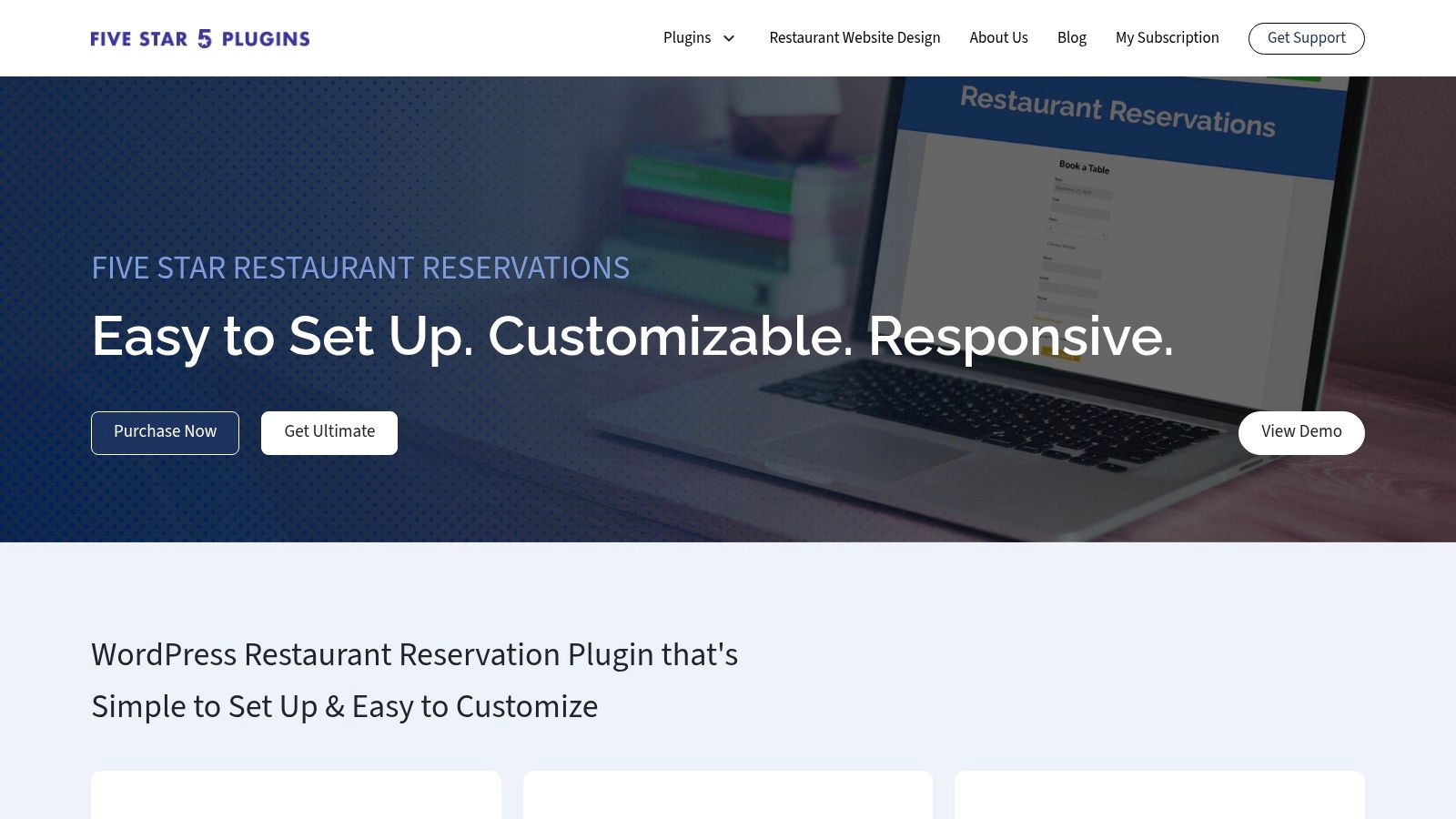
Five Star Restaurant Reservations is the clearest fit for a restaurant that wants a native WordPress reservation plugin rather than a generic appointment calendar. The free and paid versions are built around restaurant bookings, with table assignment, customizable forms, service schedules, confirmations, reminders, and capacity controls.
The practical advantage is proximity to the restaurant's own website. Guests book on the restaurant's domain, while the team can manage reservation information within WordPress instead of sending every booking to a marketplace. The plugin also supports custom fields and Mailchimp integration, which can help capture dietary notes, occasion details, and consented marketing information without creating a separate intake process.
Advanced restaurant workflows sit in the higher tier. Table selection, deposits, SMS reminders, exports, and some table controls depend on the paid level, so the free version shouldn't be judged as the complete operating system. The companion mobile app is useful when the manager needs to check bookings away from the office, but staff still need a clear process for changes, late arrivals, and walk-ins.
Where it works best
The plugin has a strong WordPress.org reputation, with 10,000+ active installations and a 4.7/5 average rating from more than 200 reviews, according to an independent plugin-market review (Five Star Restaurant Reservations review). That makes it a sensible shortlist option for an independent bistro, brasserie, or small full-service venue that wants restaurant-specific workflows without a per-cover marketplace model.
Its reported lightweight footprint can also suit sites where speed matters. The same review cites about 0.1 seconds of added page-load time, though actual performance depends on the theme, hosting, scripts, and configuration.
Practical rule: A booking form is only useful if the host can see the resulting table assignment quickly. Test the admin workflow during a simulated rush, not just the guest-facing form.
The main trade-off is licensing and tier structure. Agencies managing multiple restaurant websites may find that the available license options don't provide the bulk flexibility they need. Restaurants also need to budget for higher-tier features rather than assuming the core plugin covers deposits, SMS, and floor control. For a deeper operational comparison, see this guide to table management software.
Visit Five Star Restaurant Reservations.
2. WPCafe
WPCafe makes sense when reservations are only one part of the website's job. It combines table booking, menu presentation, online ordering, delivery workflows, QR ordering, and multi-branch controls, with support for Elementor and Gutenberg. That broad scope can reduce the number of separate WordPress plugins a restaurant has to connect.
A café serving lunch, takeaway, and table service may prefer this model because the menu and ordering experience sit close to the reservation experience. The optional visual table map and seat picker can give guests a more concrete booking journey, although a guest-facing seat picker isn't the same as a live service floor that adapts to late arrivals, table combinations, and walk-ins.
The cost of an all-in-one stack
The advantage of fewer moving parts can become a disadvantage during setup. WPCafe touches reservations, WooCommerce, menus, delivery, QR ordering, branch settings, and page-builder components. Each added area creates more configuration decisions, more plugin compatibility checks, and more places for an update to affect the guest journey.
For a single venue that only needs dinner reservations, this may be more system than the team can comfortably maintain. For a group with multiple branches, shared menus, and online ordering, the wider scope may be justified. The relevant question isn't how many features exist. It's whether the team can keep opening hours, service periods, table availability, ordering rules, and branch information aligned.
- Choose WPCafe for shared infrastructure: Reservations and ordering can live in one broader WordPress stack.
- Watch implementation effort: WooCommerce and QR ordering add operational dependencies.
- Test the table map carefully: A visual map should reflect actual seating combinations, not just the layout guests see.
Advanced tools and add-ons sit behind Pro tiers, so recurring costs depend on how much of the stack the restaurant activates. A brunch venue may find the combination practical, while a fine-dining operation with complex pacing and strict table turns may need a dedicated reservation system alongside, or instead of, the plugin.
3. VikRestaurants
A restaurant with a dining room, terrace, bar, and private area needs more than a calendar with time slots. VikRestaurants is built around rooms, areas, tables, and seating rules, so operators can define how those spaces work before accepting reservations. It can also cover related takeaway or delivery activity within the same WordPress installation.
That floor-plan control suits venues where table combinations affect service. A large party might use joined tables, while smaller bookings need access to those tables earlier or later in the shift. VikRestaurants can represent those rules, customer table-choice settings, party-size limits, and area-specific availability more directly than a generic booking form.
The trade-off appears during setup. Someone must configure areas, tables, combinations, schedules, custom fields, and table-selection rules, then test them against actual service periods. If the seating model is wrong, the plugin will apply the wrong logic consistently. The manager still owns the operational decisions, including pacing, table turns, and which combinations staff can realistically reset.
For restaurants that take orders or payments online, keeping reservations and related activity in WordPress may reduce the number of systems staff must check. It also means the team must confirm compatibility with its ordering, payment, and delivery tools. A dedicated platform such as 10seat may require a separate website connection, but can be a better fit when reservation ownership and daily floor management matter more than keeping every function inside WordPress.
Use VikRestaurants when the venue needs detailed seating control and has someone available to maintain it. A small restaurant seeking a booking form with little administration may find the setup disproportionate.
The Pro version is required for some advanced capabilities, so recurring cost depends on the payment, automation, and operational features the restaurant activates. Budget time for a proper configuration session and a service simulation before publishing availability.
4. GloriaFood WordPress Restaurant Plugin
GloriaFood is a practical route for a small restaurant that wants to launch reservations and online ordering quickly. Its WordPress integration uses embeddable widgets, while reservation and order management takes place in GloriaFood's system. That separation can shorten the website implementation because the restaurant doesn't need to build every workflow directly inside WordPress.
The free core plan is attractive for a venue testing online reservations or adding booking alongside takeaway. The mobile order-taking app and QR dine-in ordering can also help a small team avoid building separate ordering processes. Restaurants can add deposits and online payments through paid services when the operating model requires more commitment from guests.
Fast launch, less ownership
The central trade-off is data location. The booking record isn't stored only in WordPress, so the restaurant needs to understand how it can export guest information, manage permissions, retain records, and move to another system later. Hosted administration can be convenient, but convenience shouldn't be confused with full control.
This matters when the restaurant wants to build direct repeat business. A platform that handles the booking layer may provide useful tools, but the operator should still know where guest names, contact details, preferences, consent records, booking outcomes, and payment information are held.
A free booking widget can still carry a real operating cost if the team can't easily reconcile reservations, payments, cancellations, and guest data.
GloriaFood suits a small café, casual restaurant, or takeaway-led venue that values speed over a detailed floor plan. It's less compelling when the host needs detailed live table allocation, controlled pacing across several service areas, or a single view of the dining room during a rush. For a broader look at no-cost booking approaches, see this guide to a free table reservation system.
5. ReDi Restaurant Reservation
A restaurant can keep the booking entry point on WordPress while staff manage reservations in ReDi's hosted Reservation Diary console. That split supports capacity rules, waitlists, daily summaries, custom fields, and multiple locations without forcing every operational control into the website itself.
The WordPress listing reports about 5 million reservations, about 400 restaurants across more than 300 cities, and more than 90 features. Those figures indicate a mature product, but they do not show whether its workflow matches your floor plan or service style. Test the host's view with real bookings, table combinations, walk-ins, and late cancellations before launch (ReDi Restaurant Reservation).
Where the hosted model helps
ReDi publishes tiered plans, including a free option with monthly guest limits and paid levels for higher volume. A restaurant can estimate recurring costs before setup. API access and the WooCommerce payment flow may support custom integrations, deposits, or prepayment, although those connections can require technical work and ongoing maintenance.
Booking ownership needs a clear decision. Reservations sit across WordPress and the hosted account, so managers should confirm export options, API access, user permissions, retention rules, and what happens if the restaurant changes systems. This matters for guest records, repeat-visit activity, and daily handovers between the booking owner and the floor team.
ReDi suits a restaurant that needs more than a form but does not require a dedicated live floor-management system. It can cover service rules and waitlists, while table allocation, pacing across sections, ordering, payment, and walk-in control may still depend on other tools or staff procedures. A dedicated system such as 10seat may fit better when one team needs those operational decisions in a single workspace.
Use ReDi when tiered service, multiple locations, or API access justifies the extra account layer. Confirm how the team handles table combinations, real-time changes, and payment reconciliation during a busy service before subscribing.
Visit ReDi Restaurant Reservation.
6. OpenTable Reservation Widget for WordPress
OpenTable suits restaurants that want their WordPress site connected to the OpenTable marketplace and operating ecosystem. The widget sends bookings into the restaurant's OpenTable account, giving diners a familiar path from search, maps, social channels, or experiences to a reservation. It also keeps availability and table-management work within the OpenTable system rather than adding another booking inbox.
Setup is usually light. Add the widget or embed code to a WordPress HTML block, page-builder element, or theme area. Link tracking can separate website bookings from other OpenTable sources, helping managers judge whether marketplace exposure produces useful demand.
Check the commercial model before adding the widget
OpenTable operates as a hosted reservation service, not a self-contained WordPress plugin. The restaurant needs an OpenTable plan, and charges may include a fee per cover, depending on the plan and booking source. That cost can make sense when discovery fills otherwise quiet services. It deserves a separate comparison with direct website bookings, where the restaurant may want greater control over acquisition costs.
Booking ownership also affects daily service. Guest information primarily sits in OpenTable, so managers should confirm access, exports, segmentation, and permitted retention activity. Hosts then need one availability process for OpenTable, the website, walk-ins, phone calls, and social channels. Without that process, duplicate bookings or conflicting table holds can appear during a busy shift.
OpenTable is a strong fit when marketplace discovery is part of the acquisition plan and its floor model matches the restaurant's table combinations, pacing rules, and sections. It is less suitable as the only booking layer for an independent restaurant that prioritizes direct guest ownership, custom ordering or payment integrations, and a website channel without cover-based charges. A WordPress plugin may offer lower recurring costs and more control, while a dedicated system such as 10seat may fit better when floor-plan decisions, booking ownership, and service operations must work together.
Visit the OpenTable reservation widget.
7. Amelia Booking
Amelia suits restaurants that run more than standard table reservations. The WordPress plugin can handle tastings, classes, events, private dining, packages, deposits, custom fields, group capacity, multiple locations, WooCommerce, and payment gateways. Its Lite version lets a team test the basic booking flow before paying for advanced functions.
That range can reduce the need for separate tools. A restaurant offering a wine course or chef's table can manage those bookings alongside regular reservations. The trade-off is that Amelia is built around services, resources, and appointments rather than the decisions a host makes from a live floor plan.
Where the setup starts to strain
Amelia has no built-in restaurant floor plan or table map. Managers can represent rooms, services, and capacity as resources, but they must translate tables, sections, table combinations, turn times, and kitchen limits into that model. A simple dining room may cope. A busy room with protected tables and changing service periods requires more manual control and testing.
A party of four may need a specific table, two tables joined together, a minimum duration, or a buffer before the next booking. If those relationships are not represented directly, staff may rely on a separate floor sheet or intervene during service. That weakens booking ownership and increases the risk of accepting reservations the floor cannot deliver.
Amelia is a reasonable choice for restaurants whose booking operation includes events, packages, deposits, and varied services. It is a weaker fit when visual table allocation, live section control, ordering, and payment integrations must sit in one restaurant workflow. A WordPress plugin can keep ownership and recurring costs under the restaurant's control, while a dedicated system such as 10seat may fit better when floor-plan decisions and service pressure drive the choice.
Setup requires more than publishing a form. Define each service and resource, set capacity and timing rules, connect the required payment or WooCommerce workflow, then test overlapping party sizes across a full service period. The plugin's flexibility helps only when the team has time to maintain that configuration.
For the broader choice between a booking form and a complete operating layer, see this guide to an online restaurant reservation system.
8. Bookly
Bookly is a mature WordPress booking system with a large add-on ecosystem. Restaurants can configure booking steps, party-size fields, notifications, resources, payment connections, WooCommerce, and Google Calendar synchronization. The modular approach lets a team start with a basic flow and add functions as requirements become clearer.
That modularity is useful when the restaurant has unusual booking rules. A venue may need custom intake questions, multiple reservation types, SMS reminders, or separate workflows for dining, private hire, and events. Bookly's documentation and tutorials can help a WordPress administrator build those flows without commissioning a fully custom application.
Add-ons can become the operating model
The downside is cumulative complexity. Restaurant-specific functions such as a floor plan or table map require custom work or third-party extensions, so the team may end up assembling a system from a general booking core, several add-ons, and custom configuration. Each component adds renewal decisions, compatibility testing, and troubleshooting responsibility.
The restaurant should cost the complete workflow, not the entry product. If reminders, payments, capacity, calendar sync, and custom forms are all needed, the add-on total can be materially different from the initial license impression.
Build the smallest useful workflow first. A booking system with fewer controls that staff use consistently is safer than a larger stack nobody trusts during service.
Bookly is a reasonable choice for a WordPress team that already knows the platform and wants extensibility. It's less suitable when the restaurant needs table combinations, floor visibility, walk-in handling, and pacing without custom work. The operator should test how the booking record reaches the host and whether staff can make changes without navigating a long appointment-style interface.
9. WooCommerce Bookings
WooCommerce Bookings fits restaurants that sell more than a seat at a table. It treats bookable slots as WooCommerce products, connecting reservations to cart, checkout, deposits, and paid add-ons. That model works for tasting menus, private dining, ticketed experiences, giftable events, and packages that need payment before arrival.
The extension supports people and resources, duration and availability rules, approval flows, calendar and list views, Google Calendar synchronization, Product Add-Ons, and Deposits. A restaurant already using WooCommerce for its menu, gift cards, shop, or events can keep booking ownership and payment records in one administration area. Setup is still more involved than installing a reservation-only plugin, particularly when staff must distinguish booking products from normal retail items.
Useful for paid experiences, limited for live seating
The trade-off appears during a busy service. WooCommerce Bookings has no restaurant-specific floor plan or table map, so the team represents capacity through resources and availability rules. That can work for a fixed-capacity tasting or private event. It is harder to control table combinations, sections, pacing, walk-ins, and table turns as conditions change across the dining room.
Recurring costs also matter. If reservations are the only requirement, the extension may add a larger commerce stack than the operation needs. The restaurant should price the complete setup, including payment, deposits, add-ons, maintenance, and any custom table logic.
Choose WooCommerce Bookings when paid bookings and ordering integrations matter more than visual floor control. A dedicated system such as 10seat may suit nightly table management better, while WooCommerce remains practical for restaurants that already depend on its checkout.
Visit WooCommerce Bookings. For wider website planning, review this comparison of the best CMS for ecommerce in 2026.
10. Quick Restaurant Reservations
A small restaurant with one location and a predictable booking policy may not need a full commerce or restaurant-management stack. Quick Restaurant Reservations (QRR) keeps the workflow inside WordPress, covering schedules, party-size rules, booking statuses, custom messages, redirects, and email notifications. Paid add-ons can extend it with automatic confirmations, capacity controls, and calendar views.
The operational advantage is limited scope. Staff can mark bookings as pending, confirmed, rejected, or cancelled without managing products, orders, or marketplace settings. That reduces setup time when reservations are the only online requirement.
QRR still leaves important gaps for busier dining rooms. It does not provide a visual floor plan or detailed table-combination controls, and deposits, integrated payment flows, and advanced reminders may require separate add-ons. Before installation, list the rules staff apply during service, including table allocation, pacing, walk-ins, and ownership of guest communication. If those rules cannot be represented in QRR, the form will create extra manual work rather than remove it.
Recurring add-on costs should be compared with a dedicated system such as 10seat. A WordPress plugin fits a simple booking desk that already runs on the site. A dedicated system may be a better operational fit when the team needs stronger floor-plan control, integrated ordering or payments, and one owner for reservation data.
Support and update compatibility also affect the decision. Keep backups, test updates on staging, document the settings, and define a fallback method for taking bookings. Staff should be able to change a reservation quickly from a phone or front-desk computer.
Visit Quick Restaurant Reservations.
Top 10 WordPress Restaurant Reservation Plugins, Comparison
| Plugin | Key features | UX & support | Pricing & value | Best for | Unique selling point |
|---|---|---|---|---|---|
| Five Star Restaurant Reservations (Five Star Plugins) | Native WP plugin, table management, form styling, SMS/email reminders, deposits, mobile app | Restaurant-specific workflows; active support; strong WP.org ratings | Tiered license; advanced features in higher tiers; no per-cover SaaS fees | Restaurants wanting native WP table workflows | Keeps bookings on your site with restaurant-specific features |
| WPCafe (ThemeWinter) | Menu management, online ordering (WooCommerce), table booking with visual maps, multi-branch, QR ordering | All-in-one stack with Elementor/Gutenberg support | Free + Pro tiers; some add-ons behind Pro | Venues that want reservations + ordering/menus in one system | Combines ordering, menus and reservations in a single plugin |
| VikRestaurants (VikWP) | Rooms/areas/tables model, shared tables, party-size rules, delivery/takeaway | Granular configuration; good documentation | Free + Pro for advanced features | Venues needing detailed floor/area rules and custom seating | Deep area/table data model for complex seating rules |
| GloriaFood WordPress Restaurant Plugin | Embeddable reservation & ordering widgets, mobile app, QR ordering, optional deposits/payments | Fast to launch; widely adopted; simple setup | Generous free core; paid add-ons for payments/POS | Small venues or quick launches wanting ordering + reservations | Free core system for quick setup with ordering built-in |
| ReDi Restaurant Reservation (Reservation Diary) | WP plugin + hosted back-end, waitlist, capacity rules, API, multi-location bundles | Functional UI; strong docs and live demo | Free tier with guest limits; paid tiers for volume | Restaurants wanting hosted console + API access | Hosted backend with API and clear tiered pricing |
| OpenTable Reservation Widget for WordPress | Embeddable widget, links to OpenTable seating & Experiences, tracking | Easy embed; trusted brand; diner recognition | Requires OpenTable plan; possible per-cover fees | Venues that value discoverability and OpenTable marketplace | Access to OpenTable's large diner marketplace and CRM |
| Amelia Booking (Amelia) | General booking (group sizes, deposits), services/locations, WooCommerce integration | Polished modern UI; Lite free version | Free Lite; paid plans for advanced features | Restaurants wanting a native WP booking experience without table map | Versatile booking logic with a polished UI |
| Bookly (Bookly Pro + add-ons) | Modular add-ons (forms, SMS, staff/resources), custom booking flows, payments | Mature plugin; extensive docs; requires add-ons for full features | Base plugin + paid add-ons; total cost can rise | Users needing highly extensible native WP booking system | Large add-on ecosystem for tailored workflows |
| WooCommerce Bookings (official) | Bookable products, people/resources, calendar, deposits, Google Calendar sync | Native WooCommerce experience; unified commerce flow | Paid official extension; more costly if only for reservations | Venues that want reservations integrated with e‑commerce/payments | Full integration of reservations into WooCommerce commerce flow |
| Quick Restaurant Reservations (QRR) | Lightweight bookings, schedules, party-size rules, status management, add-ons | Simple native WP UX; slower dev/support cadence | Free core; paid add-ons for extra ops features | Small venues that only need basic reservation functionality | Straightforward, minimal setup for reservations-only sites |
Choose the System Your Team Can Run
The best choice depends on where the restaurant's operational complexity lives. A WordPress plugin is often the right answer when the website should remain the main booking channel, the team wants control over the guest journey, and the floor plan can be represented without constant manual correction. A dedicated platform becomes more compelling when the host needs live table allocation, pacing, walk-in handling, and one operational screen during service.
For native restaurant workflows, Five Star Restaurant Reservations, VikRestaurants, and Quick Restaurant Reservations are the most direct candidates. Five Star suits a restaurant that wants purpose-built booking features with a familiar WordPress setup. VikRestaurants is stronger when rooms, areas, shared tables, and detailed seating rules matter. QRR is better for a small venue that wants a focused booking system and can accept fewer advanced controls.
Choose WPCafe or GloriaFood when reservations and ordering need to share a stack. WPCafe offers a broader WordPress and WooCommerce environment with multi-branch potential. GloriaFood favors rapid deployment through hosted management, with a free core plan and paid options for payments, deposits, and POS-related services. Both reduce the need to connect separate ordering tools, but both require a clear view of where reservation and guest data is stored.
ReDi fits a restaurant that values a hosted back end, published service tiers, waitlist tools, capacity rules, multi-location support, or API access. Amelia and Bookly make more sense when the restaurant needs general booking logic for events, packages, or other scheduled services. WooCommerce Bookings is the stronger choice when reservations must connect to products, checkout, deposits, add-ons, or paid experiences. OpenTable belongs in the comparison when marketplace reach and diner discovery are part of the acquisition plan, with subscription and possible per-cover costs reviewed against the value of that reach.
Implement the workflow before styling the form
A migration or new setup should follow the service logic, not the plugin's feature page.
- Back up the website: Create a tested WordPress backup before installing, updating, importing, or changing reservation settings.
- Define capacity rules: Record table sizes, combinations, service periods, booking durations, buffers, protected sections, and maximum covers per period.
- Test real scenarios: Run bookings for small and large parties, overlapping arrival times, cancellations, late arrivals, walk-ins, waitlist entries, and table changes.
- Write confirmation messages: State arrival expectations, cancellation terms, deposit rules, contact details, accessibility information, and what happens when the restaurant needs to adjust a booking.
- Track the funnel: Measure booking attempts and completed reservations. One benchmark defines reservation conversion as completed reservations divided by booking attempts and places typical online booking-widget conversion at 60% to 80%, with a target of 75% or higher for direct website flows (restaurant booking conversion benchmark).
- Separate cancellation timing: One benchmark reports that 56% of cancellations arrive within 24 hours of service, so the team should track late cancellations separately from no-shows and make released tables visible quickly (restaurant reservation automation).
- Train the floor team: The host should know how to seat, move, merge, cancel, waitlist, and record outcomes without asking a manager for help.
- Confirm data ownership: Document where guest records, consent, payment details, exports, and booking history are held, and who can access them.
Know when WordPress has reached its limit
A plugin can place a booking form on the website, but it may not manage the live dining room. The operational gap appears when multiple party sizes compete for the same tables, late arrivals disrupt turns, walk-ins need to be squeezed in, or the kitchen needs pacing rather than simple slot availability.
That is where connecting or replacing the booking layer with 10seat becomes relevant. 10seat combines commission-free reservation management with a Capacity Engine, live floor-plan control, Smart Auto Seating, Auto Seating Puzzle, and Walk-in Squeeze. Online bookings can map to efficient table configurations, while the host works from a focused screen designed for quick decisions.
The stated 10seat operating model is to achieve 10–15% more covers per busy shift without adding tables or extra manual work. That should be treated as a platform claim to validate against the restaurant's own baseline, not as a guaranteed outcome. The practical test is straightforward: compare available cover capacity, manual seating time, walk-in acceptance, and booking conflicts before and after implementation.
A restaurant can start with its existing WordPress website and connect a live availability widget, or replace the plugin booking layer with an instant booking page distributed through the website, social channels, and QR codes. Details about the product and setup are available on the 10seat product page and the 10seat pricing page.
Belgian GKS compliance check
For Belgian restaurant operations, reservations and payments should be reviewed separately from GKS, the Geregistreerd Kassasysteem. A reservation plugin or table-management platform may manage bookings, guest records, deposits, and availability, but that doesn't automatically mean it satisfies kassasysteem obligations.
The restaurant should confirm how reservations, deposits, prepayments, cancellations, invoices, and final sales connect to the registered cash register and accounting workflow. The final setup should be checked with the restaurant's accountant or a qualified compliance specialist. No booking tool should be assumed to handle every GKS obligation without that confirmation.
The right system is the one staff can operate when the room is full and the kitchen is under pressure. If a WordPress plugin provides adequate table rules and a clean host workflow, it can remain a sensible direct-booking layer. If the restaurant's losses come from unused capacity, conflicting table allocations, slow walk-in decisions, or manual floor control, a dedicated system such as 10seat is the more relevant operational comparison.
10seat combines commission-free online reservations with live table management, capacity optimization, Smart Auto Seating, Auto Seating Puzzle, and Walk-in Squeeze for restaurants using the tables they already have. Visit 10Seat to assess whether its floor-management workflow can reduce manual host work and improve cover capacity alongside, or instead of, a WordPress reservation plugin.