Restaurant POS System: Buyer & Implementation Guide
Step-by-step restaurant POS system guide: evaluate, choose, and deploy. Covers integration, GKS compliance, training, and measurable ROI for owners.
A busy service exposes every weakness in a restaurant POS system. A server re-enters an online order, the kitchen receives the wrong modifier, a card payment settles differently from the sales report, and the manager spends the next morning reconstructing what happened. Replacing the terminal may look like the solution, but the difficult work sits in the migration, the integrations, and the habits built around the data.
A restaurant POS system has become an operating platform, not just a faster cash register. The right choice should protect service during the changeover, give managers trustworthy figures, and connect revenue with what happens on the floor.
Table of Contents
- The Modern Restaurant POS Reality
- Preparation and Operational Baseline
- Belgian GKS Compliance Essentials
- Evaluating Platform Options and Pricing
- Integration, Data Governance, and Testing
- Staged Deployment and Staff Training
- Measuring ROI and Performance Metrics
The Modern Restaurant POS Reality
Friday service is when bad POS decisions show up. Orders queue at the pass, a modifier disappears between channels, the card batch does not match the sales report, and the manager learns too late that the new system handles offline mode or data export differently than expected.
The adoption question is settled. A 2026 survey found that 99% of restaurant respondents already used a POS system, according to FSR Magazine's report on the technology turning point. The decision is governance. Operators need a platform that keeps ordering, payment, kitchen routing, inventory, reporting, reservations, and guest data aligned during a migration, with clear ownership over what is stored, synced, exported, and corrected when something breaks.
The category also carries a lot of legacy. The cash register was patented in 1879, electronic cash registers arrived in the 1970s, IBM developed an early restaurant-focused POS system in 1973, and cloud POS started shifting restaurants away from local installs in 2002, as outlined in Hotel TechReport's POS timeline. That progression explains why the system now sits in the middle of operations, finance, and service recovery.
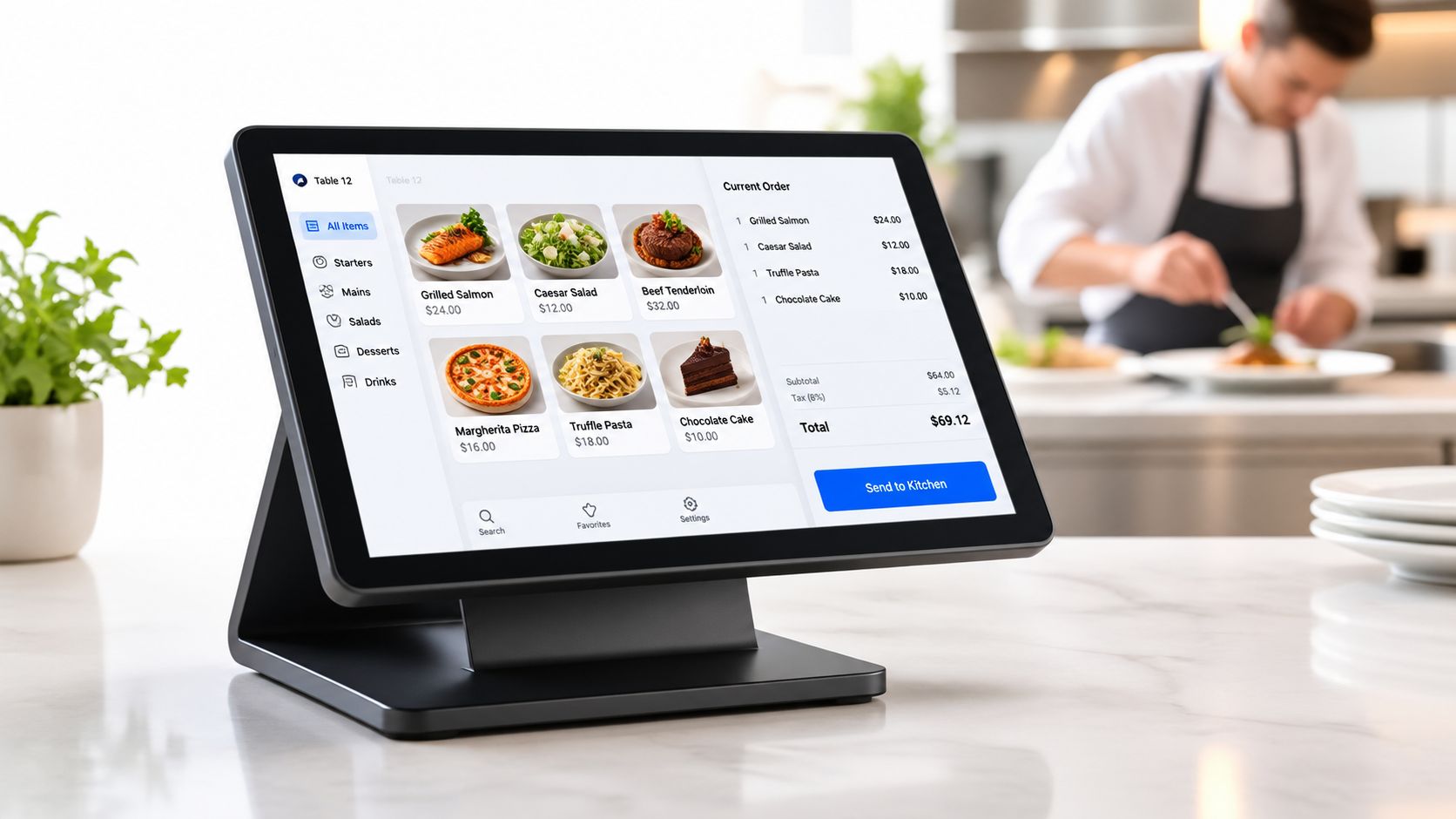
Adoption has changed the buying question
For multi-unit groups, standardisation is still a strong pull. 97% of multi-unit operators said they used the same POS system across all venues, up from 86% the previous year. The same survey reported that 53% of respondents had bought or switched systems in the preceding year, compared with 71% in 2024. Those numbers matter because they show two things at once. Rollouts are common, and confidence is not the same as recommendation.
I would treat that as a migration warning, not a buying signal. A polished demo does not protect menu integrity, historical reporting, user permissions, or reconciliation after cutover. Choose the system that keeps information flowing cleanly across the order path and gives your team control over the data when service gets messy.
Preparation and Operational Baseline
Friday night, the printer stalls, a server keys the same order twice, and the refund shows up in the POS but not in the accounting export. That is why preparation starts with the current operation. A rollout goes wrong long before go live if nobody defines the baseline, the data owner, or the failure points in the order flow.
Start by measuring the operation as it runs today, using the same definitions you will use after launch. Track average order value by shift, service period, and channel where that distinction matters. Track labour-cost percentage on a consistent basis. Record ticket time from order entry to completion. Log voids, discounts, refunds, and order errors. Add table-turn time and sales by daypart so you can see whether the system improves throughput or just changes how revenue is labelled.
The timing matters too. Spindl's restaurant POS rollout benchmark puts end-to-end deployment for a mid-sized restaurant at 2 to 3 months. Use that period for discovery, data cleanup, configuration, migration checks, and testing. If hardware arrives before those jobs are done, the schedule is already slipping.
Map the order before choosing the system
Walk one order through every channel you run. Start at the dining room, kiosk, website, delivery channel, or reservation-linked workflow. Then follow it through kitchen routing, payment, reporting, inventory, accounting, and reconciliation.
This exercise is less about features than control.
Every manual handoff should be marked. Re-entered items, copied modifiers, spreadsheet imports, and hand-fixed tax lines are migration risks. They also expose weak data governance. If nobody owns menu data, user permissions, and system mappings before cutover, the new POS will preserve the same errors in a cleaner interface.
Configure and simulate in a test environment
Build the setup as it will operate live. That means item modifiers, tax rules, service charges, permissions, table layouts, revenue centres, printer routes, and kitchen display destinations. Then run realistic cases, including split checks, coursing, allergy modifiers, partial refunds, discounts, delivery orders, offline service, and a failed network connection.
Do not change the menu, payment processor, and POS at the same time. If ticket times slip or reconciliation breaks, you need to know which change caused it. A clean baseline gives management a fair read on performance after launch, and it makes rollback decisions faster if the migration starts hurting service.
Belgian GKS Compliance Essentials
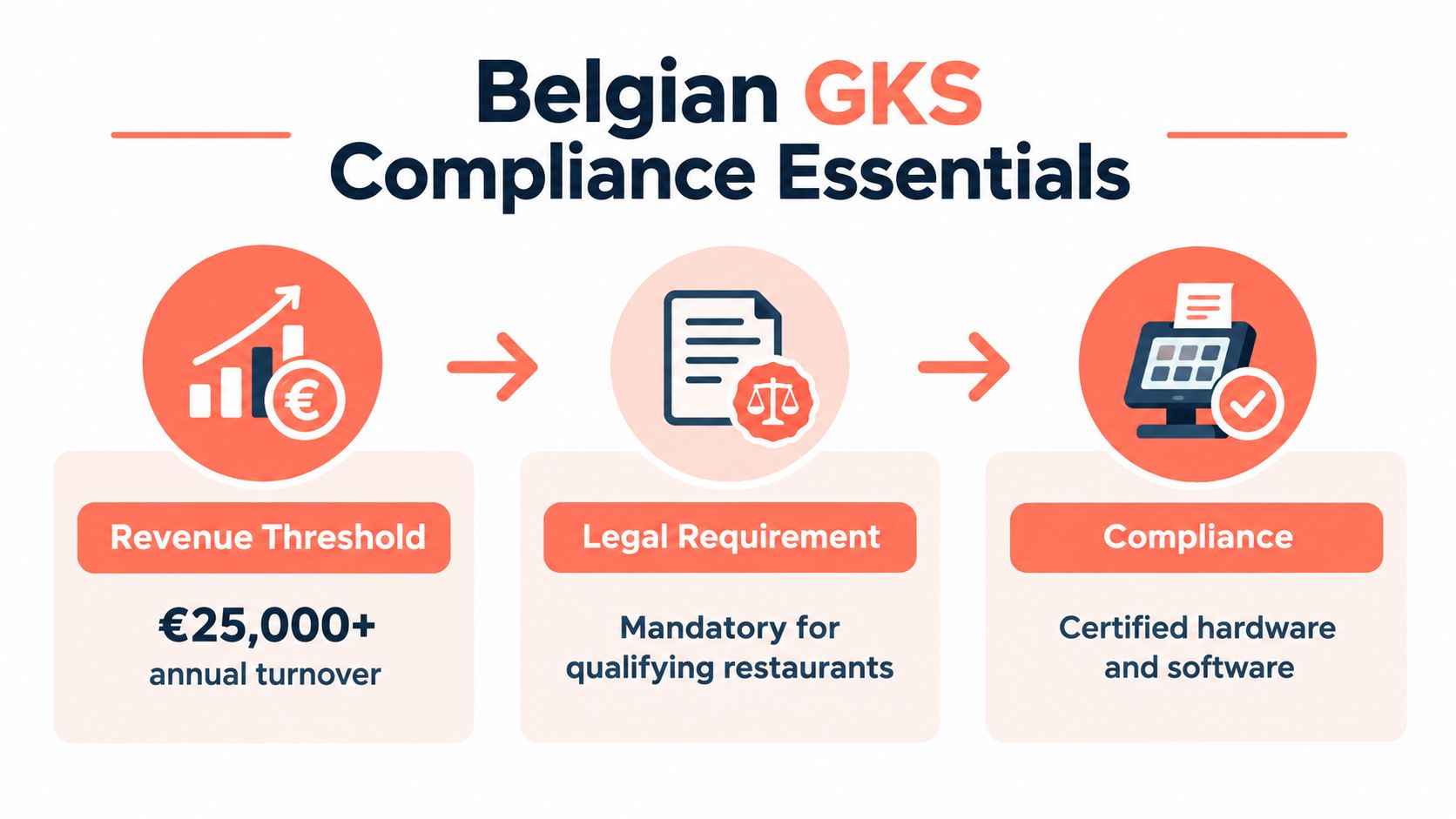
Belgian restaurants face a fiscal requirement that can narrow the POS choice before features and pricing enter the discussion. A business must use a Geregistreerd Kassasysteem, or GKS, commonly called the white cash register, when at least €25,000 of annual turnover comes from meals, according to the official Flemish government guidance on the GKS.
The threshold concerns meal revenue, not total turnover. Drinks and VAT must be excluded when assessing whether the obligation applies. The rule covers businesses where meals are consumed on the premises and caterers that regularly provide catering services.
The compliant architecture is specific
A Belgian GKS isn't just a standard terminal with a fiscal setting switched on. The setup links three elements:
- The cash-register system, which records the relevant transactions.
- A certified Fiscal Data Module, which preserves the required fiscal data.
- A VAT Signing Card, used within the official architecture.
The register and Fiscal Data Module must be connected through the official GKS registration process, and the models must be certified by the competent authority. The official GKS producer and distributor documentation sets out this architecture.
For covered transactions, a registered-cash-register ticket is required for supplying meals and drinks, including drinks served with or alongside meals, as explained in the official GKS transaction guidance. Cash, card, takeaway-related, and ancillary food-and-drink workflows shouldn't be treated as informal exceptions.
Payment security deserves a separate check. A practical PCI DSS checklist for SMBs can help an operator review card-data responsibilities alongside fiscal compliance. The POS vendor still needs to confirm GKS certification, supported hardware, registration responsibilities, and what happens when the system is replaced.
Evaluating Platform Options and Pricing
A feature comparison often hides the most expensive question: how much disruption will the migration create? A 2025 UK study of more than 150 hospitality leaders found that only 19% would recommend their current technology, while 94% adopted new technology only when absolutely necessary, according to the Square hospitality technology research.
That combination matters. Dissatisfaction doesn't automatically create switching demand. Training, downtime, data loss, and service disruption can outweigh the promise of a better interface.
Compare the contract and the changeover
Ask each vendor for written answers on:
- Implementation workload: Who maps the menu, taxes, modifiers, users, and printers?
- Data-export rights: Can the restaurant retrieve transaction-level history in a usable format?
- Offline behaviour: What can staff do during a connection failure, and how are delayed transactions reconciled?
- Hardware reuse: Can existing terminals, printers, payment devices, and kitchen screens remain in service?
- Support response: Who answers during dinner service, and what escalation path applies?
- Training ownership: Does the vendor train managers, supervisors, and front-line staff separately?
Pricing models differ. TheFork, OpenTable, Zenchef, and Formitable may be compared on their reservation pricing models, but a reservation platform and a restaurant POS system solve different operational problems. POS pricing can combine software subscriptions, hardware, payment processing, support, integrations, and implementation. A low monthly fee can still become expensive when the processor is locked, hardware must be replaced, or essential reporting is an add-on.
A useful comparison should therefore include the full cost of migration, not just the recurring charge. Wistec's restaurant POS comparison guide is useful for broad vendor research, but each operator still needs to test its own menu, floor plan, payment terms, and data requirements.
For the reservation and table-management layer, 10seat can connect floor operations with POS information, helping managers assess reservations, orders, guest spend, and table activity without treating the POS as the only source of operational truth. The 10seat pricing page gives operators a direct way to assess that layer separately from the transactional system.
Integration, Data Governance, and Testing
The terminal is rarely the main source of integration failure. The more serious problems begin with inconsistent item names, duplicated modifiers, unclear tax categories, and different definitions of revenue across systems.
A restaurant needs a canonical catalogue before synchronisation starts. Every item and modifier should have a unique ID, explicit tax treatment, allergen information, revenue centre, kitchen station, and consistent naming across the POS, online ordering, inventory, accounting, and labour tools.
Test transactions, not screenshots
Screenshots prove that a screen exists. They don't prove that money, modifiers, refunds, and kitchen routing behave correctly. Test the cases that regularly break restaurant workflows:
- Duplicate items and deleted modifiers.
- Price changes and time-based menus.
- Discounts, service charges, and partial refunds.
- Tax rounding and timezone differences.
- Offline payments and delayed synchronisation.
- Orders routed to different kitchen stations.
After every test, reconcile three independent totals: POS sales, payment settlement, and accounting or bank-deposit totals. The acceptance threshold should be zero unexplained monetary variance and 100% successful routing of test items to the intended kitchen station, as set out in Restaurant Dive's analysis of disconnected restaurant technology.
One global survey cited in that analysis found that 66% of restaurants used at least four technology systems, while 48% said their operating systems weren't fully integrated. A fragmented stack can work, but only when ownership, naming, reconciliation, and recovery procedures are explicit.
Use an immutable audit trail for voids, refunds, discounts, and permission changes. Review exception reports by shift instead of waiting for month-end. The 10seat integrations overview is relevant when reservation, table, and guest information needs to sit alongside transactional data without uncontrolled duplicate records.
Staged Deployment and Staff Training
Service decides whether the new POS is ready. The test comes when a server needs a missing modifier fixed fast, a refund has to be processed correctly, or a printer sends the ticket to the wrong station with a full dining room waiting.
That is why staged deployment matters. A rollout should protect service, contain migration risk, and keep data governance intact while staff learn new habits. If guest, table, or reservation records are being moved at the same time, use a documented POS data migration process so duplicate records, missing history, and broken floor assignments do not spread into live service.
Use a controlled launch sequence
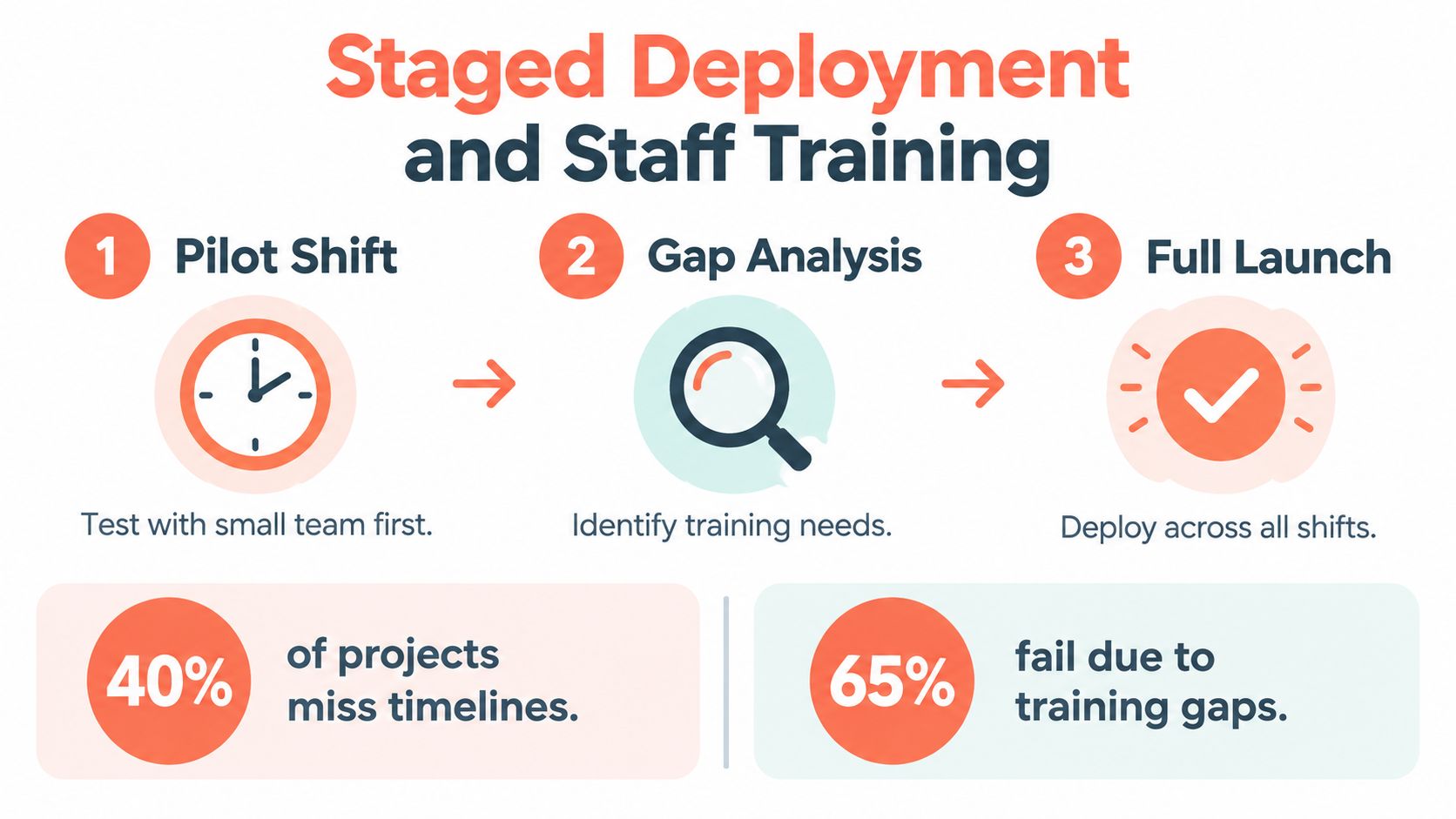
Pilot shift: Start with one service area or one small team. Run live transactions that expose operational weak points, split bills, voids, refunds, allergy notes, coursing, and offline procedures. Keep the pilot narrow enough that managers can watch every exception.
Gap analysis: Compare ticket times, correction rates, voids, payment exceptions, and staff workarounds against the baseline. Ask staff why a transaction happened, not only which screen they used. That is how hidden training gaps and bad permission settings show up.
Full launch: Expand by shift and daypart, not all at once. Keep named decision-makers, backup procedures, and a written rollback threshold. If order flow breaks or reconciliation exceptions climb, pause and fix the cause before widening the rollout.
The Journal of Hospitality and Tourism Cases points to the outcomes that matter during adoption: fewer arithmetic errors, tighter guest-check control, faster reactions to sales trends, and lower labour costs. Those are operational checks, not feature claims.
Train by role. Servers need order accuracy and payment recovery. Kitchen teams need routing, coursing, and modifier visibility. Managers need permissions, exception review, reconciliation, and the authority to stop a bad rollout.
Measuring ROI and Performance Metrics
A dashboard doesn't create reliable profitability by itself. In a 2025 survey of 200 U.S. independent and chain restaurants, 84% said their financial systems needed an overhaul, while only 15% could easily access key cost inputs such as food and labour costs as a percentage of sales, according to the Digital Transactions report on restaurant financial systems.
The problem is data quality. Real-time sales figures can still mislead managers when recipe costs are stale, labour is allocated inconsistently, discounts are misclassified, or online and in-house channels don't reconcile.
Build a daily control loop
A manager should be able to answer the following before the next service:
- Do POS sales, payment settlements, and accounting totals agree?
- How many covers were served, and what was the average check?
- Did scheduled labour match actual labour?
- Which voids, discounts, refunds, and comps need investigation?
- Did table turns and pacing support the sales result?
- Have ingredient costs and menu margins been updated where needed?
The POS measures transactions well. It may not validate recipe costs, accounting classifications, or the commercial reason behind a discount. Those controls require inventory, payroll, accounting, and management review.
The strongest ROI view connects revenue with capacity. A higher sales total may come from better table utilisation, a higher average check, longer hours, or more labour and food cost. Combining POS tickets with reservations, walk-ins, covers per shift, pacing, and turn times helps managers distinguish productive capacity from expensive volume.
The same 2025 restaurant reporting cited above found that 54% of operators considered POS and inventory tools critical to profitability, while integration and reliability remained barriers to automation. Practical business reporting advice can help managers improve the reporting habit, but the restaurant still needs clear ownership for each figure.
A credible ROI estimate should use the baseline. If a rollout saves a manager two hours per week, the operator can value that time against the manager's loaded hourly cost, then add measurable reductions in correction work, payment exceptions, and unnecessary labour. That is more defensible than claiming the software will transform profitability before the first clean reconciliation.
10seat connects reservation and table management with POS data, helping restaurants relate sales and guest spend to covers, pacing, table use, and turn times. Visit 10Seat to see how the platform can support a controlled move toward clearer floor and revenue reporting.