Guest Management Software: What It Is and How It Works
Learn what guest management software does for your restaurant, from no-show protection and waitlist management to personalized profiles and table optimization.
Roughly 28% of U.S. restaurant reservations go nowhere, because the guest never honours the booking. Guest management software exists to protect seating inventory through confirmations, waitlists, deposits, cancellation controls, and structured guest profiles.
A busy dining room makes the problem obvious. The host is answering the phone, checking a walk-in party, moving a reservation because one table is running late, and trying to remember whether the couple arriving at seven requested a quiet corner. A basic calendar records bookings, but it doesn't help the team make good decisions when the floor changes by the minute.
That distinction matters for independent restaurants. Guest management is no longer just a digital booking form. It connects demand with table capacity, preserves useful guest knowledge, and gives the team a repeatable operating system when experienced staff aren't on shift.
Table of Contents
- Why guest management software matters for restaurants now
- Core features guests and hosts actually use
- How guest management drives repeat visits and smoother service
- Use cases for different restaurant types
- Integrations and compliance considerations
- Buyer checklist and implementation tips
- Next steps for getting started with guest management
Why guest management software matters for restaurants now
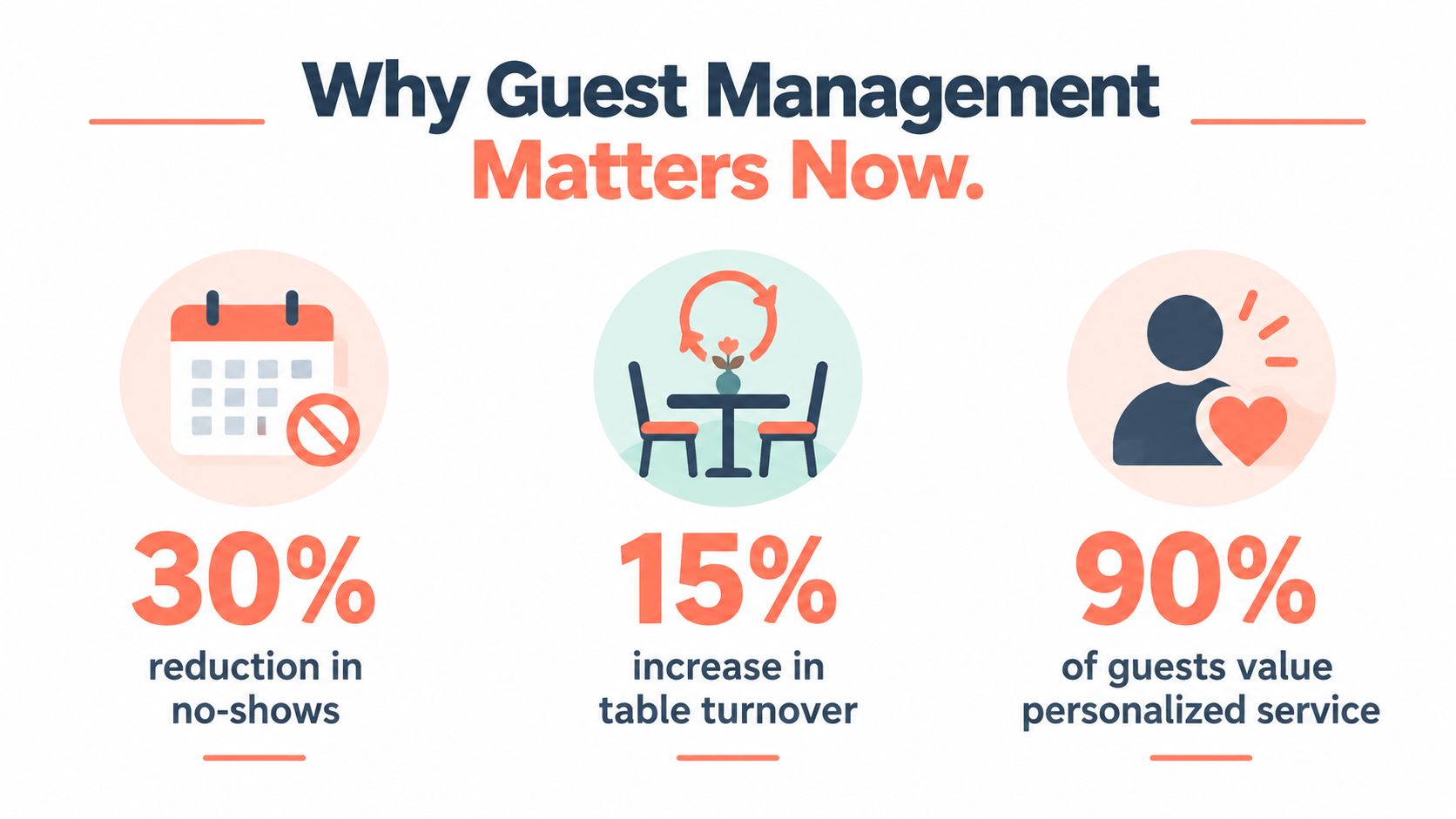
A missed reservation damages more than the evening's forecast. It leaves a table empty during a service period when the restaurant may not have enough time to refill it. A 2025 peer-reviewed study found that OpenTable data indicated 28% of U.S. restaurant reservations made during the preceding year were not honoured, and cited an estimated annual cost of £16 billion to the U.K. restaurant industry from no-shows. The same source reported that 28% of Americans failed to honour restaurant reservations during the pandemic, while 12% said they had become more likely to no-show than before. The peer-reviewed study on restaurant cancellation policies also makes clear that rates vary by market, restaurant type, booking lead time, deposits, and card guarantees.
The practical conclusion is straightforward. A reservation system should help the restaurant protect an available seat, not just write a name into a list. Confirmations, cancellation workflows, deposits, waitlists, and release rules turn uncertain booking intent into something the host can manage.
From phone calls to live capacity management
Guest behaviour has also changed. A 2024 industry summary reported that 54% of U.K. consumers preferred making restaurant reservations online, while 72% of reservations were made via smartphones. It also reported that 45% of consumers in both the United States and Canada preferred mobile reservation applications, with mobile booking rates reaching 41% in Australia and New Zealand and 39% in the U.K. The restaurant booking statistics summary shows why a restaurant can't rely on a phone line, a paper diary, or a spreadsheet that only one manager can access.
Digital booking gives guests access to availability outside opening hours. For the restaurant, it collects party size and contact details, sends confirmations, manages cancellations, and displays the live state of the floor. That reduces repeated phone work and gives the host one source of truth for reservations and walk-ins.
The broader industry trend for restaurants is clear, digital reservations now form part of the operational infrastructure. The useful question isn't whether a restaurant should accept online bookings. It's whether the booking channel helps the team fill tables without creating extra manual work.
Operator rule: Treat each table as perishable inventory. A late cancellation should trigger a workflow, not a shrug.
Core features guests and hosts actually use
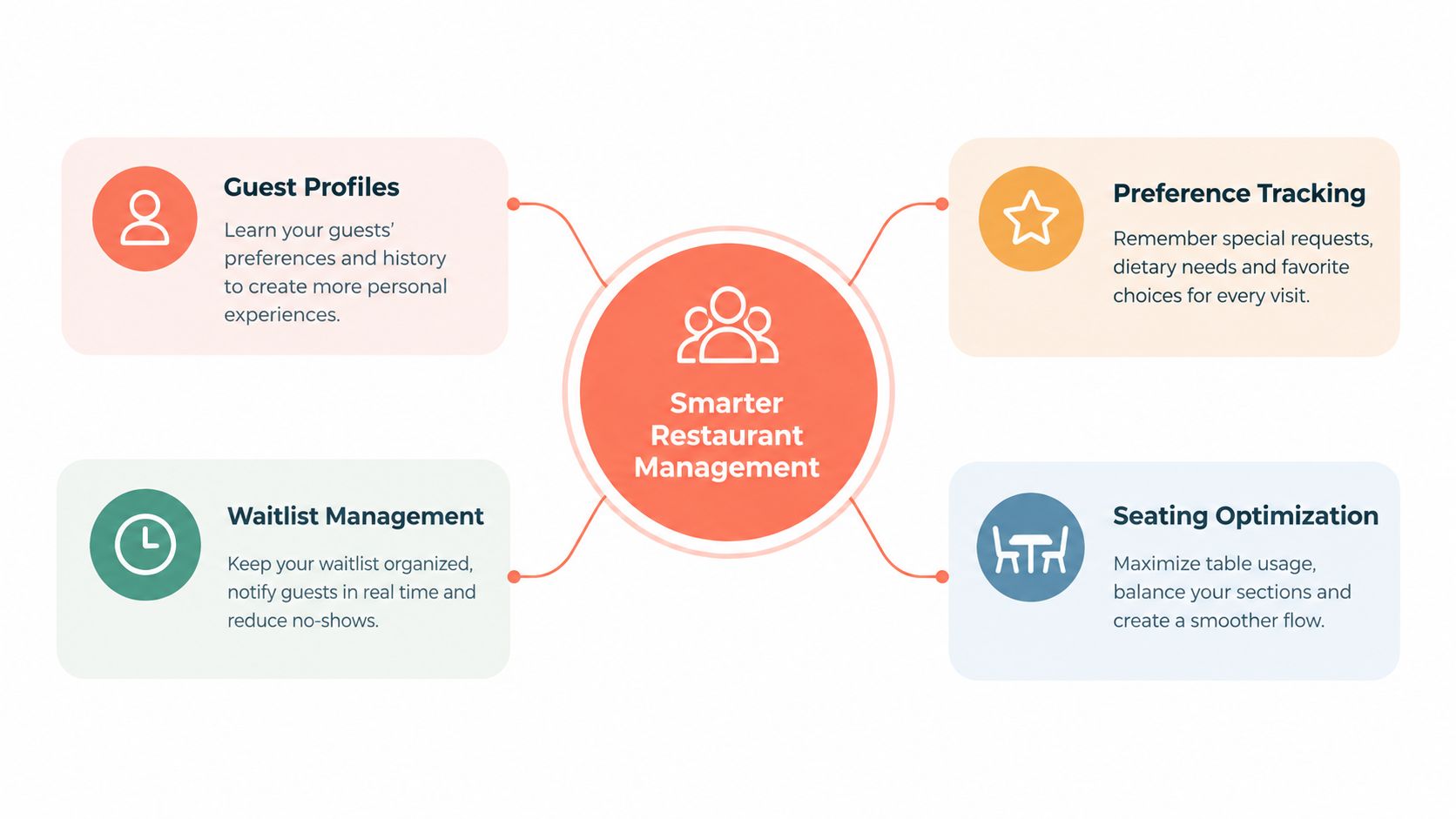
Guest management software earns its place during service only when the host can understand the next decision quickly. The system should connect four practical functions, guest profiles, preference tracking, waitlist control, and seating management. Each one solves a different problem, but their value comes from working together.
Profiles that preserve useful context
A guest profile should show contact details, visit history, declared preferences, allergies, dietary requirements, and occasion notes without forcing the host to search through old messages. The profile needs clear labels so a verified allergy isn't confused with a casual comment from a previous visit.
The host doesn't need a biography. The host needs a short, reliable prompt before seating a guest. “Quiet table requested” can guide the floor plan. “Birthday dinner” can prompt the right service rhythm. A declared allergy should trigger verification with the guest and the kitchen, rather than becoming an unchecked assumption.
Waitlists that turn demand into covers
A waitlist is useful only when it captures enough information to act. Party size, preferred arrival time, contact method, and flexibility help the host decide which table can be offered. Automated updates prevent the team from calling every person manually when availability changes.
A strong workflow also records whether the guest accepted, declined, or failed to respond. That creates a clean view of demand and stops the team from holding a table for someone who has already moved on.
Seating tools that reduce guesswork
Seating management maps reservations and walk-ins to actual table configurations. The host can see whether a party fits a two-top, whether a larger table should be held for a larger booking, and whether combining tables will disrupt the next seating.
Managers should also control pacing. Availability can be adjusted by service period, party size, table combination, or kitchen capacity. This is more useful than opening every table online and hoping the dining room absorbs the result.
A basic booking calendar answers, “Who has booked?” Operational guest management answers, “Who is arriving, where can they sit, what does the team need to know, and what should happen if the plan changes?” Restaurants evaluating table management software should test that live workflow with a host, not just review a feature list with a salesperson.
How guest management drives repeat visits and smoother service
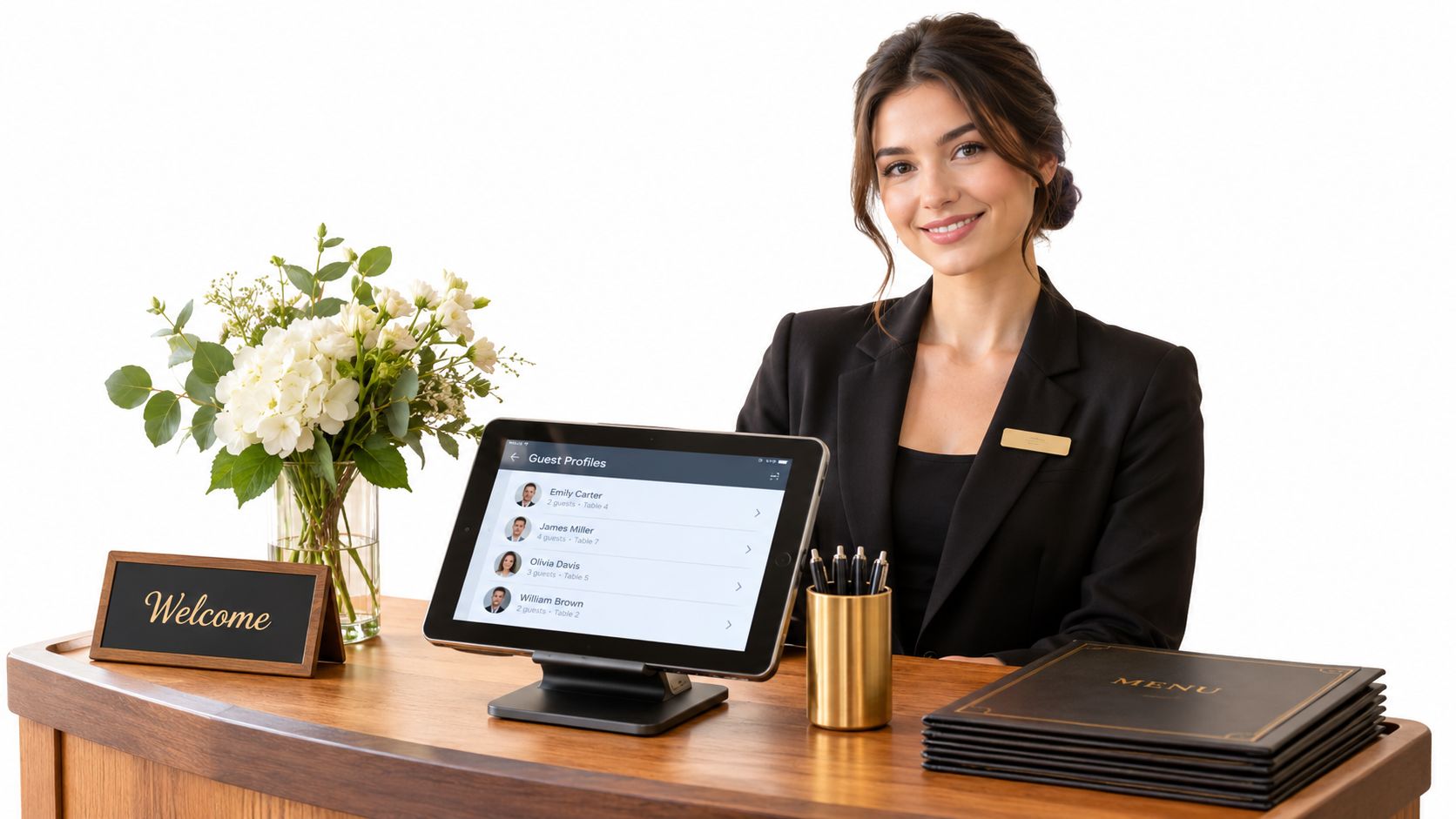
Guest profiles are the continuity layer of hospitality. A restaurant can lose an experienced host or server and still preserve important, guest-declared information if the notes are structured, current, and visible to the right people.
That matters in an industry where U.S. accommodation and food-service turnover was projected at 61.7% in 2025, while job openings were projected at 72.3%, according to the Bank of America restaurant industry report. A profile that only one long-serving employee understands isn't a system. It's a private memory that leaves with the employee.
Personalisation needs a trust boundary
The restaurant should collect information that improves service and that the guest has voluntarily shared. A declared allergy, accessibility need, preferred seating area, or special occasion has a clear operational purpose. An inferred preference based on external browsing behaviour does not.
Consumer research reported that 68% of consumers would find recommendations based on their digital footprint invasive, and 47% said they would visit less often in response. The Oracle hospitality research supports a privacy-first approach to guest intelligence. More data isn't automatically better data.
A useful profile includes:
- Provenance: Record whether the guest declared the information, a staff member verified it, or the note came from an uncertain source.
- Verification status: Mark allergy and dietary notes for confirmation instead of treating old notes as permanent facts.
- Permission levels: Limit sensitive information to staff who need it for service, and make shared notes consistent across locations.
- Retention rules: Remove or review stale notes so a past preference doesn't become an awkward label.
- Correction access: Give guests a clear way to request a correction or deletion where appropriate.
Practical rule: A guest profile should help a new employee serve someone accurately in seconds. If the note requires interpretation, gossip, or detective work, it doesn't belong in the operational view.
Good guest management supports retention by making the next visit feel considered without making it feel watched. The restaurant remembers what the guest chose to share, the team verifies safety-critical information, and managers keep the record clean enough to trust.
Use cases for different restaurant types
The right configuration depends on the floor plan, service cadence, and demand pattern. Fine dining needs control over scarce tables and fixed service periods. A brunch venue often needs speed at the door. A group needs consistency across locations without turning every note into a centralised bureaucracy.
| Venue type | Priority features | Expected benefit |
|---|---|---|
| Fine dining | Verified guest profiles, table configuration rules, deposits, waitlists, occasion notes | Fewer missed preferences, stronger control of scarce inventory, and a more deliberate service flow |
| Brasserie or bistro | Mobile booking, walk-in queue, flexible table combinations, automated confirmations | Faster arrival decisions and less idle capacity between bookings |
| Brunch restaurant | Instant booking page, waitlist updates, rapid seating, party-size controls | Smoother peaks and quicker handling of walk-in demand |
| Bar or lounge with seated service | Live availability, guest notes, table holds, contact capture | Better control of high-demand seating and more consistent repeat service |
| Multi-location group | Shared profiles, permissions, note standards, location-level availability | Continuity across venues without giving every employee unrestricted access |
Fine dining
Fine dining operators should prioritise table protection over feature volume. Deposits or card guarantees can support the cancellation policy, while a controlled waitlist gives the manager a route to refill a released table. Preference notes should be concise and verified, especially where allergies or accessibility requirements are involved.
Brunch and casual service
Brunch teams need a host screen that removes decisions, rather than adding administration. The useful sequence is simple, a guest books, the system checks the available configuration, the host sees the party on the floor, and a released table can be offered to the next suitable waitlist party.
A venue that publishes restaurant advice or chef-led content can also use Chef content strategy as a resource for connecting hospitality operations with a clearer digital presence. That content should support the booking journey, not distract the team from running the room.
Groups and multiple venues
Multi-location operators need standards before they need more fields. Each location should agree on what counts as a verified allergy, how occasion notes are written, who can edit shared profiles, and when old information is reviewed. Without those rules, a central database spreads inconsistent habits faster.
Integrations and compliance considerations
A guest management platform should reduce duplicate work across reservations, seating, payments, and guest records. Before choosing one, map the handoffs during a busy service. The host should not retype booking details for the floor team, and finance should not reconcile separate records that could have been connected automatically.
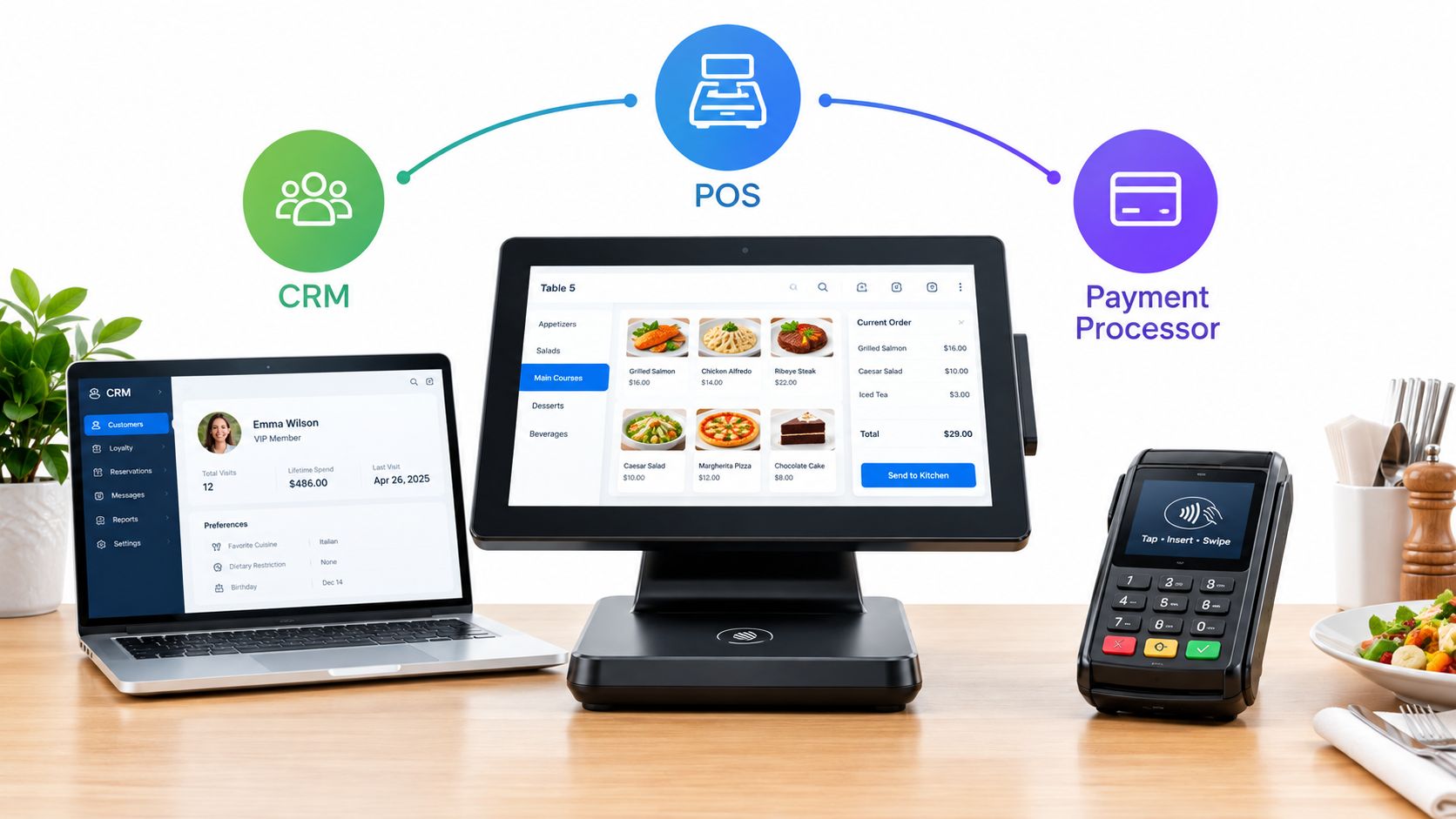
The strongest setup links reservations, the floor plan, and the POS. A booking creates the arrival record, the host seats the party, and the POS connects the visit to the guest profile when the integration supports it. Payment tools can process deposits or card guarantees. CRM and messaging tools can manage approved follow-up, provided the system limits access to the guest data each team needs.
The Belgian GKS boundary
Belgian operators must keep guest operations separate from fiscal compliance. A restaurant must use a Geregistreerd Kassasysteem, or GKS, when more than €25,000 of annual turnover comes from meals, excluding drinks and VAT, for meals consumed on-site or regular catering services. Once that threshold applies, the operator must issue a VAT receipt through the GKS. The Flemish government guidance on the registered cash register explains the boundary.
A GKS is not ordinary POS software. The required setup includes a cash-register system, a Fiscal Data Module, and a VAT Signing Card. These components must be electronically linked and meet government certification requirements. The official GKS producer and distributor document describes the required architecture.
Under current GKS 2.0 guidance, registers purchased before 1 January 2018 are scheduled to be replaced by 1 July 2027. Registers purchased from 1 January 2018 through 31 December 2021 are scheduled to transition by 1 July 2028, while those purchased from 2022 onward are scheduled to transition by 1 January 2029. New hospitality businesses are scheduled to be subject to the newer system from 1 July 2026, per current guidance. Managers should record each register's purchase date and confirm the applicable deadline with their fiscal-system provider, because timetables may be updated.
For teams comparing restaurant CRM systems, the purchasing test is clear. Guest management software can organise bookings, covers, notes, and service history, but it does not replace certified fiscal infrastructure. A social follow-up tool, such as an AI social engagement platform, also needs clear rules for consent, data access, and retention before staff connect it to guest records.
Buyer checklist and implementation tips
The buyer should start with the busiest service, not the vendor's feature catalogue. A platform that looks impressive in a demonstration can still fail if the host needs too many clicks to seat a walk-in or if managers can't adjust availability without technical help.
Questions to ask before signing
- Floor-plan fit: Can the system represent the restaurant's actual tables, combinations, turn times, and pacing rules?
- Host speed: Can a host find a reservation, seat a walk-in, update a status, and offer a waitlist table without leaving the main screen?
- Booking access: Does the mobile booking page work across the restaurant website, social channels, and QR codes?
- Profile discipline: Can managers set permissions, mark verification status, review old notes, and support correction or deletion requests?
- Integration quality: Does the platform connect to the POS, payment processor, CRM, and reservation channels without forcing duplicate entry?
- Commercial model: Does the pricing fit an independent restaurant's margins, and are commission or usage charges clear?
The comparison with TheFork, OpenTable, Zenchef, and Formitable should focus on pricing model and operating fit, not brand preference. A commission-free platform such as 10seat uses a different commercial approach from a booking channel that may charge per reservation or package access with other services. The operator should compare total cost against covers managed, host time, payment handling, and the value of direct guest relationships.
Rollout without overwhelming the team
Start with the reservation page, table map, confirmations, cancellation process, and waitlist. Train the host team on one live shift using realistic scenarios, including a late arrival, a released table, a walk-in, a table combination, and an allergy note requiring verification.
Add guest profiles after the basic flow works. Staff should learn a short note standard, such as recording the guest's own words where relevant, separating facts from impressions, and avoiding subjective labels. Managers should review a sample of notes during the first operating period and remove anything that doesn't help service.
Measure the result against a clear baseline. The National Restaurant Association reported that salaries and wages including benefits represented a median 36.5% of sales for full-service restaurant respondents in 2024, compared with 31.7% for limited-service respondents. The restaurant labour cost analysis gives managers a practical benchmark: time saved at the host stand should be assessed against a labour base of roughly one-third of sales, not dismissed as a soft convenience.
Track no-show outcomes, released-table recovery, walk-in handling time, avoidable host work, and repeated guest preferences that staff successfully acted on. A standalone reservation calendar may record demand. Full guest management should improve the decisions that happen after the booking.
Next steps for getting started with guest management
A time-poor operator doesn't need a long software project. The first test should use the restaurant's real floor plan, a normal booking flow, and the busiest service period available for observation.
Start with five checks:
- Map the inventory: Enter every table, combination, service period, and seating restriction.
- Test the booking path: Book from a phone, change the reservation, cancel it, and confirm the guest and host messages.
- Run the waitlist: Add a realistic party, release a table, and check how quickly the team can offer it.
- Test the host screen: Ask a staff member to seat a booking, add a walk-in, and move a party without assistance.
- Review the commercial terms: Compare plan limits, payment features, integrations, and commission exposure before committing.
Independent restaurants in the Benelux should choose a system that matches existing table inventory and staffing. Adding separate tools for bookings, waitlists, seating, and guest notes often creates more reconciliation work, not less.
For product details and plan evaluation, review 10seat's reservation management product and compare the available 10seat pricing options. The right starting point is reservations and floor control. Profiles and retention workflows can expand once the team trusts the core operating screen.
Guest management software should produce a simpler service, cleaner continuity between shifts, and better use of the seats already in the room. That's the standard operators should use when deciding whether a platform deserves a place in the stack.
10seat provides commission-free reservation management for independent restaurants in the Benelux, with tools for reservations, waitlists, table allocation, walk-ins, and structured guest profiles. Visit 10seat to test whether its workflow can help the restaurant protect seating inventory and give the team better continuity across every shift.