Front of House Software Explained for Restaurants
What is front of house software? Learn features, ROI, integrations and how to choose the right system for your restaurant floor.
Friday at 19:15. The phone is ringing. Two walk-ins are standing at the door. A table for four is late. Another table wants dessert menus, but the next booking is already due in ten minutes. The host is flipping between a reservation screen, handwritten notes, and what the floor might look like if one two-top can be pushed into a four.
That's the moment front of house software either earns its place or gets in the way.
For most restaurants, the problem isn't “taking bookings.” It's controlling capacity when bookings arrive from different directions at once, online, by phone, and at the door. A restaurant can be fully booked on paper and still waste tables. It can also look half full and still be impossible to pace smoothly because the room is loaded with the wrong party sizes at the wrong times.
Owner-chefs and GMs don't need another widget. They need a control system that helps the host make fast decisions, keeps the kitchen from getting hit all at once, and turns the room more cleanly during the busiest parts of service.
That's why this topic matters now. Restaurant systems have shifted hard toward cloud tools, and that has changed what the front desk can control in real time. Independent reporting shows cloud POS adoption in restaurants rose from 52% in 2022 to 78% in 2024, while POS systems overall were present in 94% of surveyed operators (restaurant tech stack reporting). That shift matters because the host stand is no longer separate from the rest of service.
A practical reason to care is ROI. Cornell simulation work found that pooling reservations instead of locking each booking to a specific table produced a 15-minute reduction in table turn times more than 15% of the time (Cornell simulation study). On a busy night, 15 minutes can be the difference between squeezing in another cover and sending a walk-in elsewhere.
A commission-free option to look at is 10seat's product, especially for independent restaurants in Benelux that want one workflow at the host stand.
Table of Contents
- Introduction Why Your Front of House Needs Better Control
- What Front of House Software Really Is
- Core Features That Run a Smooth Service
- How Front of House Software Connects to Your Other Tools
- Benefits and ROI You Can Measure Per Shift
- How to Choose and Implement Front of House Software in Belgium
- Real World Use Cases From Brasserie to Fine Dining
Introduction Why Your Front of House Needs Better Control
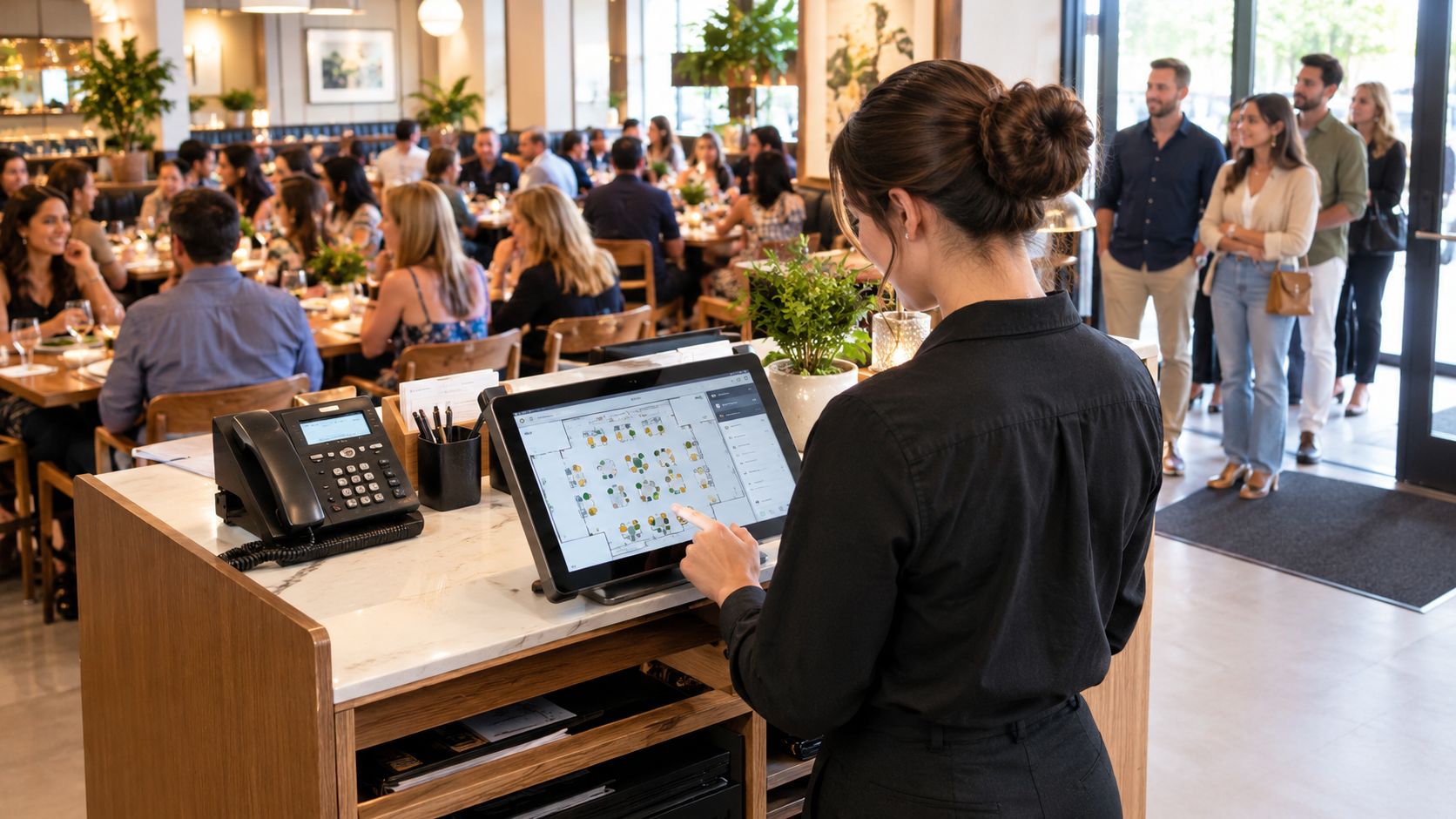
A busy service rarely falls apart because the food is bad. It falls apart because timing breaks.
The host seats too many arrivals in one wave. A phone booking gets written down but not added cleanly. A late table blocks a larger party. Staff start making defensive decisions instead of good ones. The result is familiar, guests wait longer than they should, servers get sat unevenly, and tables sit empty for short gaps that cost revenue.
The host stand is a traffic desk
A useful way to think about front of house software is this. The dining room is a road network, and the host stand controls the junctions.
Every incoming party creates a routing choice. Seat them now, hold them for a better-fit table, combine tables, mark a table for cleaning, pace the next arrival, or protect the kitchen from a surge. Good software supports those decisions in seconds. Bad software forces staff to patch the night together manually.
Practical rule: If the team still needs a paper backup just to survive peak service, the software isn't controlling the floor. It's only recording activity.
What better control looks like in practice
Better control doesn't mean more screens. It means fewer guesses.
A useful setup gives the host one live view of the room, one place for reservations, one waitlist, and one clear picture of what's arriving next. It should also help the team deal with the awkward middle ground that many platforms under-handle, phone calls, changes, and walk-ins that don't fit neatly into an online flow.
Front of house software stops being an admin tool and starts acting like an operating system for the shift. The point isn't technology for its own sake. The point is a smoother service, fewer dead minutes on tables, and more confident decisions under pressure.
What Front of House Software Really Is
Front of house software started life inside the broader POS stack. For years, that meant heavy terminals built mainly for orders and payments. Over time, restaurants moved toward cloud systems, and the software at the front desk took on a bigger job than storing bookings.
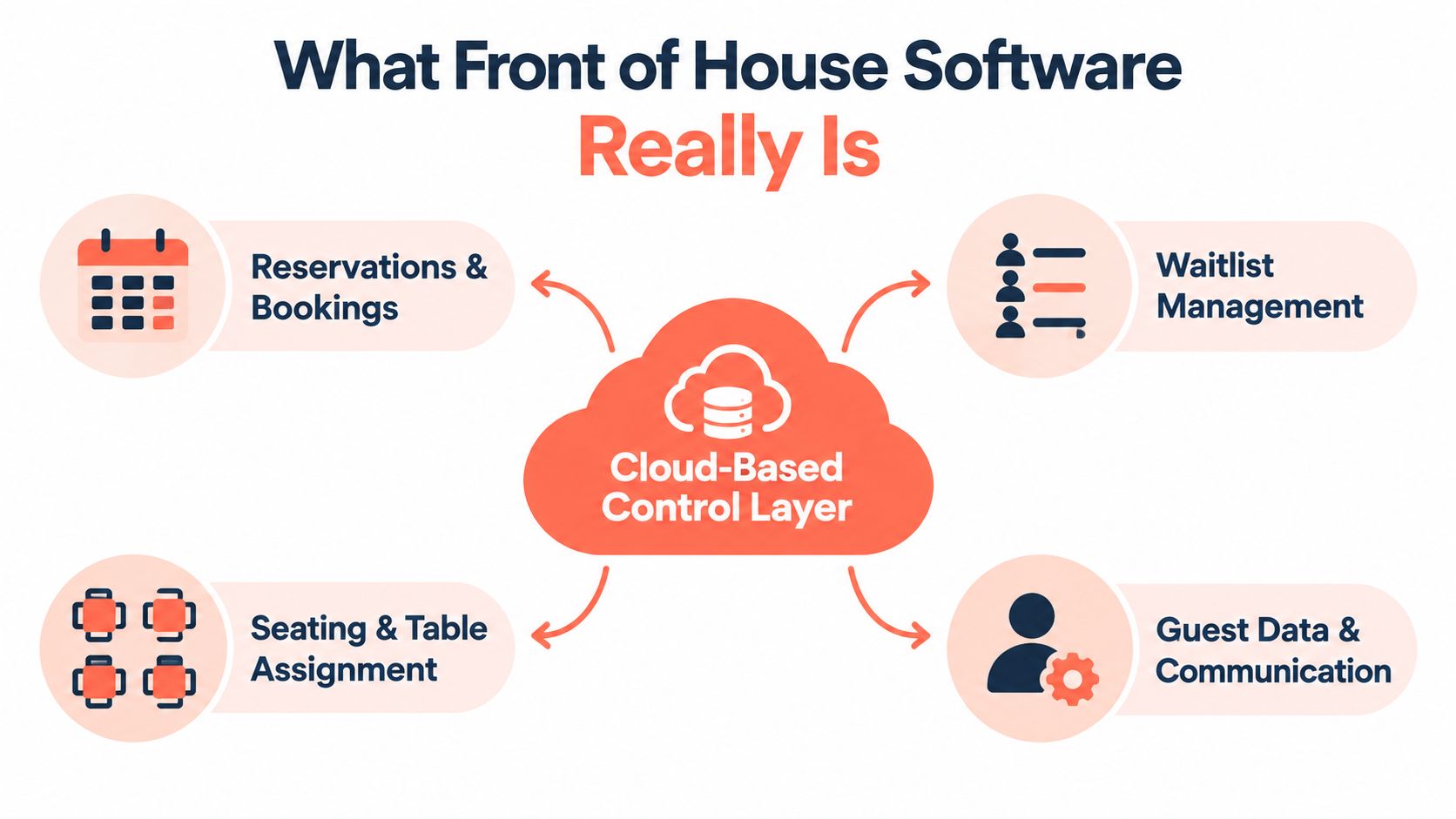
It's the control layer, not just the booking form
Today, front of house software sits between the guest, the host, the floor plan, and often the till. It handles seating, reservations, waitlists, table status, guest notes, and sometimes communication before arrival.
The easiest analogy is an airport tower. Planes still land, passengers still board, and ground crews still work. But the tower decides sequence, spacing, and safe flow. Front of house software does the same for covers. It doesn't cook the meal or clear the plates. It tells the room what should happen next.
That's why a standalone reservation widget isn't the same thing. A widget collects demand. Front of house software manages demand against real table capacity.
What belongs in front of house and what doesn't
Back of house tools deal with prep, stock, kitchen tickets, recipes, and labour in the kitchen. Front of house tools deal with the guest journey before, during, and just after seating.
That usually includes:
- Bookings and changes, online reservations, phone reservations, cancellations, and modifications.
- Live table control, table assignment, re-seating, combines and splits, turn status.
- Guest-facing flow, waitlists, arrival handling, and service pacing.
- Guest memory, notes such as allergies, special occasions, and seating preferences.
Cornell hospitality research notes that electronic reservation books reduce the chance of reservations going astray, and that table management systems help restaurants know when tables are available and minimize the time tables sit idle (Cornell hospitality research on table management). That's the heart of the category.
Why cloud matters operationally
Cloud deployment matters because the front desk can't afford stale information. If the host screen, reservations, and table states don't update fast, staff revert to verbal workarounds.
Operators comparing systems often use market roundups for orientation. One practical overview of the broader software is this list of tools reviewed by AnchOps, which is useful for seeing how reservation, POS, and management layers increasingly overlap.
Core Features That Run a Smooth Service
The guest experiences front of house software in a sequence, even if the restaurant team sees it as one system. Arrival starts before the guest reaches the door.
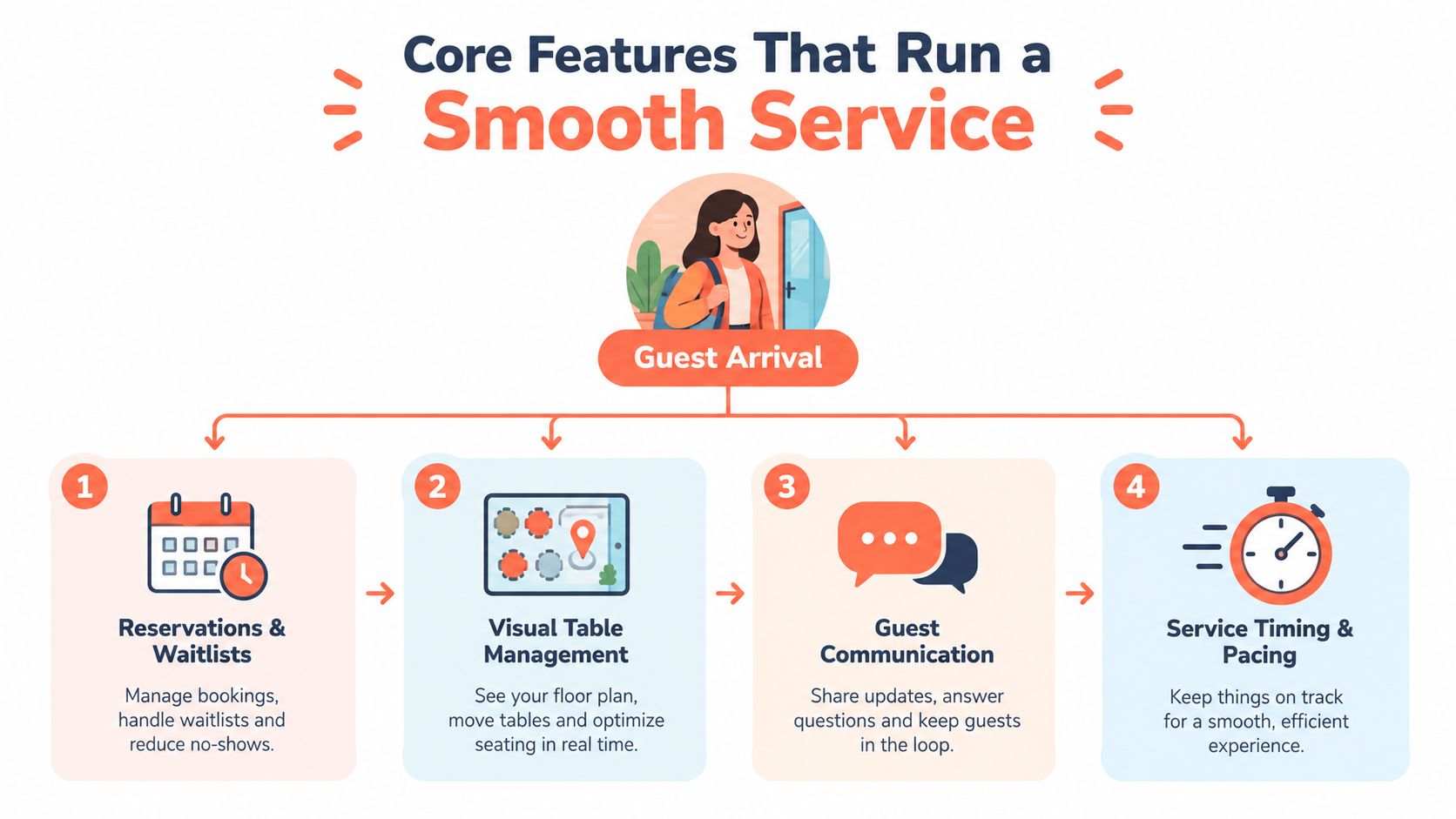
Reservations and waitlists
A booking book that only captures online reservations leaves a hole in daily operations. Independent market coverage highlights that 73% of operators say their reservation software does not handle phone bookings automatically (reservation software coverage). That matters because many restaurants still run mixed-channel demand all day long.
A strong system should let staff add phone bookings quickly, merge them with online reservations, and move guests onto a waitlist without duplicating work.
If the queue side of the process needs a simple outside reference, this overview of queue management for small businesses is useful because it shows the same core principle. One queue beats three separate lists.
A waitlist is only useful when it reflects the same reality as the floor plan.
Visual table management
Many restaurants gain or lose covers.
Visual table management gives the host a live floor plan instead of a static reservation list. The software should show which tables are seated, nearly finished, being cleared, or ready to turn. It should also make it easy to combine or split tables without breaking the booking flow.
The key difference is dynamic re-seating. Static systems assign table 12 to a booking and treat that decision as fixed. Better systems treat the booking as demand that can fit into more than one table path.
That's why table logic matters more than pretty design. A floor plan should help the host answer practical questions fast. Which four-top is the best fit for this arrival. Which two-top can be protected for a later booking. Which table can absorb a walk-in without causing a collision forty minutes later.
Guest communication and profiles
Communication tools matter most when they prevent friction, not when they create more messaging work.
Useful front of house software stores arrival notes, preferences, and service-critical details in a way the team can use. A birthday note is helpful. A real allergy warning is critical. A profile cluttered with trivia is just noise.
Current industry guidance increasingly frames these systems as guest CRM and personalization infrastructure, but operators still need discipline about what gets captured and why (FOH and BOH technology guidance). The best profile is the one staff can read in seconds and act on.
Timing and pacing
Pacing is the least glamorous feature and often the most valuable.
The software should help spread arrivals, protect the kitchen from a single-wave hit, and stop the front desk from accepting bookings that look good on paper but overload the room in practice. Setup choices matter, turn assumptions, party-size rules, and spacing between bookings.
Restaurants evaluating these workflows often compare feature depth side by side. A practical place to see what that can include is 10seat features, especially around host flow and table control.
How Front of House Software Connects to Your Other Tools
Buying front of house software isn't only about features. It's about whether the software reduces duplicated work across the tools already in use.
A common failure pattern looks like this. Online bookings live in one system. Phone bookings sit in a notebook or email. Walk-ins sit on a separate waitlist. The till knows what was sold, but the host stand doesn't see the room as one flow. Staff then become the integration layer, and that's expensive during peak service.
One workflow matters more than one more channel
For many operators, value is a single workflow that merges online reservations, phone calls, walk-ins, changes, and no-shows at the host stand.
That's also why commission models deserve attention. Platforms such as TheFork, OpenTable, Zenchef, and Formitable can play a useful role in diner acquisition or discovery, but they're often evaluated differently from commission-free systems focused on direct reservations and floor control. The question isn't which model is “better” in the abstract. The question is whether the restaurant needs marketplace demand, cleaner operational flow, or both.
Choosing Your Front of House Integration Model
| Integration Model | Best For | Trade Off to Consider |
|---|---|---|
| Marketplace-led reservation platform | Restaurants that want extra diner discovery and are comfortable with platform-led booking flow | Can create another layer between the restaurant and guest data, and may add cost per cover depending on the model |
| Direct reservation system with table management | Restaurants that want to control bookings, pacing, and guest flow from one place | Requires the restaurant to drive its own traffic through website, social, and local demand |
| POS-first front desk setup | Venues where the till is already the operational centre | Reservation and host workflows can feel secondary if the POS wasn't built around floor management |
| Mixed stack with separate SMS, bookings, and waitlist tools | Restaurants with unusual needs or existing vendor commitments | Staff often end up re-entering information across tools |
Where messaging fits
Guest communication tools work best when they support operations, not when they become another campaign channel that someone forgets to manage. Confirmation texts, arrival updates, and simple service messages can reduce friction before the party reaches the door.
For operators thinking through message timing and guest communication style, the YipSMS Inc. restaurant SMS playbook is a practical reference because it focuses on how restaurants use SMS, not just the software category.
There's also a straightforward pricing question. A commission-free platform can be easier to model because the monthly software cost is separated from cover volume. That's often easier for independent restaurants to control, especially if the operational goal is to run the room better rather than buy more marketplace exposure.
Benefits and ROI You Can Measure Per Shift
Saturday, 7:15 pm. The phone rings. Two walk-ins are waiting at the door. Table 12 has paid but has not left yet. A four-top is 20 minutes late. Online, the room looks full. On the floor, you can see pockets of capacity that are about to appear.
That gap is where front of house software earns its keep.
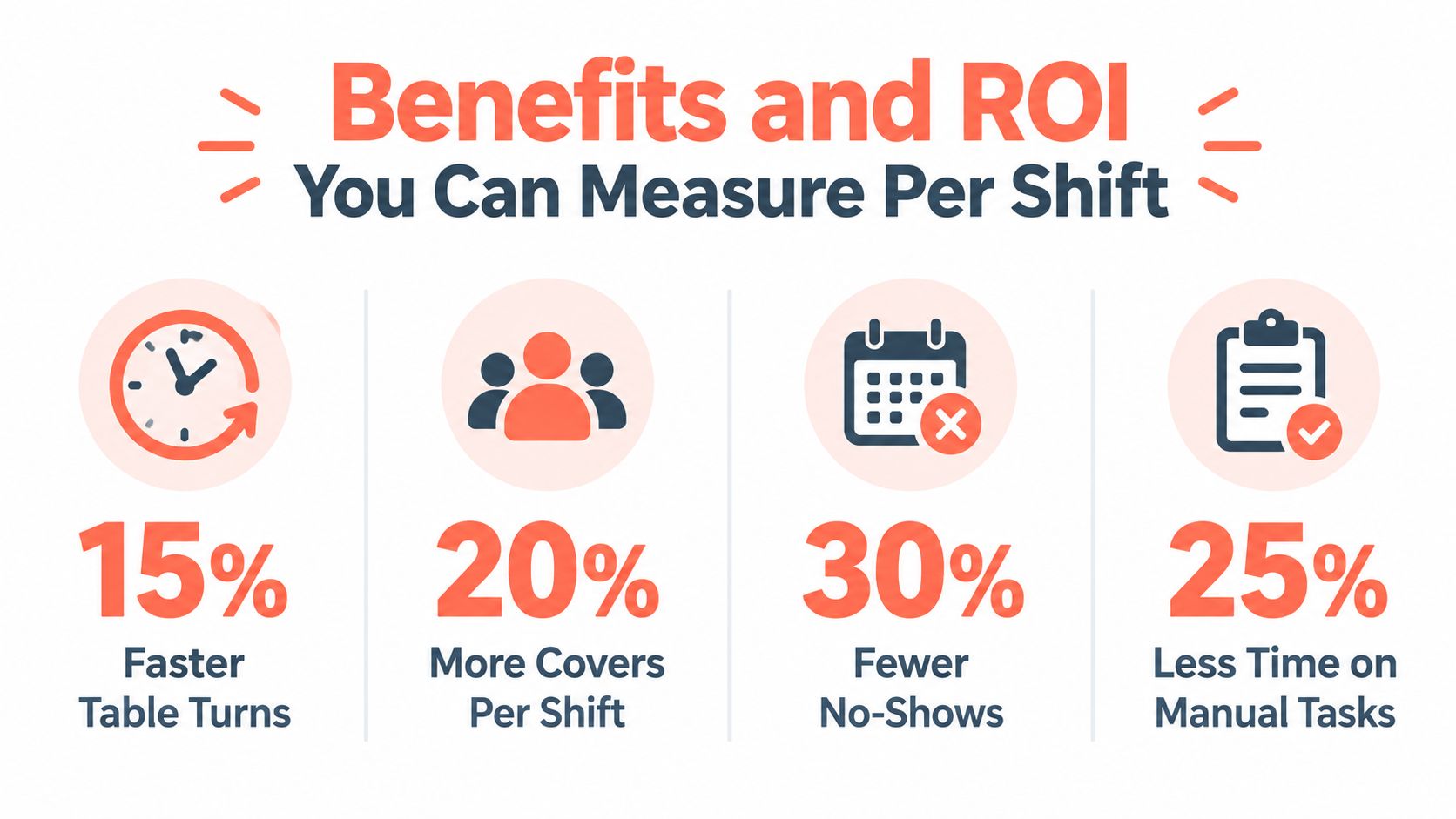
A lot of owners assess these tools like a booking channel. The better lens is capacity control. Good front of house software combines phone bookings, online reservations, and walk-ins into one live view, then helps the host team turn that demand into more covers without pushing the kitchen past its limit.
The clearest return usually comes from better use of tables you already have. Earlier research cited in this article found that pooled reservation inventory can reduce turn times compared with assigning each booking to one fixed table. In practice, that matters because a few recovered minutes at 7 pm can create room for an extra seating later, absorb a late arrival, or stop one delay from spreading across the whole shift.
No-shows work the same way. The headline loss is the empty seat, but the operational loss is bigger. A 2026 industry index covering 3,768,761 reservations across 2,417 restaurants found an average recorded no-show rate of 2.33%, based on 87,953 no-shows and 283,728 booked covers that never arrived (restaurant no-show index). Research from Kellogg also shows the range can swing much higher by venue and occasion, with special dates creating much sharper risk (Kellogg reservations research).
That is why confirmations, deposits, and waitlist tools should be judged as throughput controls, not just guest messaging features.
A practical way to measure ROI per shift is to track four points for one busy service:
- Empty minutes between parties: How long tables sit open because nobody can see the next best move fast enough.
- Walk-ins declined: How many parties you turn away while tables are close to becoming available.
- Late bookings handled poorly: How often phone calls, online reservations, and in-person demand collide and create duplicate holds or missed covers.
- Host time spent on admin: How much time goes into callbacks, manual updates, and re-entering the same booking across tools.
One shift of notes usually tells the story.
If your host stand saves three or four tables from going idle for 10 to 15 minutes during peak service, that is not a software vanity metric. It is usable selling time. If the team can re-seat those minutes into one more two-top and one more four-top, the return becomes concrete by the end of the night.
For operators comparing systems through that lens, this guide to table management software for restaurant floor control is useful because it frames the buying decision around live table use, not just reservation count. A separate practical step is to model software cost against likely cover gains using 10seat pricing.
How to Choose and Implement Front of House Software in Belgium
Belgian operators have two jobs when selecting front of house software. The first is operational fit. The second is compliance fit.
What to test before signing
A demo should answer service questions, not sales questions. The useful checks are simple.
- Host speed: Can staff seat, move, and mark tables cleanly during a rush, or does every action need too many taps?
- Mixed-channel handling: Can the team place phone bookings, walk-ins, and online reservations into one workflow without duplicates?
- Pacing rules: Can managers control spacing, party-size logic, and availability in a way that matches the kitchen's real limits?
- Support reality: Is setup practical for a working restaurant, and can someone get help quickly when service is live?
A rollout should stay narrow at first. Start with the floor plan, key table combinations, booking rules, and service periods. Then train the host team on late arrivals, changes, and walk-in handling before switching the full room onto the system.
GKS matters to front of house, not just finance
In Belgium, GKS isn't only an accounting issue. It affects how the front desk, payment process, and service flow line up.
Official guidance says hospitality operators with at least €25,000 annual turnover from restaurant and catering services must use a registered cash register system, and the receipt requirement applies to services tied to providing meals and drinks in the establishment (official Belgian GKS guidance).
That means reservation flow and till flow can't be treated as separate worlds. If staff are managing covers one way at the host stand and closing them another way at the till, gaps appear fast.
The compliance timeline is tightening
Belgian operators also need to watch the expanded scope. GKS 2.0 guidance states that from July 2025 the system is being extended to all businesses where products or services are sold on-site and cash payments are accepted. Belgian industry guidance also notes a tolerance period ending 31 March 2026, with stricter enforcement from April 2026 and further phased deadlines for older systems (GKS 2.0 guidance).
For teams planning a broader systems update, this article on restaurant digital transformation is a practical companion because it helps place reservation and host workflows inside the wider operating stack.
Real World Use Cases From Brasserie to Fine Dining
A fine dining room uses front of house software differently from a brunch venue, but the principle is the same. The room performs better when the host stand sees live capacity instead of a static list.
Fine dining
In fine dining, the software often acts as memory and pacing control. The host can place returning guests where they prefer to sit, flag allergies for the service team, and avoid stacking too many tasting-menu arrivals at one time. The practical outcome is less friction at the start of service and more consistent timing through the meal.
Busy brasserie
A brasserie usually needs flexibility more than ceremony. The value comes from spotting where a walk-in can fit without upsetting the next booking wave. Staff stop treating walk-ins as interruptions and start handling them as usable demand. The floor feels calmer because fewer decisions rely on guesswork.
The best front desk setups don't just record demand. They shape it into a service the room can actually deliver.
Brunch venue
Brunch is messy because arrivals are less predictable. Parties drift in late, tables linger, and demand spikes quickly. In that environment, live table state and fast reseating matter more than polished guest notes. The team works from one picture of the room instead of a notebook, a memory, and a queue at the door.
Multi-location group
A group operation usually wants consistency. Shared rules for table combinations, pacing, and booking handling make service easier to train across sites. Managers spend less time fixing local workarounds and more time looking at where capacity is leaking.
10Seat offers commission-free reservation and table management built for independent restaurants in Benelux, with a host-focused workflow designed to merge online bookings, phone reservations, and walk-ins into one live floor view. For operators who want front of house software to improve throughput, pacing, and control at service, 10Seat is a practical place to compare how that model works.