Capacity Planning Tools for Restaurants
Discover how capacity planning tools help restaurants optimize table turns, reduce no-shows, and increase covers. Learn core features and evaluation tips.
Friday service is full, the host stand is juggling walk-ins and a waitlist, and the kitchen has suddenly hit its limit. The floor plan says there are open seats, but the pass says there isn't enough throughput to accept another wave of orders. That gap is where many restaurants lose covers, staff time, and guest patience.
Capacity planning tools solve a broader problem than online bookings. They help you control the flow of arrivals, match parties to suitable tables, protect kitchen and server capacity, and adjust the plan as service changes. For owner-chefs and GMs, the useful question isn't “How many seats do we have?” It's “How many guests can the whole operation serve well in this time block?”
Table of Contents
- Moving Beyond Static Floor Plans
- The Math of Dining Room Throughput
- Core Features of Modern Capacity Software
- Measurable Business Benefits and ROI
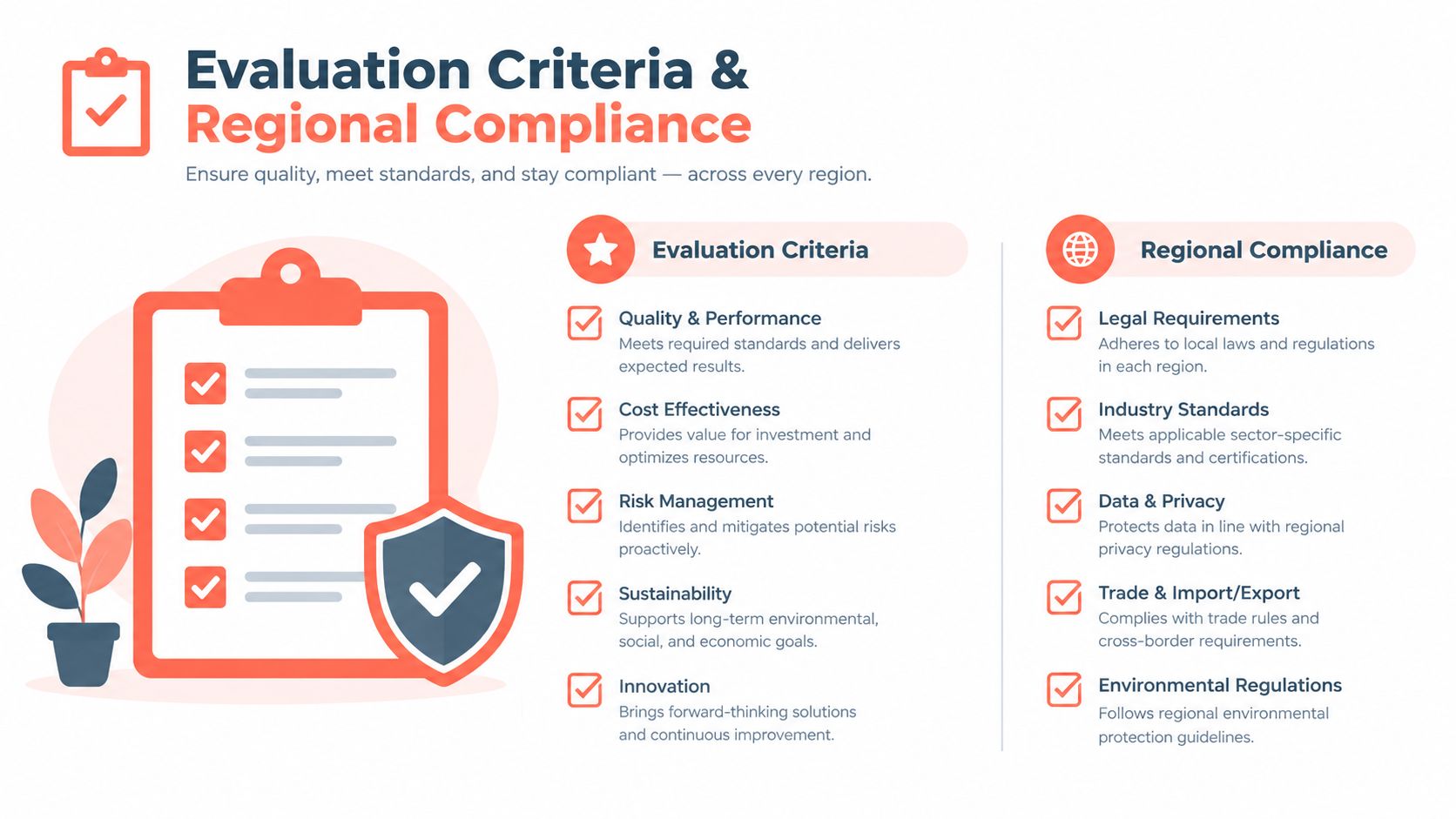
- Evaluation Criteria and Regional Compliance
- Implementing Your New Capacity Strategy
Moving Beyond Static Floor Plans
At 19:30 on a busy Friday, a host can face three competing demands. A couple has arrived without a booking, a four-top is running late, and the kitchen is already carrying a heavy ticket load. A static reservation book shows available tables. It doesn't show whether seating another party will overload the grill section or leave the dining room with an awkward mix of empty seats.
A capacity planning tool should therefore act as an operating layer, not just a digital diary. It needs to connect bookings, walk-ins, table status, turn times, sections, and service pacing so the host can make a decision that fits the entire shift.
Practical rule: An empty chair isn't available capacity if the kitchen, bar, or assigned server can't support the guest behind it.
The difference becomes clear during a late booking rush. If every reservation is allowed to arrive within the same narrow period, the dining room may look profitable on paper while the pass receives more orders than it can prepare. Guests wait longer, servers spend time explaining delays, and later reservations arrive to a room that hasn't turned.
Restaurant capacity management works best when the operator treats arrivals as a controlled flow. Reservation limits, buffer rules, realistic dining durations, and walk-in decisions should all reflect the restaurant's actual service pattern rather than an idealized floor plan.
Throughput is the operating limit
A restaurant's usable capacity changes throughout the day. A brunch service with quick turns behaves differently from a fine-dining service with longer meals, more courses, and greater preparation demands. A bar offering seated service may have plenty of chairs but limited food production or server coverage.
Modern capacity planning tools should let managers:
- Pace arrivals: Spread bookings across time blocks instead of stacking them at the same moment.
- Protect bottlenecks: Restrict new covers when kitchen, bar, or server capacity reaches its operating limit.
- Use walk-ins intelligently: Hold feasible table combinations for spontaneous demand without blocking profitable reservations.
- Recalculate live: Update the plan when parties arrive early, stay longer, cancel, or change size.
The practical shift is from counting seats to managing throughput. A tool earns its place when it helps the team protect service quality while accepting as much feasible demand as the operation can handle.
The Math of Dining Room Throughput
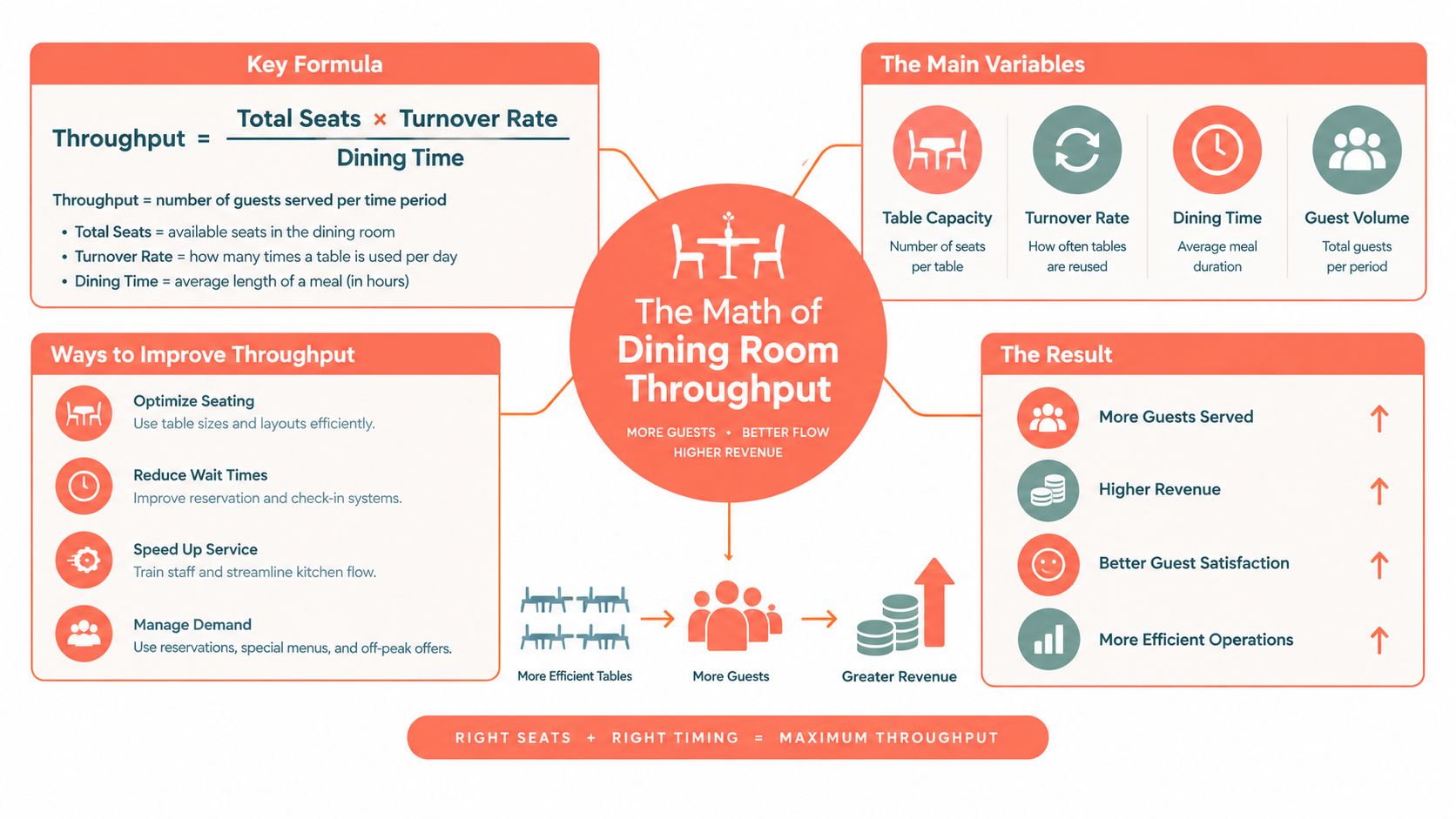
A room's seat count is only the starting point. True capacity depends on table mix, party-size distribution, dining duration, kitchen throughput, server stations, and arrival timing. Cornell hospitality research describes the need to forecast reservations versus walk-ins, expected meal length, and dining duration so operators can allocate the right capacity to the right customer through live table management (Cornell hospitality research).
A simple planning model is:
Effective capacity = usable seats × realistic turns, capped by the first constrained system.
That cap may be the dining room, kitchen, bar, or management team. A restaurant can have enough physical seats for another wave and still lack the ability to prepare, deliver, and clear those meals at the required pace.
Why table mix matters
Suppose a restaurant has 50 seats. That doesn't mean it can serve 50 guests in a meaningful service interval. If most incoming parties are couples but the room contains too many large fixed tables, seats can become trapped inside combinations that don't match demand. Conversely, a room with many two-tops may struggle when larger parties arrive.
Table-mix optimization addresses that mismatch by examining feasible combinations, not just total seats. Cornell's TABLEMIX work evaluated 13,561 unique table combinations for one restaurant, demonstrating why manual planning becomes difficult as table sizes and configurations multiply (Cornell TABLEMIX research).
A strong system considers:
| Constraint | Operational question |
|---|---|
| Party size | Which table fits the arriving group without wasting seats? |
| Turn time | When will the table realistically become available again? |
| Server station | Can the assigned section absorb another table now? |
| Kitchen pace | Can the pass handle the likely order volume? |
| Walk-in demand | Which combinations should remain feasible for unbooked guests? |
Manual floor plans fail under pressure because the host has to solve these variables while greeting guests and monitoring table progress. Software can compare combinations quickly, block impossible bookings, and reassign tables when the live situation changes.
Seat count versus usable throughput
An operator should measure the gap between theoretical capacity and serviceable capacity. If the dining room is full but the kitchen is overwhelmed, the extra seats don't create revenue immediately. They create delayed courses, complaints, and additional recovery work.
The best capacity plan isn't the one that fills every chair. It's the one that keeps the dining room, kitchen, and front-of-house team moving at a pace guests can feel as well managed.
Core Features of Modern Capacity Software
A restaurant should choose capacity planning tools by asking what the host and manager need during service, not by counting dashboard widgets. The right platform turns demand information into a feasible seating decision.
Start with live table control
The first requirement is a floor view that reflects reality. Staff should see which tables are available, occupied, being cleared, or held for a specific booking. The system should understand table combinations and party sizes, rather than assigning every group to the next visible empty table.
Look for:
- Smart auto-seating: The platform proposes the most suitable table combination based on party size, timing, and current occupancy.
- Live floor management: Hosts can update arrivals, table progress, changes, and departures without switching between several screens.
- Pacing controls: Managers can limit arrivals by time block, section, or operational load.
- Conflict prevention: The booking engine blocks combinations that exceed seating or configured capacity.
- Guest profiles: The system records useful preferences, allergies, and occasions without making the host search through separate notes.
The platform should also support demand planning from reservations, walk-ins, day-of-week patterns, seasonal behavior, local events, and weather. A practical workflow is to map demand over the previous 8 to 12 weeks by day and time block, then pace bookings against what the kitchen and floor can absorb (restaurant capacity planning workflow).
For a deeper explanation of live table allocation, see table management software for restaurants. For operators refining their forecasting process, ViralRef on predicting demand provides useful background on turning demand signals into planning inputs.
Compare the commercial model
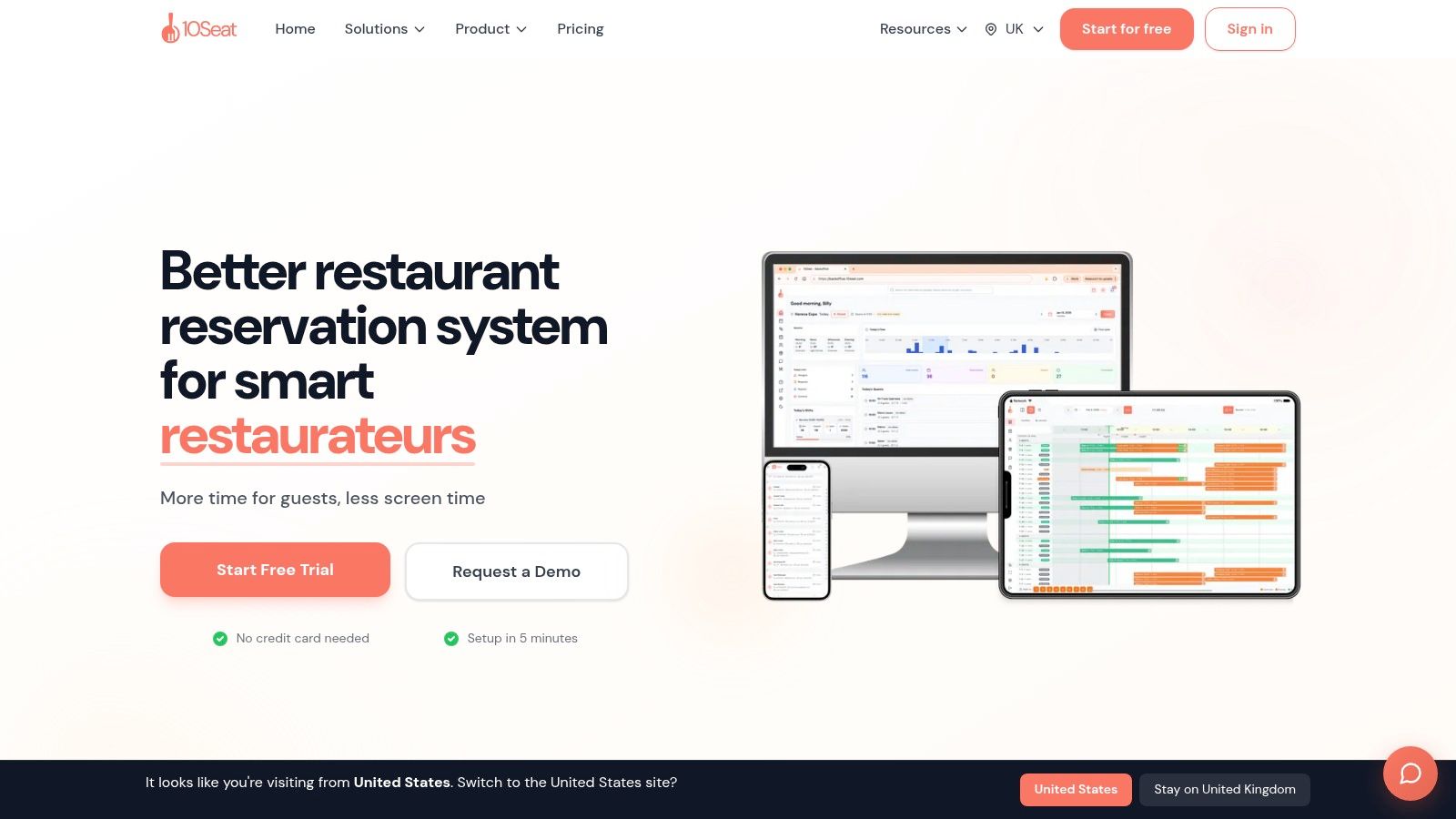
The pricing model affects whether better demand produces better economics. TheFork, OpenTable, Zenchef, and Formitable can use per-cover commission structures, while 10seat uses a commission-free reservation management model for independent restaurants in the Benelux. The relevant comparison goes beyond the subscription price. It's the relationship between booking volume, ownership of guest data, operational features, and the cost of each additional seated guest.
A focused platform should also provide an instant booking page that can be placed on a website, social channel, or QR code. That removes friction for guests and gives the restaurant a direct route to reservations without forcing every booking through a third-party marketplace.
Restaurant groups need a different test. They should check whether the tool supports multiple venues, consistent rules with local exceptions, shared reporting, and role-based access. A small bistro may need a clean host screen and pacing rules, while a multi-site operator may need deeper data access and centralized oversight.
Measurable Business Benefits and ROI
Capacity planning software earns its place when it improves a real service, not when it produces a tidy floor plan. During a busy shift, the measurable gains come from more feasible covers, less idle table time, fewer avoidable waitlist failures, and less manual coordination at the host stand. Throughput depends on the slowest constraint, whether that is kitchen pacing, table turnover, walk-in timing, or available staff.
One industry guide describes restaurant capacity as seats multiplied by realistic turns, limited by the system that reaches its limit first. It also cites space benchmarks of about 18 to 20 square feet per seat for fine dining, 15 to 18 for casual dining, and 12 to 15 for fast casual or bar seating (restaurant capacity and throughput guidance). These figures can support layout discussions, but live service data should determine whether the kitchen, sections, or table turns are restricting output.
Use a conservative ROI calculation
Owners can measure value without assuming that every additional booking becomes profitable revenue. Compare similar busy shifts and record:
- Covers served.
- Tables left unused despite demand.
- Average delay between a table becoming available and its next seating.
- Host time spent resolving table conflicts.
- Walk-ins turned away while feasible combinations remained.
- No-shows and late cancellations.
A 2026 index covering 3.77 million reservations across 2,417 restaurants recorded an average no-show rate of 2.33%, including 87,953 recorded no-shows between August 2025 and July 2026 (restaurant no-show index). That supports measuring cancellation controls, waitlist handling, and walk-in recovery. A booked table is a forecast, not guaranteed demand.
Use this formula:
Monthly operational value = recovered covers × contribution per cover + saved labor time × loaded hourly cost.
Base the calculation on the restaurant's own contribution margin and payroll cost. Review the result against service quality as well. A fuller dining room is not a gain if it creates kitchen delays, longer waits, or preventable guest recovery work. For reporting, connect the operational measures to restaurant data analytics so managers can compare planned capacity with actual covers, pacing, labor, and unused opportunities.
Measure time at the host stand
A focused host screen can shorten the path from “table available” to “guest seated.” The gain comes from removing repeated checks across systems, manager calls, and manual floor-plan changes. It becomes visible over a full service rather than in one isolated seating decision.
Log representative seating decisions and compare:
- Decision time: How long it takes to assign a party.
- Correction time: How often staff reverse an unsuitable assignment.
- Escalation time: How often the host needs managerial approval.
- Guest recovery time: How much staff time goes into explaining preventable waits.
The capacity-planning market is expanding beyond manual consulting and fixed systems. One estimate values it at $3.74 billion in 2025 and projects $8.86 billion by 2034, a 10.2% compound annual growth rate. Cloud-based solutions represented 58.3% in 2025, compared with 41.2% in 2021 (capacity planning software market estimate). For a restaurant, the practical test is whether the software updates as demand, kitchen pace, and floor conditions change, instead of preserving Monday's assumptions through Friday service.
Evaluation Criteria and Regional Compliance
A polished interface won't compensate for weak integrations or unclear fiscal obligations. Before selecting capacity planning tools, an owner or GM should test the complete workflow from booking to payment, including what happens when a guest changes party size or arrives without a reservation.
Test the operating connections
Ask vendors to demonstrate real scenarios, not just standard bookings:
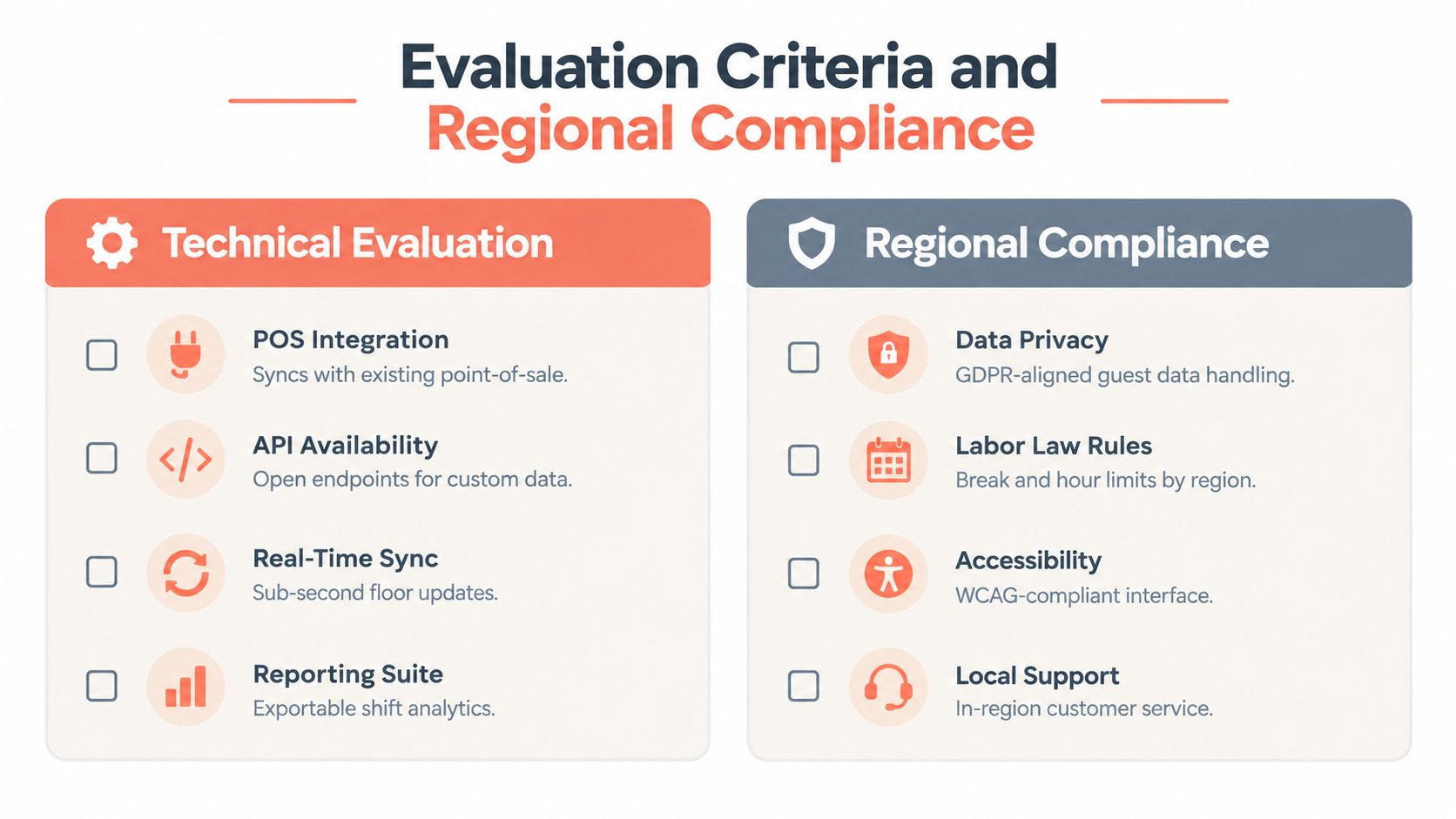
- POS integration: Confirm that covers, table status, and operational data can connect to the existing point-of-sale system.
- Historical data ingestion: Check whether the platform can import prior reservations and cover patterns without forcing the team to rebuild everything manually.
- Real-time synchronization: Make sure floor changes appear promptly across the host and manager views.
- Mobile compatibility: Test the system on the devices staff use during service.
- Reporting access: Verify that managers can export shift data and compare planned capacity with actual outcomes.
- Multi-site controls: Confirm that groups can share useful standards while preserving each venue's floor plan, hours, and pacing rules.
Limited historical data shouldn't automatically disqualify a tool. A new venue, new concept, or changing neighborhood may have too little comparable history for a reliable forecast. The platform should let managers combine current reservations with qualitative operating judgment, then improve the model as live data accumulates.
Overfitting creates a different problem. If a restaurant treats one unusually strong weekend as a permanent pattern, the system may recommend excessive availability during a quieter period. Seasonal volatility, local events, weather, and changing menu formats all require human review.
Belgian GKS compliance
Belgian operators must treat GKS, the Geregistreerd Kassasysteem, as a core POS and fiscal requirement, not as an optional software detail. The reservation or capacity layer shouldn't replace the certified fiscal system. It should communicate with it cleanly so sales records, tax reporting, and operational data remain consistent.
The practical checks are:
- Certified fiscal POS connection: Ask how bookings, covers, and table activity flow into the compliant cash-register environment.
- Data ownership: Clarify which system remains authoritative for fiscal transactions.
- Auditability: Confirm that changes don't undermine the records required for accounting and tax controls.
- Belgian support: Require documentation and support that understand local GKS workflows.
- Fallback process: Establish what staff do if the reservation platform or integration is temporarily unavailable.
The capacity tool can optimize arrivals and table combinations, but the fiscal POS remains responsible for compliant transaction handling. This separation should be documented before rollout.
Reservation policies also affect demand quality. A peer-reviewed study found that stricter cancellation barriers can reduce no-show intentions while also reducing booking intentions, whereas lenient policies, easy cancellation, and awareness campaigns can encourage bookings and help reduce no-shows (peer-reviewed cancellation policy study). The right policy depends on the restaurant's audience and demand pattern, not on a blanket rule.
Implementing Your New Capacity Strategy
A capacity tool should be introduced around the restaurant's actual service, not in a separate administrative exercise. The fastest path is to configure the essentials, run a controlled service, and refine the rules from observed results.
Map the floor before importing demand
Start with the physical reality:
- Add every table, section, seat count, and permitted combination.
- Mark tables that shouldn't be combined because of service access or guest comfort.
- Enter opening hours, booking windows, turn assumptions, and buffer rules.
- Set pacing limits that reflect the kitchen's prep rate and the floor's server coverage.
- Connect the booking page and verify that every online reservation reaches the correct table logic.
The initial setup should favor realistic constraints over maximum availability. If the restaurant regularly needs a buffer between larger parties, configure it. If a section depends on one experienced server, don't make that section appear unlimited just because seats remain.
Train staff on exceptions, not every possibility
Hosts don't need a lecture on optimization theory. They need to know what the system is protecting and when a manual override is justified.
Run a short rehearsal covering early arrivals, late parties, walk-in squeezes, table combinations, cancellations, and kitchen slowdowns. The host should be able to see why a table isn't offered, not just receive an unexplained block.
Staff adoption test: If a host can't explain the next seating decision during a live service, the rule is too complex or the screen is too cluttered.
Managers should review the first services for false restrictions and missed opportunities. If the system blocks too many feasible combinations, adjust the table logic. If it accepts arrivals faster than the pass can handle, tighten pacing instead of asking staff to improvise.
Launch the direct booking route
An instant booking page should be available on the restaurant website, social profiles, and printed QR materials. Test the guest journey on a phone, confirm party-size rules, review confirmation messages, and make sure cancellations return capacity to the right time block.
The broader restaurant scheduling market is already substantial. One estimate values global restaurant scheduling software at $1.46 billion in 2025 and projects $3.12 billion by 2035, with a 7.9% CAGR, while cloud platforms account for nearly 60% of adoption (restaurant scheduling software market data). The useful takeaway isn't the market size. It's that operators can now choose tools designed for live control rather than adapting a spreadsheet to a service it wasn't built to manage.
A practical rollout can begin with the floor plan, booking rules, and staff rehearsal, then expand into reporting and multi-site workflows once the team trusts the live process. 10Seat offers commission-free reservation management, table-aware capacity controls, smart seating, walk-in handling, live floor management, and direct booking pages for independent restaurants in the Benelux. Visit 10Seat to assess whether its capacity workflow fits the restaurant's tables, kitchen pace, and compliance needs.